1
PersonalScopeTM
OPERATION
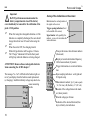
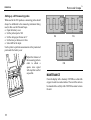
Switching from one readout to another
The Personal Scope offers many voltage measuring possibilities.
Press the “readout” key repeatedly to select one of four
possible readouts :
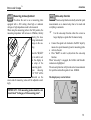
Peak voltage (Vp). The signal's peak-to-peak voltage
(difference between
highest and lowest
value) is displayed.
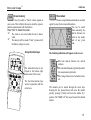
True RMS readout (Vr). The area of the AC wave is
calculated and converted to voltage. Please remember that
a correct readout invariably consists of at least one or two
visible periods (one can also use the auto-setup function).
dB measurement (dB). The measured signal is converted
to dBm (0dB=0.775V). Once more, the user should make
sure that at least one or two periods are displayed or select
the auto-setup function).
12
DC voltage measurement (V=). This function enables the
user to measure DC voltages (only for DC input coupling)
F
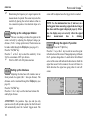
Useful tip for measuring DC voltages:
The readout can be set at zero (reference) for any
position on the screen by keeping the AC/DC key
pressed down. Always use the "run" trigger mode
for DC voltage measurement.
NOTE: If the signal goes off-screen or when the dBsignal is too small for
measurement, the
display will show.....