1
R8C Tiny Series E8a Emulator
Write Facility of the Microcomputer’s Internal Flash Memory
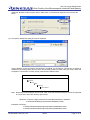
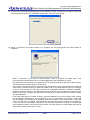
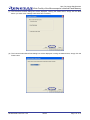
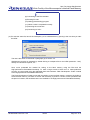
(9) If the microcomputer’s internal flash memory has had any user-set value (other than FFFFFFFFFFFFFF
in hexadecimal) written into its ID code part, the ID Code Confirmation dialog box is displayed. Enter the
value that you set when specifying ID code and click the OK button.
Shown in the above example is the ID code confirmation screen that is displayed when the E8a
emulator is connected to a microcomputer that has had ID code written in it following the procedure in
Section 4.3 of this document.
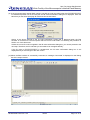
Unless the correct ID code is supplied in the ID code confirmation dialog box, you cannot proceed to the
next step. Therefore, the ID code that you set needs to be managed carefully.
If the ID code is FFFFFFFFFFFFFF in hexadecimal, the ID code confirmation dialog box is not
displayed and you are brought to the next screen.
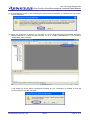
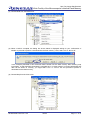
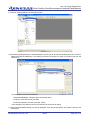
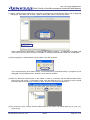
(10)When the E8a emulator is successfully connected, a message “Connected” is displayed on the Debug
tab of the output window.
REJ06J0069-0100 /Rev.1.00
2009.2
Page 19 of 31