1
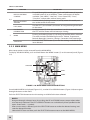
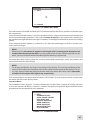
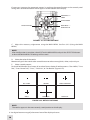
MAIN MENU
> EXIT
PALETTE
TEMPERATURE
RETICLE
BORESIGHT
SCENARIOS
CORRECTIONS
SETTINGS
STORE IMAGE
Figure 3-11. Zeus Main Menu
Palette Menu
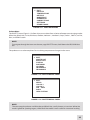
The PALETTE menu (Figure 3-11) allows the user to select from a choice of temperature imaging modes:
White Hot, Black Hot, Fusion, Rainbow, Globow, Ironbow 1, Ironbow 2, Sepia, Color 1, Color 2, Ice-Fire,
Rain, and OEM Custom.
NOTE:
To navigate through the items on the two-page PALETTE menu, hold down the UP/DOWN button.
The palettes act as color templates for visualizing temperature changes in the scene.
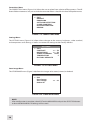
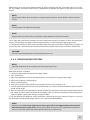
PALETTE
> EXIT
WHITE HOT
BLACK HOT
FUSION
RAINBOW
GLOBOW
IRONBOW1
IRONBOW2
Figure 3-12. Palette Menu. Page 1
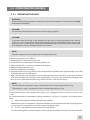
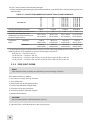
PALETTE
> EXIT
SEPIA
COLOR 1
COLOR 2
ICE - FIRE
RAIN
OEM CUSTOM
Figure 3-13. Palette Menu. Page 2
NOTE:
The most popular palettes are White Hot and Black Hot, usually known as inversion. White Hot
mode is good for spotting targets, while Black Hot mode is most useful for situational reading.
25