1
5.2.6 FUNZIONE RECORD FUELLING
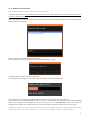
This function work as the “Read fuelling” function but it store the fuelling parameter in a *.fu1 file.
This files can be opened and viewed with the application “GraphicViewer.exe” that is supplyed with NANOCOM. The
application “GraphcViewer.exe” is described in the chapter 8
To make this function work turn on the ignition of the car to the second step with or without run the engine.
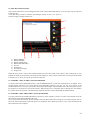
To activate this function you have to click the button “Read fuelling”. If the communication starts the LED flashs as
described in the section 4.1.2, and it keeps flashing during all the scanning.
To stop the scanning and quit the function you have to click the “Stop read/rec” button.
When you activate the function a file brouser allow you to choose the name and the location of the file that the function
will create.
This function is similar to the “Record fuelling” of the standalone mode (see section 4.2.5), the only difference is that
the file created is stored in the computer, so it don’t have any dimensions limit and you can store a scanning longer that
35 minutes.
5.2.7 READ SETTING FUNCTION
To make this function work turn on the ignition of the car to the second step with or without run the engine.
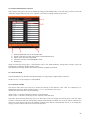
To activate this function you have to click the button “Read setting”. If the communication starts the LED flashs as
described in the section 4.1.2, and if the function work properly the settings of the car will appear on the input-output
area.
The settings are composed by the five injector codes, the accelerators potentiometer track, and some information about
the features of the ECU’s firmware.
The two buttons under all the settings allow you to create a file with this settings.
The button “Save setting in a NANOCOM file (*.se1)”, save a file with *.se1 extension (the same format of setting file
generated by the NANOCOM in standalone mode). This kind of file is visible just by the NANOCOM.exe application.
The button “Save setting code in a text file (*.txt1) ”, save a text file with *.txt extension. This file can be opened with a
standard text editor and so you can also print it.
28