1
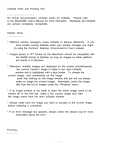
Demonstrating a Student Screen
to Other Student Screens
Click to select all
desired Student
Computers by using
the Control-Key to
select single
computers or the
Shift-Key to select
sequential
computers. These
will now appear in
highlighted blue on
your teacher module.
Click the DOWN
ARROW to the right
of the Demonstrate
button on the Tool
Bar.
Select the desired
student monitor to
display.