1
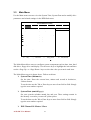
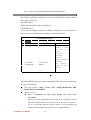
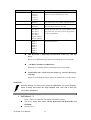
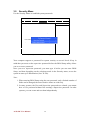
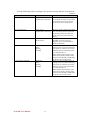
Use the following chart to configure the system-security and anti-virus options.
* Default
Feature
Set Supervisor Password
Options
Up to seven
alphanumeric characters
Description
Pressing <Enter> displays dialog box
for entering the supervisor password.
In related systems, this password
gives full access to Setup menus.
Set User Password
Up to seven
alphanumeric characters
Fixed disk boot sector
Normal*
Write Protect
Virus check reminder
Disabled*
Daily
Weekly
Monthly
System backup reminder
Disabled*
Daily
Weekly
Monthly
Pressing <Enter> displays the dialog
box for entering the user password.
In related systems, this password
gives restricted access to SETUP
menus.
Write protects the boot sector on the
hard disk for virus protection.
Requires a password to format or
Fdisk the hard disk
Displays a message during boot up
asking (Y/N) if you have backed up
the system or scanned it for viruses.
Message returns on each boot until
you respond with "Y".
Daily displays the message on the
first boot of the day, Weekly on the
first boot after Sunday, and Monthly
on the first boot of the month.
Displays a message during boot up
asking (Y/N) if you have backed up
the system or scanned it for viruses.
Message returns on each boot until
you respond with "Y".
Daily displays the message on the
first boot of the day, Weekly on the
first boot after Sunday, and Monthly
on the first boot of the month.
A270 SBC User Manual
37