1
WWW.TECHGROW.NL
TechGrow
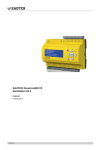
Humi Twin
Humidity Controller
RH
%
55
Issued: 01-11-2014
MANUAL
Software version: 1.00
TechGrow Humi Twin
USER MANUAL
CONGRATULATIONS!
You have just purchased the TechGrow Humi Twin humidity controller. This
easy to use humidity controller is by far the best in its class thanks to its
completely digital technique.
SPECIAL FEATURES:
• Plug & Play, placeable in small to very large rooms.
• Extremely accurate external humidity sensor, produced by Sensirion®.
• Adjustable between 10% – 90% relative humidity.
• The sensor takes a measurement every second.
• Switches the humidifier/dehumidifier on/off using a 230V relay.
• Memory in case of power outages for setpoint and hysteresis.
• Automatic 110V – 230V detection.
• LED indicates when the Humi Twin is active.
• Automatically detects if the humidity sensor is connected correctly (in case of broken cable or
bad connection).
• LCD display.
• Connecting the sensor is done with a standard network cable (UTP). Included is a 5 meter
cable. This cable can be replaced by a longer UTP-cable.
INSTALLATION:
1.It is recommended to mount the humidity sensor on a wall close to the humidifier/dehumidifier,
with a minimum distance of 50 cm. The sensor must be placed approximately 1 meter above
the floor. For this, use the enclosed mounting bracket.
2.Connect the sensor to the Humi Twin with the supplied UTP cable.
3.Plug the Humi Twin in to a 230V wall socket.
4.Wait until the Humi Twin is booted (takes approx. 12 seconds).
5.Plug the humidifier/dehumidifier into the socket of the Humi Twin.
6.Ready!
It is not recommended to mount the Temp RH sensor in such a way that it catches direct light. The
housing of the sensor can reach high temperatures and wrong
values could be shown. The sensor must be placed approximately
1 meter above the floor. For this, use the enclosed mounting
Sensor can be
Sensor
bracket.
placed left or right
50 cm
100 cm
Humidifier/
dehumidifier
2
TechGrow Humi Twin
USER MANUAL
When activating the TechGrow Humi Twin humidity controller the following will appear on the
display sequentially:
• TechGrow Humi Twin (photo 1)
• UP or DOWN (photo 2)
• V 1.0 (photo 3)
MEANING OF THE LED
Green LED on continually: humidifier/dehumidifier is switched off.
Red LED on continually: humidifier/dehumidifier is switched on.
Red LED blinking: no sensor or the sensor is damaged (photo 6).
ADJUSTING THE TECHGROW HUMI TWIN HUMIDITY CONTROLLER:
ADJUSTING SETPOINT (PHOTO 4)
For setting the appropriate humidity, use the rotary button to set the desired humidity level:
• Use the left rotary button to adjust the setpoint (10-90%).
• Wait for 3 seconds, the new set value will be saved automatically.
The display will now return to the main screen.
ADJUSTING HYSTERESIS (BANDWIDTH) (PHOTO 5)
For adjusting the hysteresis, use the rotary button on the right.
• adjust de value with the rotary button (0-5%).
• wait for 3 seconds, the new set value will be saved automatically. The display will now return to
the main screen.
3
TechGrow Humi Twin
USER MANUAL
OPERATING THE TECHGROW HUMI TWIN HUMIDITY CONTROLLER:
When the humidity in a room drops below the set value (setpoint), the humidifier/dehumidifier
(source) will be activated. After a while, the humidity will change and when it has reached the set
value, the source will be deactivated again.
EXAMPLE 1:
The Humi Twin is set on `humidifying’ (UP).
The humidity is “set” at 60%.
The humidity “+/-” is at 5%.
The current humidity level in the room is for example 70%, which is higher than the humidity set, so
the humidifier (source) is deactivated. The green light is turned on.
The humidity level gradually starts to drop to 60%: nothing happens.
Only when the level drops below the humidity set minus the humidity +/-, which in this case is 60 –
5 = 55, the humidifier will be activated and the red light turns on.
The humidity level is now rising and, as soon as the value of 60 + 5 = 65 has been reached, the
humidifier will be deactivated. By adjusting the humidity +/-, a quiet and stable atmosphere can be
obtained.
EXAMPLE 2:
The Humi Twin is set on dehumidifying (DOWN).
The humidity “set” is at 60%.
The humidity “+/-” is at 5%.
The current humidity level in the room is for example 50%, which is lower than the humidity set, so
the dehumidifier (source) is deactivated. The green light is turned on.
The humidity level gradually starts to rise up to 60%: nothing happens.
Only when the level rises above the humidity set minus the humidity “+/-”, which in this case is 60 +
5 = 65, the dehumidifier will be activated and the red light turns on.
The humidity level now drops and, as soon as the value of 60% - 5% = 55% has been reached, the
dehumidifier will be deactivated. The light turns green again.
By adjusting the humidity “+/-”, a stable atmosphere can be obtained.
4
TechGrow Humi Twin
USER MANUAL
SWITCHING BETWEEN HUMIDIFY CONTROLLER AND DEHUMIDIFY
CONTROLLER:
•
•
•
•
Remove the Humi Twin from the wall socket.
Plug the Humi Twin back into the wall socket.
During start up, press the button on the top left once, with a pen or paperclip (see photo below).
Now, ”UP” (humidity controller) or “DOWN” (dehumidity controller) will appear on the display
(photo 2).
• Press the button repeatedly until the desired function is shown on the display.
• Wait until the Humi Twin is booted. The desired function will now be saved. This adjustment will
be stored, even when the Humi Twin has been cut off from power.
TECHNICAL SPECIFICATIONS
Power supply: 100 to 240 Volt (automatic)
Power frequency: 50 to 60 Hz
Consumption: 3 Watt (with sensor, without humidifier/dehumidifier)
Maximum load: 1500 Watt (max 6A)
Range humidity set: 10 – 90% relative humidity
Range humidity +/-: 0 – 5% humidity
Measurement frequency: 1 measurement per second.
5
TechGrow Humi Twin
USER MANUAL
1
TechGrow
2
3
UP
Humi
V1.0
DOWN
TWIN
4
Set: 60%
5
Hys:
5%
6
NO
SENSOR
6
Notes
7
8