1
CCTV tester User’s Manual
CCTV tester User’s Manual
Call preset-95—Enter the main menu of the PTZ camera or stop the PATTERN recording.
Call preset-96—Run pattern-1
Call preset-97—Run preset tour-1
Call preset-98—Run frame Scan
Call preset-99—Run Auto scan
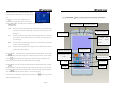
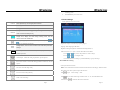
15
DC12V1A power output: output DC12V power for camera
16
UTP cable port: Please use together with UTP LAN cable tester.
17
Video input (BNC input interface): Inputs the video.
18
Video output (BNC output interface): Outputs the video.
19
Light connected to the 12V power cable
20
RS485 Interface: RS485 communication for the PTZ.
21
Adapt to the dark repair work environment
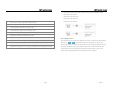
PTZ continuing rotate test
22
For different audio video input / output interface signal test
PTZ continuing rotate test is used to test whether the “PTZ rotate” is normal. Press and hold the dire
Shut off battery power and lights switch
ction key (e.g.
23
24
External power supply (DC, 5V): It is highly recommended to use the equipped power adapter.
or
). The PTZ start rotating. Press the "power" key one time, then
release the direction key. PTZ will rotate continuously. Press any direction key afterwards will stop
the rotating.This function is used to test whether the “PTZ rotate” is normal. The PTZ may have
problem when rotates to some particular position,like not rotating smoothly or get stuck. The
install worker could judge whether the PTZ has problem by observing the PTZ .
Page.9
.
.
Page.14