1
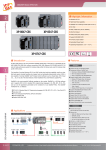
Datasheet USB-87P1/2/4/8 Package Checklist Items Quantity Model No. USB-87P1 USB-87P2 USB-87Pn 1 USB-87P4 USB-87P8 Cable 1 CA-USB18 Manual 1 CD 1 Screw 1 Driver Description Hardware module: USB-87Pn I/O Unit P1: 1 Slot P2: 2 Slots P4: 4 Slots P8: 8 Slots USB connector cable Quick Start Manual (this manual) Software utility, USB-87Pn User Manual 2.4 mm Screw driver (minus style) Note:USB-87Pn is only for High Profile I-87K I/O modules, please DO NOT use Low Profile I/O modules. For more information, please refer to Chapter 2.2.5 & Appendix B of “USB-87P1/2/4/8 User Manual”. Preparation z Power Supply: z Install USB-87Pn DriverInstaller to PC CD:\NAPDOS\87pn_io_unit\USB-87Pn z Install DCON Utility to PC (Version 4.5.2 or above version. Please remove the old version before install the new version) CD:\ Napdos\Driver\DCON_Utility Amplicon.com +10V ~ +30V /DC (Ex: DP-665) IT and Instrumentation for industry Sales: +44 (0) 1273 570 220 Website: www.amplicon.com Email: [email protected] Datasheet Hardware Configuration 1. View of the USB-87Pn Power Module CPU Module 87Pn Power CPU Power Auto Configuring Dip Switch High Profile i-87K I/O Slots System ready Auto Configuration Enable/Disable Slot 0 Slot 1 Slot 2 Slot 3 Power connector USB port Slots LED indicators 2. Wire the 87Pn to power and PC Power Supply +10~+30 VDC GND +Vs USB-87P4 To USB port +Vs GND PC (COM X) USB Connector Cable (CA-USB18) Amplicon.com To USB port IT and Instrumentation for industry Sales: +44 (0) 1273 570 220 Website: www.amplicon.com Email: [email protected] Datasheet 3. Configure CPU module Switch Label Dip Switch Auto Config. Setting Description ON Enable (Switch to ON) OFF Disable 4. Plug in the High Profile I/O modules Example: Plug in i-87019R to Slot 0. p.s. i-87019R is an AI (Analog Input) High Profile module Slot: 0 Ð 1 Ð 2 Ð High Profile Low Profile 81.08 102.14 66.7 87.46 3 Ð i-87019R is auto-configured: Baud Rate: 115200 Checksum: Disable Net Address: 2 Note: The Net Address of USB-87PN is always 1. Ï Net Address: 1 Ï 2 Ï 3 Ï 4 Ï 5 After plugged in, the slot indicator is flashing per 100 ms. When software configuration is completed, the LED becomes off. If configuration is failed, the LED is always on. Amplicon.com IT and Instrumentation for industry Sales: +44 (0) 1273 570 220 Website: www.amplicon.com Email: [email protected] Datasheet Software Configuration 1. Run DCON Utility to Search the USB-87Pn (Ex: USB-87P8) Note:Please finish the “Preparation” (P.1) before Software Configuration. 1 2 Check “Device Manager” of your PC to see the connecting COM. 3 When the USB-87Pn is found, click to stop the searching. The “X” of “[X,0,0,0,...]” means “The configuration of that slot is not completed or not correct. Amplicon.com IT and Instrumentation for industry Sales: +44 (0) 1273 570 220 Website: www.amplicon.com Email: [email protected] Datasheet 2. Click “USB-87Pn” to setup slots 2 1 3 4 If the status code is not [01H], click button and follow the instruction please. 3. Configure the 87K I/O module 2 1 3 4 Amplicon.com IT and Instrumentation for industry Sales: +44 (0) 1273 570 220 Website: www.amplicon.com Email: [email protected] Datasheet 4. Click “Write To 87Pn” button 1 After “Write To 87Pn”, the Status Code is changed to “[00H] OK” that means “The configuration is correct”. 2 5. Click “Start Search” button Now the configuration is done! “[0,0,0,0...]” of “Status” means “The I/O configuration of each slot is correct”. Each plugged I/O module will be listed under the USB-87Pn. User can click the name of I/O module to watch its configuration. Note: 1. For changing the configuration of 87K I/O module, please repeat from the STEP 2 of the Software Configuration. Amplicon.com IT and Instrumentation for industry Sales: +44 (0) 1273 570 220 Website: www.amplicon.com Email: [email protected] Datasheet Change the hardware I/O module User doesn’t need to configure I/O module again! Remove the damaged module. Plug in a new one with the same model number. Easy! Convenient! Amplicon.com IT and Instrumentation for industry Sales: +44 (0) 1273 570 220 Website: www.amplicon.com Email: [email protected]