1
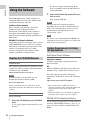
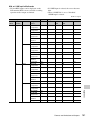
This section covers basic operations for setting
the Setup menu items.
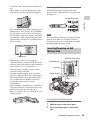
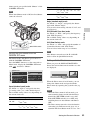
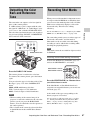
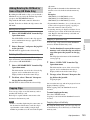
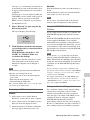
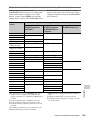
Menu controls
MENU button
Joystick
Jog dial
CANCEL button
L
R
MONITOR
VOL
MENU
CANCEL
S&Q
THUMBNAIL SEL/SET
CANCEL
SEL/SET
CA
NC
EL
L
NE
XT
ST RE
AR C
T/S
TO
P
s
HO
LD
L
SE
L/S
ET
PL
AY
/PAU
PR
G SE
EV
/S F FW
D
l
ST
J
OP
F
j
RE
V
TH
UM
NA
IL
MO
NI
VO TO
L R
R
CANCEL
button
L
OF
F
H
W
T
A
SHOT
TRANS
ITION
B
.2
LCD
B.LIGH
T
LCD
BRIGH
T DURAT
TC/U-B
IT/
ION
81
ON
40
BARS/
CAM
ND
FILTER
HISTO
GRAM
IA
OFFMED
ASSIG
N
2
ERA
CAM
5.6
3
CEL
CAN
8
2
ON
1
A
ZEBR
A
C
FOCU
S
16
OFF
B
PEAK
ING
MANUAL
AUTO
FULL
OFF
DC
U
MEN
/SET
SEL
IN
URE
PICTFILE
PRO
SELECT
INT
EXT
AUTOUAL
MAN
GAIN
L
M
H
S&Q
SLOT
AUTO
CH-1
WHIT
E BAL
AUD
IN
CH-1
IO
AUDECT
SEL
AUDIO
LEVEL
B
A
PAST
CH-2
IO
INT
EXT
COMPONENT
OUT
DISP
OUT
BRT
2.8
INFO
1
A/V
MACR
O
4
MANU
AL AUTO
HDMI
1.9
LENS
25
15
30
10
15
5
R
STATU
S
DISPLA
BATT
Y
INFO
IRIS
10
All Reset
Camera Data
Time Zone
Clock Set
Language
Assign Button
Tally
Hours Meter
IR Remote
Battery Alarm
Battery INFO
Direct Menu
i.LINK I/O
Trigger Mode
Country
HD/SD Mode
Video Format
Clip
Format Media
Version Up
Version
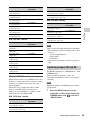
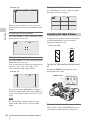
Basic Menu Operations
10
3
OTHERS
Timecode
Users Bit
TC Format
5.8
TC/UB SET
1R
W-EX
PM
AUTOUAL
MAN
CH-2
OPEN
CACHE
REC
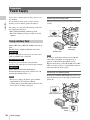
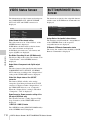
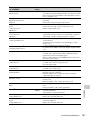
Joystick (SEL/SET button)
When you tilt it, the cursor moves in the
corresponding direction, permitting you to select
menu items or setting values.
Jog dial (SEL/SET dial)
When you turn the dial, the cursor moves up or
down, permitting you to select menu items or
setting values.
CANCEL button
To return to the previous layer of the menu. An
uncompleted change is canceled.
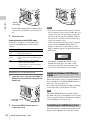
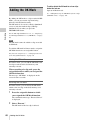
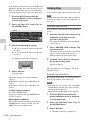
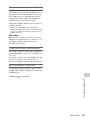
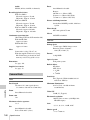
Menu Configuration and Detailed Settings
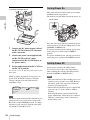
MENU button
To turn Menu mode to use Setup menus on/off.
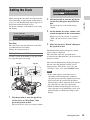
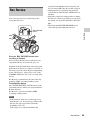
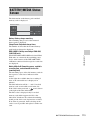
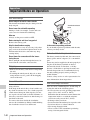
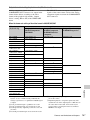
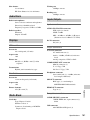
Displaying the Setup menu
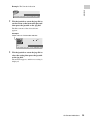
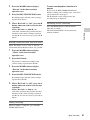
Press the MENU button.
The menu icons appear on the screen.
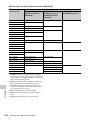
The cursor is displayed on the icon of the menu
used last, and the corresponding menu item
selection area is displayed to the right.
Basic Menu Operations
115