1
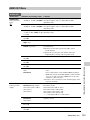
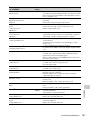
VIDEO SET Menu
VIDEO SET
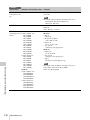
Menu items
Setting values
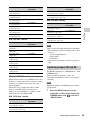
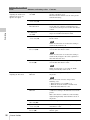
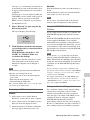
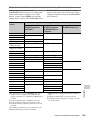
Output Select
Contents
HD Mode
HD SDI Component
Setting the output
SD SDI Component
signals
HD HDMI
SD HDMI Interlace
SD HDMI Progressive
Composite
SD Mode
SD SDI Component
SD HDMI Interlace
Composite
HD SDI Component: To output an HD analog component
signal from the COMPONENT OUT connector and an
HD SDI signal from the SDI OUT connector
SD SDI Component: To output an SD analog component
signal from the COMPONENT OUT connector and an
SD SDI signal from the SDI OUT connector
HD HDMI: To output an HD HDMI signal from the HDMI
OUT connector
SD HDMI Interlace: To output an SD HDMI interlace signal
from the HDMI OUT connector
SD HDMI Progressive: To output an SD HDMI Progressive
signal from the HDMI OUT connector
Composite: To output a composite signal from the A/V OUT
connector
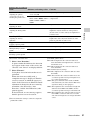
YPbPr/Digital
Out Display
Set whether to add the same menus and status indications as
those on the LCD monitor/EVF screen to the output signals
from the COMPONENT OUT, SDI OUT and HDMI OUT
connectors. (This setting cannot be changed if “Output
Select” is “Composite.”)
On / Off
Setting the
character
information for the
component and
digital outputs
Note
On the thumbnail, EXPAND CLIP and SHOT MARK
screens, the same menus and status indications as those on the
LCD monitor/EVF screen are displayed regardless of the
setting of this item.
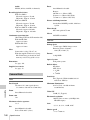
Menu Configuration and Detailed Settings
124
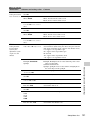
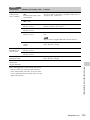
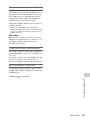
Video Out
Display
On / Off
Setting the
character
information for the
composite output
Set whether to add the same menus and status indications as
those on the LCD monitor/EVF screen to the output signal
from the A/V OUT connector. (This setting cannot be
changed if “Output Select” is other than “Composite.”)
Note
On the thumbnail, EXPAND CLIP and SHOT MARK
screens, the same menus and status indications as those on the
LCD monitor/EVF screen are displayed regardless of the
setting of this item.
Setup
Setting 7.5% setup
for the composite
signal
On / Off
Set whether to add 7.5% setup to the output signal from the
A/V OUT connector when a format of NTSC is selected
(Invalid when a format of PAL is selected).
Note
The default setting is different among the sales areas.
United States and Canada: On
Other areas: Off
Setup Menu List