1
Chapter 3 Compiling NDDS Applications
❏ gmake is installed. Note: make will not work. If you do not have gmake, you can
download it from our web site. From http://www.rti.com/downloads/download.html, select Free Downloads from the left-hand navigation bar and select
an appropriate download from the next screen.
❏ The NDDSHOME environment variable is set to the root directory of the NDDS
installation. To confirm, type:
env | grep NDDSHOME
If not yet set or incorrect, type:
setenv NDDSHOME <correct directory>
❏ The NDDS_PEER_HOSTS environment variable is set to the list of peers1 that
will be communicating with each other. For example, if your machine is called
myComputer and you want it to talk to two other peers named venus and mars,
type:
setenv NDDS_PEER_HOSTS myComputer:venus:mars
If you are simply experimenting on a single node (such as during the exercises in
the NDDS Tutorial), this only needs to be set to localhost.
3.1.1
Compiling
To compile an NDDS application of any complexity, you can either modify the auto-generated makefile created by running nddsgen or write your own makefile. In either case,
you must use one of the supported compilers and linkers shown in Table 3.1. Table 3.1
shows the operating system specific compilers, linkers and libraries needed to build
NDDS applications. For some operating systems we provide several options. For example, on Solaris 2.8 we support three different compilers. You can choose to use either the
native 5.0, native 5.2 or gcc 2.95 compilers. The word native is used to describe the compiler that you can purchase with the operating system.
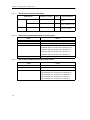
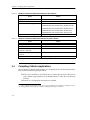
You also need to specify NDDS-specific compiler defines, include directories and libraries. Also, there is a specific order to the libraries during linking. Table 3.2 and Table 3.3
show the build settings common to all UNIX platforms, for both static and shared libraries (where <architecture> is the architecture string for your system, as listed in
Table 1.1). You must choose between the two types of libraries. Do not mix the different
types of libraries during linking.
1. A peer is a computer. It can be denoted as a hostname or an explicit IP address.
3-2