1
User Interface
Bluetooth®
Press
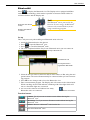
to display the Bluetooth view. The Display unit is equipped with Bluetooth® wireless technology, which makes it possible to measure without cables between the detector and the Display unit.
Note!
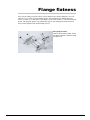
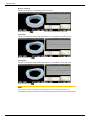
Diode yellow when attached
correctly.
Diode blue when Bluetooth®
is connected
The Bluetooth® unit is powered by the
Detector. To save energy, the Bluetooth®
units are only connected when you are
using a measuring program.
Set up
This is only necessary when adding new Bluetooth® units to the list.
1.Attach the Bluetooth unit to the detector.
to open the Bluetooth® view.
2.Press
to search for Bluetooth® units.
3.Press
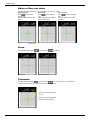
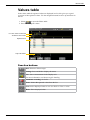
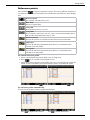
4.The view is updated with the Easy-Laser® Bluetooth® units you can connect to.
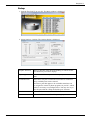
Searching for Bluetooth® units
Found Bluetooth® units
Use navigation buttons to
toggle between Yes and No.
5.Select the unit you want to connect to and set Auto-connect to Yes, using the navigation buttons. The unit will automatically be connected when you start a measuring program.
6.Press OK to save changes and to leave the Bluetooth® view.
7.Enter a measurement program. The Display unit will connect to the selected units.
While searching, the left LED indicator is blinking with a blue light which will
turn to a fixed blue light once connected.
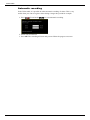
8.An icon on the status bar will indicate how many
Bluetooth® units are connected.
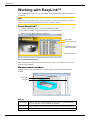
One Bluetooth® unit connected
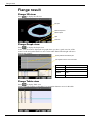
Function buttons
Connect. Use if you want to connect a unit without leaving the
Bluetooth® view.
Disconnect. Use if you want to disconnect a unit without leaving the
Bluetooth® view.
Remove. Remove a Bluetooth® unit from the list.
Search for Bluetooth® units.
21