1
172
2 Modeling Environment
the head observation boreholes and their associated observed (measurement) data in
a Head Observation dialog box. See Section 2.6.1.14 for details.
When this menu item is selected (and checked), PEST uses the head observation
data for the parameter estimation.
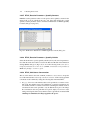
2.6.8.3 PEST (Parameter Estimation) | Flow Observations
Select Drawdown Observations from the PEST (Parameter Estimation) or MODFLOW menu to specify the locations of the drawdown observation boreholes and
their associated observed (measurement) data in a Drawdown Observations dialog
box. Its use is identical to the Head Observation dialog box. The only difference
is that the head observations are replaced by drawdown observations. See Section
2.6.1.14 for details.
When this menu item is selected (and checked), PEST uses the drawdown observation data for the parameter estimation.
2.6.8.4 PEST (Parameter Estimation) | Run
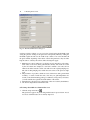
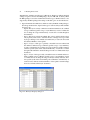
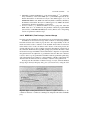
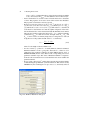
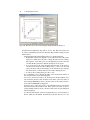
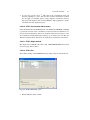
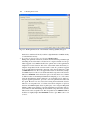
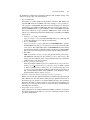
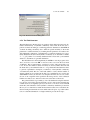
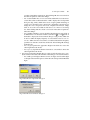
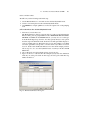
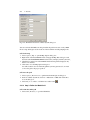
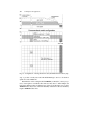
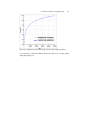
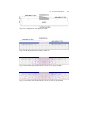
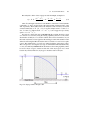
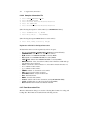
Select this menu item to start a parameter estimation (model calibration) process with
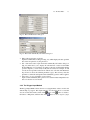
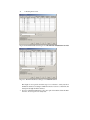
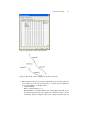
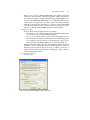
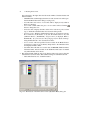
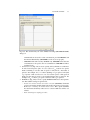
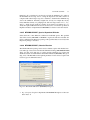
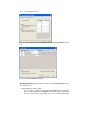
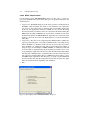
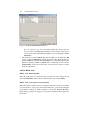
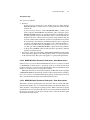
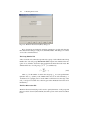
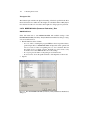
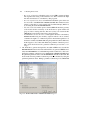
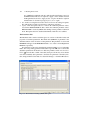
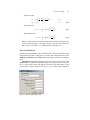
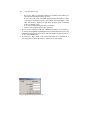
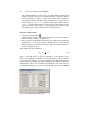
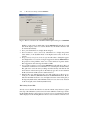
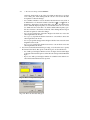
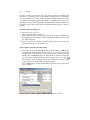
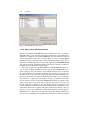
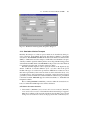
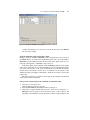
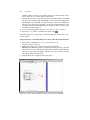
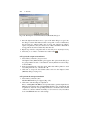
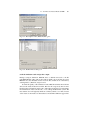
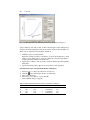
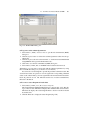
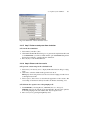
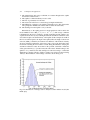
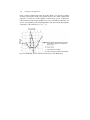
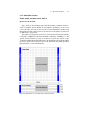
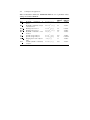
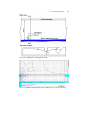
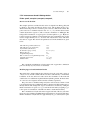
PEST. The available settings of the Run PEST dialog box (Fig. 2.84) are described
below.
•
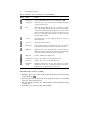
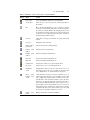
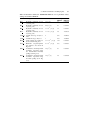
The File Table has three columns:
– Generate: PM uses the user-specified data to generate input files for MODFLOW and PEST. An input file will be generated if it does not exist or if
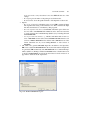
Fig. 2.84. The Run PEST dialog box