1
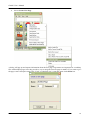
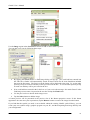
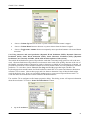
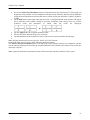
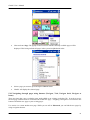
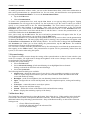
ChatPC User’s Manual choose the Static Word Prediction action for the button from the drop-down list. This button will display the most probable word in compliance with the current characters displayed in the SDB, the assigned selected prediction order and the static word list used by the dictionary complier (10,000 or 30,000) tap the Add button on the right of the drop-down list. A popup Prediction Order window will appear and a prediction order number should be specified. Prediction Order ranges from zero to nine predicted words and determines in which order the words are displayed. Tap the Apply button to assign the prediction order. The action will be added to the preview action list. Tap the Ok button on the bottom-left corner of the screen to insert the button into the page. Note: No label and message are necessary for “SWP” and “SCP” buttons. Perform the same steps to create a Static Character Prediction button. The Static Character Prediction button will display the most probable character in compliance with the current character displayed in the SDB, the assigned prediction order and the static character list used by the dictionary compiler. Note: Dynamic Prediction is planned for future software and not currently available in this system. 33