1
CASHU
4. The Merchant sends product to the buyer
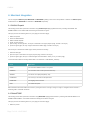
You must send at least the following hidden fields in the redirection to orderstandard_UTF8.asp:
Field
Explanation
PSPID
The merchant's affiliation name in our system
ORDERID
The merchant's order number (merchant reference)
AMOUNT
The amount to be paid (multiplied by 100)
CURRENCY
The currency of the order in ISO alpha code
LANGUAGE
The language of the customer
COM
The order's description
More information about these fields can be found in your Ogone account. Just log in and go to: Support > Integration & user manuals >
Technical guides > Parameter Cookbook.
Please also refer to the e-Commerce documentation.
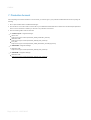
On submission of the hidden fields, the following takes places:
1. A PAYatHOME form is displayed to the buyer.
2. The buyer fills in the required data, then receives a confirmation e-mail for the placed order.
3. The buyer is then contacted by logistics services to arrange for money pickup and payment.
4. Once the payment is done, the CASHU payment gateway is notified and in turn notifies your Ogone account.
5. You can then ship the purchased products.
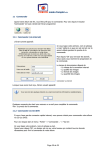
Example of PAYatHOME form:
Page 10 of 12 - 10/07/2015