1
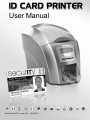
ID Card Printer – User Manual
CONTENTS
Safety Instructions: ............................................................................................................................................................ - 3 Printer installation .............................................................................................................................................................. - 4 Unpacking .............................................................................................................................................................................. - 4 IMPORTANT – do not connect USB yet................................................................................................................................ - 5 Printer location requirements: ................................................................................................................................................ - 5 Hopper & Stacker................................................................................................................................................................... - 6 Prepare the cleaning roller..................................................................................................................................................... - 6 Install the dye film .................................................................................................................................................................. - 7 Connect the power supply ..................................................................................................................................................... - 7 Load the Driver CD in to your PC .......................................................................................................................................... - 8 Using your ID Card printer ................................................................................................................................................. - 9 Printer parts ........................................................................................................................................................................... - 9 Front display panel............................................................................................................................................................... - 10 Off button ............................................................................................................................................................................. - 10 Menu options ....................................................................................................................................................................... - 11 Cleaning the rollers .............................................................................................................................................................. - 12 Test card .............................................................................................................................................................................. - 12 Info ....................................................................................................................................................................................... - 12 Hand feed............................................................................................................................................................................. - 13 Advanced ............................................................................................................................................................................. - 14 Choosing the right dye-film ribbon................................................................................................................................. - 15 Choosing the right cards ................................................................................................................................................. - 16 Card material ....................................................................................................................................................................... - 16 Card size .............................................................................................................................................................................. - 16 Card thickness ..................................................................................................................................................................... - 16 To obtain good quality prints the card must be:................................................................................................................... - 16 Printable area of the card..................................................................................................................................................... - 16 Using Magnetic stripe cards................................................................................................................................................. - 17 Using self-adhesive cards.................................................................................................................................................... - 17 The Printer driver settings ............................................................................................................................................... - 18 Caring for your printer...................................................................................................................................................... - 19 Cleaning supplies................................................................................................................................................................. - 20 Cleaning the printer rollers with the Cleaning Card ............................................................................................................. - 20 Replacing the cleaning roller................................................................................................................................................ - 21 Cleaning the printhead using the Cleaning Pen .................................................................................................................. - 22 Upgrading to double-sided OPERATION: ...................................................................................................................... - 23 Upgrading to ETHERNET OPERATION: ......................................................................................................................... - 24 Available consumables .................................................................................................................................................... - 25 Troubleshooting................................................................................................................................................................ - 26 -
ID Card Printer – User Manual
-2-