1
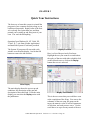
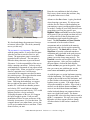
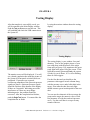
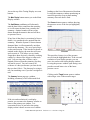
Within this window, you can select the hole size
to provide a realistic view of the target and you
can select between two sizes of target windows.
Again, the window can be left open during an
actual test to watch the target develop. The last
shot is colored green and the X denotes the
group center. Clicking on any hole will select
and highlight the corresponding round in the test
data.
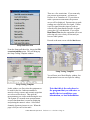
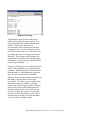
Diagnostic Message
1280x800 Display
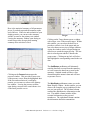
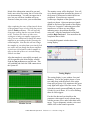
The size of the primary windows is fixed at
800x600. They are not scalable. If your display
is at least 1280x768, you can take advantage of
the extra room by leaving the summary, target,
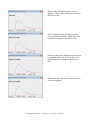
and pressure windows open. The latest pressure
curves and shot location are much easier to
interpret and the statistical summary is also
available.
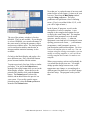
The Status button could just a well be labeled
the Question button. If you suspect stray
signals on the pressure channel, use the status
button to view the oscilloscope snapshots of
pressure. Perhaps even more important is the
time when you fire a shot and get no response
from the System 85. Pushing the status button
will force the System 85 to display all the
information it knows regarding the last shot.
After a response has been forced by the status
button, highlight the last shot data and doubleclick. This will bring up the diagnostic window.
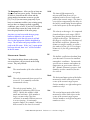
The diagnostic message shows the times at
which various critical events occurred. It is
especially useful for isolating problems with
sensors. All the times shown are in
microseconds, and are referenced to the first
recognized event. If a Fire signal is used, the
time at this event will be zero. The next event
expect is Pressure A crossing it’s detection
threshold. These signals will be followed by
signals from the muzzle screens and the target
microphones. Any expected event that did not
occur is represented by - - - -.
The Help button is available for those hints you
need to keep going.
The Test Note button can be opened at any time
before, during, or after the test. The only
restriction is that you must make your notes
before you ask for a new group. This is the
ideal spot for any alibis or other notes. These
notes will be printed on the test report and will
be available during any replay. Notes can be
added or modified during replay.
If you make any changes in distances or other
data during a replay, it is good practice to record
such changes and reasons in the notes.
Oehler Research System 85 Version 1.1.0 5/19/2011 Page 26