1
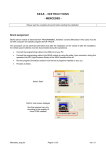
Pic.6. Transponder chip (keyblank) placed on Antenna board.
Press button 2. You will see “WAIT..” (pic.7) during the programming.
Pic.7 Transponder chip writing.
Pic.8. Writing finished successfully.
If transponder writing successfully finished “write ok”(pic.8) will appear on LCD. Press button 2 for go
back to Main Menu.
Possible ERRORS.
If programmer detects errors during writing it reports about them on LCD. Use button 2 for going back
to Main Menu for trying writing again.
NO EEPROM ANSWER.
Check clearing of EEPROM chip pins and contact quality between clips and EEPROM chip. Check
connection of clips cable and programmer.
ERROR A.
Programmer can’t detect transponder chip in antenna area, it’s possible that there is no transponder
inside keyblank or transponder ID is wrong. Aloud transponders – ID T5.
ERROR B, ERROR C.
Wrong transponder’s answer for programmer’s commands.
Check if you place transponder chip properly on antenna board. Try to move a bit it’s placing.
3