1
2
Contents
1 Notice
2 Important
Positioning the TV
Regulatory notices
Environmental care
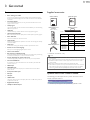
3 Get started
Features
Supplied accessories
Symbols used in this Owner’s Manual
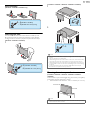
Stand assembly
Attaching the base
Mounting the unit on your furniture
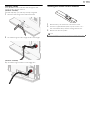
Managing cables
Installing the remote control batteries
Remote control
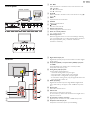
Control panel
Terminals
Connecting the antenna or the cable
Connecting a Set-top Box, Blu-ray / DVD Recorder
via Composite connectors and Analog Audio
Plugging in the AC power cord
Selecting your connection quality
HDMI - Highest quality
Component (Y Pb Pr) - High quality
Composite - Basic quality
Connecting your devices
HDMI Digital connection
HDMI-DVI connection
Component Analog Video Connection
Composite Analog Video Connection
Digital Audio Output Connection
PC connection
USB Memory Stick
Initial setup
4 Use your TV
Switching on your TV and putting it in Standby mode
Adjusting volume
Switching channels
Watching channels from an external device
Changing picture and sound settings
Sleep timer
Freeze mode
Switching audio mode
Changing picture format
TV screen information
5
6
6
6
6
7
7
7
7
8
8
8
9
9
10
11
11
12
12
12
13
13
13
13
13
13
13
14
14
14
15
15
16
5 Use more of your TV
Displaying the Main Menu
Picture
Sound
Setup
Autoprogram
Channel list
Add channels
Antenna confirmation
Features
Caption settings
Child and ratings lock
Channel lock
Setting US Movie and TV Ratings
Canadian English or Canadian French Ratings
Change PIN
PC settings
fun-Link (HDMI CEC)
Device list
Setting your Location to Home
E-sticker
Language
USB
Picture (JPEG)
Video (Motion JPEG)
6 Upgrade your TV software
Checking your current software version
Upgrading the software
7 Useful tips
21
21
22
23
23
23
24
24
24
25
25
26
26
27
28
28
28
29
29
30
30
30
31
31
31
32
32
32
33
FAQ
Troubleshooting
33
34
8 Information
35
Glossary
Maintenance
35
35
17
17
17
17
18
18
18
18
19
19
20
9 Specifications
36
10 Warranty
37
English