1
18
Watching channels from an external device
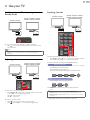
Switching Each Input Mode can easily switch with the remote control
between TV (DTV or Analog TV) and external devices when they are
connected to the unit.
1
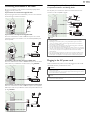
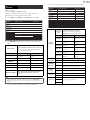
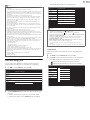
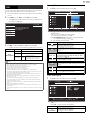
Press SOURCE repeatedly to select the Set-top box or the
connected device and wait a few seconds till the Picture appears.
e.g.)
11.1
Source
TV
HDMI1
HDMI2
HDMI3
Video
PC
HDMI1
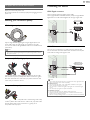
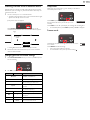
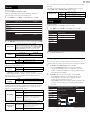
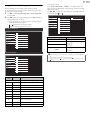
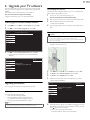
Press SLEEP repeatedly to change the amount of
Sleep
120min.
time (increases the time by 30 minutes up to 120
minutes).
Press SLEEP once to call up the display for checking the remaining time.
• To cancel sleep timer, press SLEEP repeatedly until Off is displayed.
Freeze mode
HDMI2
DTV / Analog TV
channel
Video
PC
or
HDMI3
Component
• Pressing ▲ reverses the direction of the Input modes.
Use the Remote Control of the Set-top box or the connected
device to select Channels.
Changing picture and sound settings
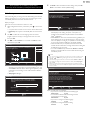
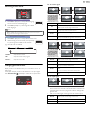
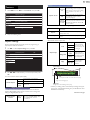
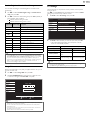
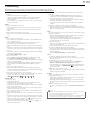
1 Press PIC/SOUND MODE to set your TV to a predefined picture
and sound setting.
2
Sleep Timer can set the unit to go into Standby mode after an
incremental period of time.
Turn On a Set-top box or a connected device.
• The picture from the Set-top box or the connected device might
appear automatically on the TV screen.
If the picture does not appear
2
Sleep timer
Use ▲▼to select one of the following settings :
Auto picture
Auto sound
Description
Personal
The customized settings you defined using
the Picture and Sound menu
Standard
For normal TV viewing
Vivid
Enhanced picture contrast, sharpness and
sound for viewing in a well-lit room
Sports
Brilliant picture settings and clear sound for
high action
Movie
Deep picture and powerful sound settings
for a cinematic experience
Game
–
Optimized for PCs and game consoles
Eco
–
Eco TV settings for low power
consumption
–
Music
Optimized for music playback
–
News
Controls picture tone and set the anchor's
voice at a comfortable volume
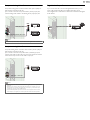
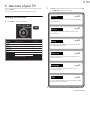
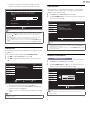
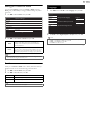
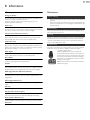
Freeze Mode can freeze the image shown on the TV screen
for 5 minutes.
Press FREEZE to freeze the image.
• The sound Output will not be paused.
• To cancel freeze mode, press any buttons except .
Freeze
English