1
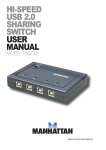
Thank you for purchasing the MANHATTAN USB Sharing Switch,
Model 160735.
®
Installation
Before installing the switch, make sure all computers and peripherals to
be connected are turned off.
1.Connect up to four computers to the PC1-4 ports on the switch
(cables included).
2.Connect the device port on the switch to the selected USB device.
3.Power on the computer(s) and the connected USB device.
Operation
The USB Sharing Switch draws its power from the computer(s). Any
connected USB device will link to the first connected computer that’s on.
Select button: Press the Select
Select
button (located on the top of the
switch) to cycle through up to four
connected computers.
LEDs: The corresponding LED of
whichever one of the four PC ports
pc4
pc3
pc2
pc1
is connected to the USB device will
be lit. (Only one LED will light at any
given time.) NOTE: A flashing LED indicates that the corresponding
port is processing a redirect command and is not yet ready for activity.
Hot Key Control (PCs only): When the switch isn’t within easy reach to
press the Select button, the Hot Key function can be used: On your
keyboard, press the Scroll Lock key twice (within 2 seconds) to redirect
the USB device to the next PC port and its connected computer. • If the next port is not connected or is connected to a computer that’s
turned off, the Select button will need to be used instead.
• Do not use the Hot Key shortcut to redirect the USB device to a PC in
Sleep mode or if a PC’s corresponding LED is flashing.
• If the connected USB device is a storage device (such as a hard drive or
CDRW), make sure the second computer completes the job in progress.