1
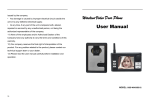
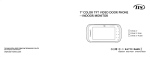
Wireless Video Door Phone
User
Manual
Contents
Introduction……………………………………………………………....3
Features…………………………………………………………………..4
Outdoor Camera……….…….…………………………………………..5
Indoor Monitor……..……………………………..……………………...6
Display show ………………………………………………………….....8
Operation instructions………………………………………………..10
Installation instructions…………………………………………………12
Part of power adapter…………………………………………………..14
Part of the battery……………………………………………………….14
Specifications and parameters………………………………………...15
Working Environment…………………………………………………....16
Maintenance of devices………………………………………………..16
Matters need to be noticed…………………………………………….16
Failure diagnosis………………………………………………………...17
Accessories………………………………………………………………18
Technology support and service…………………………………… 19
Warranty Card ………………………………………………………………20
【Remark】All the pictures and screen display shown in this manual are somewhat
different from actual product for advanced version of our product and different
production ,as a result , this manual is only for presenting the operation of our
product in detail. Please take actual devices as standard product .
2
Introduction :
This product adopts 2.4GHz digital audio and video wireless
transmission principle, outdoor unite takes pictures and indoor screen
display , bilateral intercom. The monitor has the remote unlock function
and can monitor the outdoor situation at any time , the advanced
infrared-assisted lighting features , so you can identify the night-visitors.
With fashionable and fresh appearance , clear viewing, easy to install ,
adding one more scientific protection for your family , this is absolutely
an ideal security product for modern families.
For better taking advantage of the prior functions please carefully read
our instruction for correct installation and operation.
【Remark】:This manual is suit for the kit with one camera matching one
monitor instead of one camera matching multiple monitors.
3
Features
① 2.4GHz launch frequency , barrier-free
remote control distance
is between
180-400m;
②
With
micro-processing
auto-remote
control
technology,
,
excellent
performance and high reliability;
③The TFT 2.4" digital color LCD for monitor;
④CMOS 300,000 pixel for camera;
⑤Clear night-viewing;24 hours monitoring ,
calling , speaking and unlocking remote
controlling etc;
⑥ One
cameras
can support 6 pcs of
monitors at most further information,
please contact the salesman;
⑦The mini USB data output for monitor
built-in high capacity rechargeable Lithium
battery;
⑧The monitor can take/save/view more than
200 pcs of photos automatically;
4
1. Outdoor camera
2
1
3
4
5
WB-A
6
2
1
3
4
5
WB-B
5
All parts and button instruction
①camera(getting images of visitor and outdoor)
②night-viewing light (identify the night-visitor)
③ The indicator light(the light is on when at work and is off when at
standby state/outdoor camera with battery only, if the light is on ,it stands
for charging but on the contrary it indicates charging is over )
④Speaker( to hear the voice of the host indoor)
⑤Call(call the indoor phone and auto start the camera)
⑥ The socket of rain-proof flat cover
2. Indoor monitor
①
③
⑥
⑦
⑤
④
②
6
⑧
⑨
⑫
⑩
⑪
All parts and button instruction:
①TFT LCD display (to show the image of visitor)
②Speaker (to hear the Dingdong calling and the voice of the visitor)
③Antenna(to transfer the signal of voice , unlock to the camera, at the
same time receive the signal of voice, image and call from the camera )
④Micro-phone(to convey the visitor's voice to the camera)
⑤ LED: the indicator light(the light is on when at work and is off when at
standby state /if the light is on ,it stands for charging but on the contrary it
indicates charging is over )
⑥Unlock(to control the camera and release the E-lock)
⑦ Monitor:Monitor / view photos (to start monitor and monitor the
outdoor circumstance / view the photos taken by the camera)
⑧Brightness+:(to enforce the brightness of images / photo up/ time+ )
⑨Volume-:(turn down the volume/ time-adjustment)
⑩Brightness-:(turn down the brightness of images/ photo down/ time-)
⑪ Volume+:(turn on the volume /time-adjustment )
⑫ Talk:(talk to the outdoor unit)
7
①
①Mini USB connector for charge;
②power switch
②
3. Display show:
1. Image of starting
Turn the power switch to ON and the
screen display this image for 2
seconds ,.. When goes into standby
state,
the system automatically turn
off the screen image of monitor up
8
2. The picture of time adjustment
When it’s standby,
press left /
right to enter time adjustment
screen,
press
the
left/right/
up/down key on the menu to
adjust the time freely, it also shows
the temperature outdoor.
3. Image of volume adjustment
To adjust the brightness of screen
freely by the up/down key on the
menu while it’s working!
adjusting range: 0-9
4. Image of volume adjusting
To adjust the volume by the
left/right key on the menu while it’s
working.
adjusting range: 0-9
9
5)Taking photographs
Press monitor key for 3
seconds and it shows “P”
symbol indicating that it has
entered
the photo-taking
mode. Capture the outer view
by pressing talking key. The
image holds for 1 second
6)Monitoring
indicating that the picture is
On
standby
press and
the
stored
insidemode,
the device
monitor
key forlater.
1 sec and it
can be viewed
shows “little eye” mark
indicating that it has entered
continuous monitor mode i.e.
the monitor will remain on till
it is switched off. Monitoring
4.
Operating Instructions
lasts for 24 hours or till battery
power
.Attention/The pre-operation:
1. Please connect the E-lock with power as the manual instructed
2. connect the power of the camera and turn on the monitor.
3. press the Monitor for 1 second , subsequently the image of outdoor
monitor is available .
4. make use of key “up” and “down” to adjust the brightness ,make sure
the image quality is the best .
10
Ⅱ. Comprehensive Operation of Monitor & Camera
1. press the call button of the camera ,the monitor will sounds
“ding-dong “and show the image of visitor .
2. press the Talk button to answer the visitor, and press the Unlock
button to release the door while bilateral talking if need unlocking .
3. Re-press the monitor button , both the video image and talking can close .
4. Then , the monitor keep stand-by state .
5. If no press on the “Monitor”, the display screen will auto-close itself and
goes into stand-by state after 90 seconds
6. the images are auto-kept by the monitor ,If there is nobody inside answers
to outdoor camera .
7. The monitor will close the images within 30 seconds .
Ⅲ. The operation of the monitoring feature
1. 24-hour monitoring solution: Press button “Monitor” for 1 second, the
working mode changes into 24-hour Monitoring mode.
2. Now press button “Talk” for talking feature, press button “Unlock” for
unlocking feature .
3. Re-press button “Monitor” to quit the Monitoring mode.
Ⅳ. Photographing Instruction .
1. At stand-by state , keep pressing button ”Monitor” for 3 seconds, the
photographing mode is available .
2. Press button “ Talk” to take pictures , press one time for one picture .
3. Press button “△”, “▽”, button “left” and button ”right” look
through the kept photos.
4. Press button “Monitor” can delete the photos
5. Press button ”Talk” can quit the mode of reviewing
6. Keep pressing button “Monitor” for 3 seconds to quit photographing
mode .
11
5. Installation instructions
The monitor controls the camera to unlock as follow:
After pressing the Unlock key of the monitor, it transfers the signal of
unlock to the camera in the way of wireless, and the E-lock will be
opened(electronic lock connected with the camera by electronic cable)
12
1
3
WB-A
4
2
5
1
1
3
1
1
3
1
WB-B
4
1
2
13
Among them:
(1) Battery Installation(Optional).
(2) The power socket.
(3) The socket of switch signal-control lock.
(4) The socket of voltage signal-control lock.
(5) rain-proof flat cover(Optional)
6. Part of power adapter
①The outdoor unit power supply: 12V/1A(DC transformer)
②The indoor unit power supply: 5V/1A(DC transformer)
③Please use the appointed or same specification (same rate voltage
and current) power adaptor ,the non-specified power adaptor may
damage the circuits and components inside;
7. Part of the battery
①The monitor built-in high capacity rechargeable Lithium battery, the
indoor unit should be placed in a well-ventilated, cool and place without
direct sunlight;
②The battery is easily-consumed product with limited life , if repeatedly
charging or discharging in working state will shorten its life;
③New product should be charged for 2-3 hours each time.
14
8. Specifications and parameters
Outdoor extension
Power
Supply
Indoor extension
Input: AC 100-240V
50/60Hz
Input: AC 100-240V
Power Supply
Output: DC 12V 1A
50/60Hz
Output: DC 5V 1A
Screen
2.4”TFT 320×240
Camera
CMOS 300,000 pixels
Light Source
6 LED lights
Battery
Power
Standby:0.2W
Power
Standby:0.1W
consumption
Unlock:12W
consumption
Work:2W
Modulation
GFSK
Modulation
GFSK
Frequency
2.4GHz
Frequency
2.4GHz
Transmitting
power
Size(mm)
3.7V 1200mAh Li-Ion
Battery
Transmitting
17dBm
Channel
number
specifications
power
17dBm
Channel
64
125×93×33
number
Size(mm)
Charging
64
162×100×50
3 hours
time
Standby time
6 days
15
9. working environment
①Working temperature -25°C—+50°C
②Working humidity range: less than 85%
10. Maintenance of devices
①Keep the clearance of the surface and use the soft dry cloth to clean
the dust of the product,
②Please turn off the power of indoor unit when clean the indoor device,
③If there is hard dirty which cannot be cleaned with dry cloth, please use
the soft towel dipped in the neutral diluted detergent to clean the
machine and then clean it with dry cloth,
④Do not use benzene, thinner or organic solvents such as gasoline to
clean, these solvents may cause damage to the machine casing or the
surface of the machine and change colors.
11. Matters need to be noticed
①The product should be placed where is stable , windy , air-dry,
non-sunshine ,non strong magnetic and non-dusty;
②Don't clean the surface with chemicals but with soft and clean dry
cloth;
③Don’t press several buttons at the same time;
④The outdoor and indoor unit must be matched with appointed specified
models and cannot match with others that are not our products.
⑤Do not disassemble the machine without authorization, if the need for
16
fault repair, please contact the distributor or the company's technology
department.
12. Failure diagnosis
Defect:
Unable
start
to
the
product
Judgement
Trouble shooting
If turn the switch to the "ON"?
Turn the switch to the ON
If the power of Li-ion batteries is not
To
enough?
batteries
If connect the power adaptor?
To
charge
connect
the
li-ion
the
power
adaptor
Unable
to
charge
If the plug of power adaptor correctly
Re-connect the devices
plug into the charging slot?
and power adaptor
If the
power
adapter
has been
connected to the 110-240V AC?
Re-insert the plug so that
power supply connected
to AC power adapter
Speaking
If the volume is adjusted to be the
To adjust the volume to be
least?
suitable
The image
If the indoor device is close to TV set ,
Keep the devices off these
is
fluorescent lamps , mobile phone ,
things
or noise
which has electromagnetic wave?
electromagnetic wave
The indoor
If the outdoor phone doesn't connect
To connect the outdoor
video
the power?
device power
state
no
voice
flashing
phone
shows
signal
no
If the outdoor phone is far away from
the indoor phone?
which
has
Keep the distance within
60 meters (with multi-wall
barrier case)
17
image
If there is other strong magnetic space
bother?
Put the indoor device out
of the strong magnetic
space
13. Accessories
□Indoor Monitor
1PCS □Outdoor Camera
□12V/1A Power
1PCS □5V/1A Power 1PCS
□Electric wire for E-lock 1PCS
【Remark】The E-lock isn't the accessory
18
1PCS
Technical support and services
①We insist tracking service through pre-sales and post sales , please
carefully read the user manual before installation;
②Please follow the user manual for correct installation and testing, if
there is any doubt please call our tech-supporting and customer service
center.
【 Remark 】 (1)Our company applies ourselves to reformation and
innovation of our products . No extra informing for any change. The
illustration shown here only used for reference , if there is any difference
please take the actual product as standard product.
(2) Our company reserves the final right of
interpretation of the production ,any problem of
the quality ,please feel free to return it to us !
No company and individual has the right to tear
up the label of this product without permission.
Or you should be responsible for your action.
19
WARRANTY CARD
Unit Model:
___________________________________________________________
Invoice Number:
___________________________________________________________
Date of Manufacturing:
___________________________________________________________
Date of Purchase:
____________________________________________________________
Dealer Name & Address:
____________________________________________________________
____________________________________________________________
Dealer’s Stamp & Signature
20
Customer Name & Signature
WARRANTY TERMS & CONDITIONS
, warrants this Video Door Phone To The Original Purchaser To Be Free From
Defects In Materials And Workmanship Within Six Months From The Date Of
Purchase As Provided In The Warranty Card.
This warranty is subject to terms and conditions as mentioned below:
1) This warranty shall be valid only for the said period of 6 months as specified
above.
2) The warranty period specified above shall include time taken for repairs,
replacement, break-downs transit time etc. No notice of expired of warranty
will be given by the company.
3) This warranty shall stand automatically terminated in the event of the said unit
being serviced, repaired, installed, de-installed, re-installed or otherwise
attended to by any person or organization or agency or by the said purchaser
himself other than the authorized representative of the company.
4) Parts of the unit replaced or repaired under the terms of this warranty are
warranted only for the remaining period of the original warranty period.
5) (For attending any service call under this warranty, all expenses incurred by the
authorized representative / dealer in collecting the said unit or any part
thereof from any location and its return to the original location shall be borne
by the purchaser.
6) (Any loss of product caused due to sabotage, improper handling or treatment,
carelessness, accident, fire, flood earthquake or any natural calamity shall not
be covered under this warranty.
21
7) It shall be the absolute discretion of the company to a)effect the repairs or
replacement of parts whether at the site of installation or at any service
and b)have the job attended to either by the company’s service personnel
or its authorized dealer.
8) The AC is designed to operate at a range (230 +/- 10%).Any failure due to
operation of the machine beyond these limits will not be covered by the
above warranty
9) The purchaser should preserve the original invoice for necessary verification
and produce it, as and when required.
10) Warranty null and void if,
•The product is not purchased from an authorized dealer of the company.
•Any damage is caused by accident, mishandling, tampering with installation ,
or negligence in following instructions of the user manual issued by the
company.
•Any damage is caused by improper electrical circuit outside the unit or by any
defective electrical supply.
•At any time, if any part of the unit is tampered with, altered, repaired or
serviced by any unauthorized person, not being the authorized representative of
the company.
11)None of the employees and/or Authorized Dealers of the Company have any
authority to vary the terms and conditions of this warranty.
12)Our company reserves the final right of interpretation of the product. For
any problem related to the product, please contact our technical support team or
your dealer.
13) Please read the user manual carefully before installation and operation.
22