1
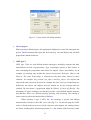
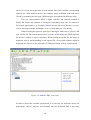
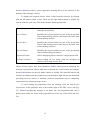
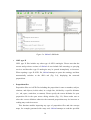
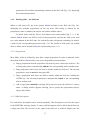
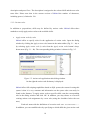
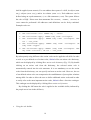
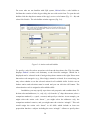
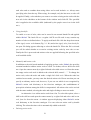
shall be applied (term WHERE). You can address three parts of a skill, its object (term obj), subject (term subj), and/or its relation (term rel). Each addressee can be defined using an equals-statement (=) or a like-statement (LIKE). The syntax follows the rules of SQL. Please note that statements like DELETE, INSERT, UPDATE, or DROP cannot be performed! All addressees and definitions can be freely combined. Examples rules are: SET actionverb=’know’ WHERE * SET actionverb=’cite’ WHERE obj = ‘House’ SET actionverb=’apply’ WHERE subj LIKE ‘%triangle%’ SET actionverb=’apply’ WHERE subj LIKE ‘%triangle%’ AND rel = ’has_side’ SET actionverb=’apply’ WHERE subj LIKE ‘%triangle%’ OR subj LIKE ‘%hypo%’ SET actionverb=’apply’ WHERE (subj LIKE ‘%triangle%’ AND obj LIKE ‘%circle%’) OR rel = ‘has_side’ By subsequently using different rules action verbs can be applied to all skills. In order to refer to a pre-defined set of action verbs, SkOwl offers an action verb dictionary, which can be displayed by clicking Show action verb dictionary (Fig. 2.5). By double clicking on an action verb from the dictionary, the selected action verb is automatically entered into the rule statement. It is not mandatory to use the action verbs from the dictionary, one can specify and term as action verb. However, the use of un-defined action verbs can compromise the establishment of prerequisite relations among skills. In order to allow the user to define additional action verbs and in order to easily refer to the most important action verbs, SkOwl offers a favorites catalogue. This catalogue can be displayed by clicking Show action verb favorites. By clicking the OK button the rule is applied to the available skills (indicated by the purple arrow icon in the skill tree). • Using the rule builder 19