1
Setting
G
CH Info Bar Time Out
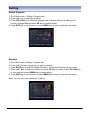
1. Go to Main menu > Setting > User preferences >CH Info Bar Time Out.
2. Press ̵̷ key to select the CH Info Bar Time Out option,
and press OK key to enter submenu.
3. Press ̵̷ key to select the timeout (4 timeout modes are
available: 1 second, 3 second, 5 second, 10 second),
and press OK key to confirm.
4. Press EXIT key to exit all menu or press MENU
key to return to the previous menu.
Volume Bar Time Out
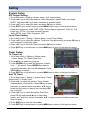
1. Go to Main menu > Setting > User preferences >Volume Bar Time Out.
2. Press ̵̷ key to select the Volume Bar Time Out
option, and press OK key to enter submenu.
3. Press ̵̷ key to select the timeout (
4 timeout modes are available: 1 second,
3 second, 5.second, 10 second), and press OK key
to confirm.
4. Press EXIT key to exit all menu or press MENU key to
return to the previous menu.
Antenna Power
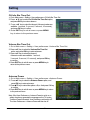
1. Go to Main menu > Setting > User preferences >Antenna Power.
2. Press̵̷ key to select the Antenna Power option, and
press OK key to enter submenu.
3. PressƷͩ key to select the options: off,on. And press OK key
to confirm.
4. Press EXIT key to exit all menu or press MENU key to return
to the previous menu.
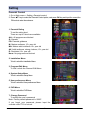
Note: If the User Preference > Antenna Power is set to on, a
safety check may generate the message on the TV screen
"Antenna Power mismatch. User Preference set back to off".
The User Preference > Antenna Power will then be off.
27