1
If you cannot identify a correct Device Code for your equipment from the Device Code
List, you should try the POWER SCAN method.
>
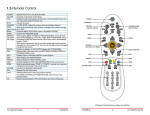
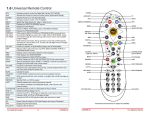
1. Manually turn on the device you wish to scan for (e.g. TV)
2. Perform Power Scan by pressing and holding (approximately 3 seconds) the desired
DEVICE MODE button TV, VCR, CBL/SAT or DVD until the status indicator light begins
to blink.
3. Press and release the ON/OFF(power) button. The status indicator light will stop blink
ing and stay ON at this point.
4. PRESS and RELEASE slowly and patiently the blue UP (▲) button to scan forward
through the code database. To scan backward through the code database, press and
release the blue DOWN (▼) button. Each time you press the up or down arrow, the
remote will try and turn off the device (TV, VCR etc) you originally selected.
5. When the device (TV,VCR etc.) responds by shutting off, press the ENTER button. This
will store the code in memory and you will see three blinks of the status indicator light
to confirm the code input. Be patient, there are over 100 codes to search through.
NOTE:
• Power Scan Model Check is the same as Power Scan, however, other keys may be
tested to see if they work with the target device without leaving the scan feature. If the
device responds to the other keys pressed, then the current ID will be locked in by pressing the ENTER button. Otherwise, scanning may be continued by pressing either the blue
ARROW UP (▲) or ARROW DOWN(▼) buttons.
At-A-Glance:
MODE (3 sec) → ON/OFF → ARROW UP(▲) or ARROW DOWN (▼) → ANY VALID KEY
or (ARROW UP (▲) or ARROW DOWN (▼) ENTER
USING ID RECALL
At-A-Glance:
MODE (3 sec) PREV CH
1. To see the Code of a device, press and hold the DEVICE MODE button (TV, VCR,
CBL/ SAT) or DVD of the selected device until the status indicator begins to blink
(approx. 3 seconds).
2. Press the PREV CH BUTTON. Upon release of the PREV CH button, the status
indicator will blink the 100’s, 10’s and 1’s of the device’s code.
3. Count the number of blinks to determine the code. A ‘0’ in any location is represented
by a fast flicker of the status indicator. A code of 102 will be shown as BLINK <pause>
FLICKER <pause> BLINK, BLINK .
SETTING PUNCH-THROUGH
At-A-Glance:
CBL/SAT or DVD MODE (3 sec) → CBL/SAT or DVD (hold) → TV
NOTE: By setting punch-through in CBL/SAT (or DVD) Mode,. the TV'S volume up/down
controls will be accessed by the BIG BUTTON™ when in the CBL/SAT (or DVD) Mode.
1. Press and hold the CBL/SAT or DVD MODE button until the status indicator begins to
blink (approx. 3 sec.) Release the Device Mode button.
2. Press and hold the Device button (CBL/SAT) or (DVD) and press the TV button. The
status indicator will blink a confirmation sequence of 2 blinks.
3