1
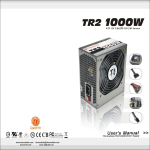
TR2 RX
Cable Management
550W
>> >>
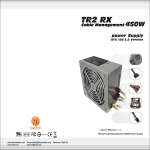
TR2 RX
Cable Management
ATX 12V 2.2 Version
550W
>> >>
ATX 12V 2.2 Version
5. Trouble Shooting
Condition 1: N o D C o u t p u t . T h e f a n o r f a n s a r e m o t i o n l e s s
Should you have any questions regarding the
Check:
aforementioned steps, please contact Thermaltake
1-1 Is the AC inlet plug firmly plugged into the PSU inlet
directly. Failure to follow the proper procedures may
socket?
cause severe bodily harm or PC component damage.
1-2 Is the wall socket, extension power cord, power strip
or surge protector in use, fully functional and wall power
switch turned 'ON'?
For Support or General Inquiries, please contact us at:
1-3 Is the Main Board socket (24pin) plug fully and firmly
inserted?
1 Thermaltake Technology USA
Condition 2: T h e f a n o r f a n s b e g a n r o t a t i n g a n d t h e n s t o p p e d .
Toll Free: (800)988-1088
Email: [email protected]
The system hangs without proceeding any further.
Check:
2 Thermaltake Europe B.V.
2-1 Are the peripheral connectors firmly plugged into
accessory devices, such as the main hard drive, CD ROM
Tel:+31-10-409-0150
, etc?
2-2 If a plug has been inadvertently connected in an off-set or
reversed position, unplug the AC power source, reconnect
the offending connectors and then wait for 30 seconds
Email: [email protected]
3 Thermaltake Beijing Co.Ltd.
Tel:+86-10-82883159/3189 ext.16
before replug in the AC power source and try again.
Email: [email protected]
Note:
If the power supply still cannot or is still unable to power up after
following the above instruction, please send the unit back to
your dealer or retailer for after sales service.
4 Thermaltake Australia and New Zealand Pty Ltd
Tel:+613-9763-1622
Email: [email protected]
5 Thermaltake Japan Inc.
Email: [email protected]
13
Thermaltake TR2 Power Supply
www.rackmountnet.com
Thermaltake TR2 Power Supply
14