1
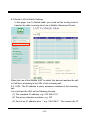
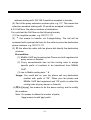
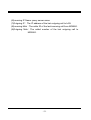
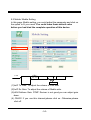
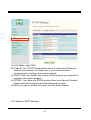
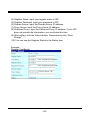
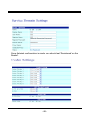
(5)CODEC Tx Gain: as above (6)CODEC Rx Gain: as above (7) SIP From: Caller ID transfer Tel/User(Standard): If you need to register to Asterisk and proxy server,please choose this option. And how to transfer the caller ID to LAN,please refer 22.How to setup Asterisk to receive Caller ID from Mobile VoIP (page 43) Mobile VoIP will send the message as follows in the Packet. From: " caller number " <sip:[email protected]>;tag=51088abb Tel/Tel : Mobile VoIP will send the message as follows in the Packet. From: "caller number" <sip: caller number @192.168.0.228>;tag=6ac93f7c ※Please note:If you choose this option,please don’t register to Asterisk and proxy server. Please only fill proxy server ip and choose Active: on (else field empty) in sip setting/service demain User/Tel Mobile VoIP will send the message as follows in the Packet. From: " Username " <sip: caller number @192.168.0.228>;tag=7f130947 ※If you choose this option,please don’t register to Asterisk and proxy server. Please only fill proxy server ip,Username and choose Active: on (else field empty) in sip setting/service demain (8)Presentation CLIR : If you need to block the Caller Id for call termination,please choose Suppression (9)Mobile PIN Code:If you need to unlock pin code via Mobile VoIP,you can click “On” and enter pin code. -15-