1
Connecting to a Wi-Fi Network
1. Go to Settings -> Network & Internet -> Wi-Fi, slide it to
the On position.
2. The device will scan Wi-Fi networks automatically and
display those available.
3. Select an access point from the list of available Wi-Fi
connections, than tap Connect.
4. W h e n yo u a r e p r o m p t e d fo r a p a s swo r d , e n t e r yo u r
password and tap Next.
• If the device finds a network that you connected to
previously, it will connect to it automatically.
• If the Wi-Fi network does not appear in the list,
it maybe a hidden network, please tap "Hidden
Network" and input SSID name of network along with
password for a connection.
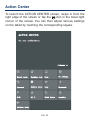
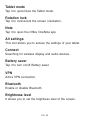
Tip: You can touch and hold the
Wi-Fi icon in Action
Center screen until the Go to Settings appears and then
tap it to enter the Wi-Fi setting screen.
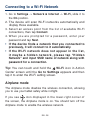
Airplane mode
The Airplane mode disables the wireless connection, allowing
you to use your tablet safely while in-flight.
If you see
icon displayed in the lower-right corner of
the screen, the Airplane mode is on. You should turn off the
Airplane mode to enable the wireless network.
EN - 28