1
5 Data Input
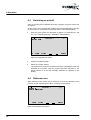
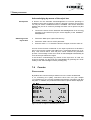
Access Codes
User Data
Monitoring Data
System Options
Com Port
Access Code
1
CtrON
CtrOFF
Access
Access
Access
Access
0
...
...
Servic
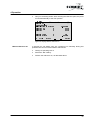
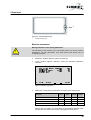
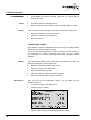
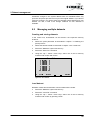
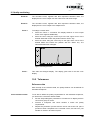
Figure 5-2: "Access Codes" submenu
Changing access code
Select the "Access Code" command.
Assign a new access code. This code consists of a number with a
maximum of 9 digits.
Changing access
authorization
Select the access area which you would like to change.
Confirm the selection with the "Enter" key. The setting is changed from
"Access" to "No access" or visa versa.
Other features
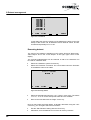
Date + time
These settings are made in the "System Options" display mode.
In the "System Options" submenu, select the "Date/Time" selection.
Select the "Date" command and enter the date in the format
"DD.MM.YY".
Select the "Time" command and enter the date in the format
"HH.MM.SS".
Alarms
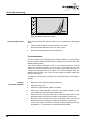
You can define two alarm times (Time Alarm 1 and Time Alarm 2) that
trigger an alarm daily. You further have the possibility to define an alarm
time (Time Alarm 3) that is only triggered on a certain date (Date Alarm 3).
In the "System Options" submenu, select the "Date/Time" selection.
Select the desired alarm in the "Alarm" menu.
Enter a time in format "HH.MM.SS" and the date in format "DD.MM.YY".
When the set alarm time is reached, a marker is activated in the PLC
program. By querying this marker, you can initiate other actions. For further
®
information, please see the "User manual - SCHMIDT ControlTool - Part 2".
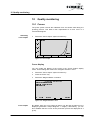
Volume
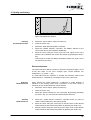
You can set the volume of the "key click" (acknowledgement when a key is
pressed) and the volume of the alarm functions. You can enter values of "0"
to "255" for both volumes.
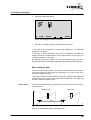
Test the volumes under the usual background noise conditions to check if
the alarm can be heard during normal production operations.
SCHMIDT® PressControl 3000 – V1.3
21