1
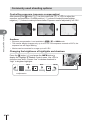
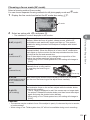
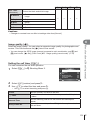
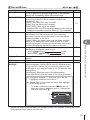
Taking HDR (High Dynamic Range) images
The camera shoots several images and automatically combines them into an HDR
image. You can also shoot several images and perform HDR imaging on a computer
(HDR bracketing photography).
1
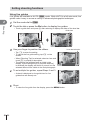
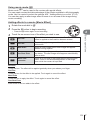
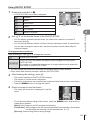
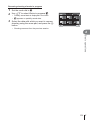
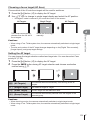
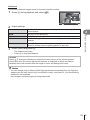
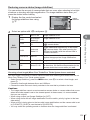
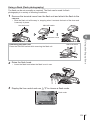
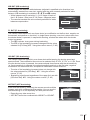
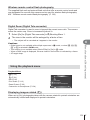
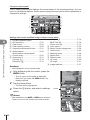
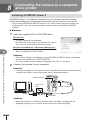
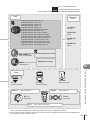
Select [HDR] in X Shooting Menu 2 and press Q.
Shooting Menu 2
1
2
j/Y
o
Image Stabilizer
Bracketing
HDR
Multiple Exposure
Time Lapse Settings
# RC Mode
Off
Off
Off
Off
Off
Back
2
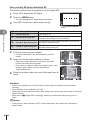
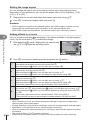
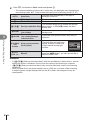
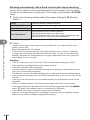
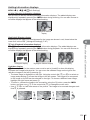
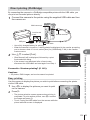
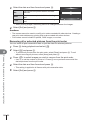
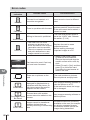
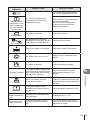
Select a type of HDR photography and press the Q button.
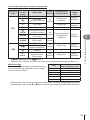
HDR1
6
HDR2
Menu functions (Shooting menus)
3F 2.0EV
5F 2.0EV
Four shots are taken, each with a different exposure, and the
shots are combined into one HDR image inside the camera.
HDR2 provides a more impressive image than HDR1. ISO
sensitivity is fixed to 200. Also, the slowest available shutter
speed is 1 second and the longest available exposure is 4
seconds.
HDR bracketing is performed. Select the number of images and
the exposure difference.
HDR imaging processing is not performed.
7F 2.0EV
3F 3.0EV
5F 3.0EV
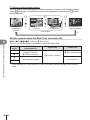
3
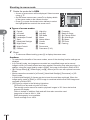
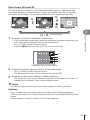
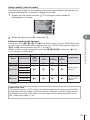
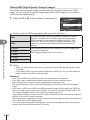
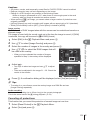
Shoot.
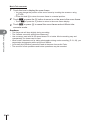
• When you press the shutter button, the camera automatically shoots the set number
of images.
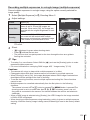
• If you assign HDR to a button using the [Button Function] (P. 94), you can press the
button to call up the HDR shooting screen.
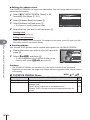
Cautions
•
•
•
•
•
•
•
•
78 EN
Set
In the case of HDR1 and HDR2, exposure compensation is not available.
If you shoot with a slower shutter speed, there may be more noticeable noise.
Attach the camera to a tripod or other stabilizing item and then shoot.
The image displayed on the monitor while shooting will differ from the HDR-processed
image.
In the case of HDR1 and HDR2, the HDR-processed image will be saved as a JPEG file.
When the image quality mode is set to [RAW], the image is recorded in RAW+JPEG. The
only image recorded in RAW is the image with suitable exposure.
If set to HDR1/HDR2, the picture mode is fixed to [Natural] and the color setting is fixed to
[sRGB]. [Full-time AF] does not operate.
Flash photography, bracketing, multiple exposure and time lapse shooting cannot be used
at the same time as HDR photography.
You cannot shoot during HDR photography if there is not enough space on the camera’s
memory card for the selected number of frames.