1
UM0794
Getting started
1
Getting started
1.1
Package contents
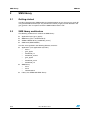
The GSM interface library package includes the following:
●
SMS library
●
Application example
●
–
To configure GSM module (SIM300/SIM340)
–
To send/receive SMS,
–
To set SMS parameters
Documentation:
–
1.2
User manual
Hardware connection to run the application
To connect the GSM daughter board with the STM32 demonstration kit the user must
perform the following:
1.
Connect pin 1 of J1 (Rx pin of the SIM300 on the daughter board) to PA9 (STM32)
2.
Connect pin 3 of J1 (Tx pin of the SIM300 on the daughter board) to PA10 (STM32)
3.
Connect pin 2 of J9 (PWRKEY pin of the SIM300 on the daughter board) to PA2
(STM32)
Now common the grounds of both the boards and power-up the daughter board and then
the STM32 demonstration kit.
If the DB9 connector is used, the user should first connect the DB9 connector and then the
power supply adapter. Now, to turn on the GSM module, the user must press the SW2
switch for 2-3 seconds. Also to turn off the module the user should press the SW2 switch for
1.5 seconds.
The LED D6 shows the status of the GSM module:
Table 1.
Network LED status
State
SIM300 function
Off
SIM300 is not running
64 ms on/800 ms off
SIM300 does not find the network
64 ms on/3000 ms off
SIM300 find the network
64 ms on/300 ms off
GPRS communication
Doc ID 16271 Rev 1
5/26