1
6. Troubleshooting
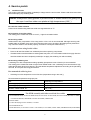
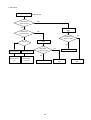
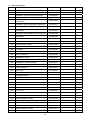
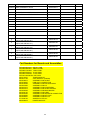
The flow chart shown below will help you to troubleshoot your Monitor set with it doesn’t display normally.
Each procedure offers a simple way to check for system errors. Before starting, ensure that there is a signal in
and that the Monitor is turned on.
z
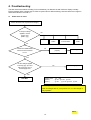
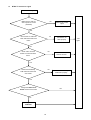
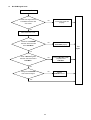
Power turn on issue
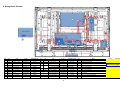
Power cannot be turn on (LED does not light)
Is the input voltage
applied to Power
supply unit?
(CN61 ①③)
No
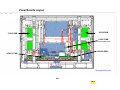
AC inlet
Power
switch
AC Fuse 5HTP10
TL.510A 250V
Filter
PWB
Yes
Check if the Power Cord
has been well connected
to TV?
No
Connect the wire
properly.
Test again
Yes
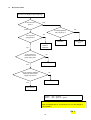
Are the voltages applied
to CN10①⑤⑥ pins and
CN11①③④⑩ pins of
Power supply unit?
No
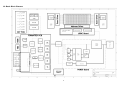
Power supply unit
Yes
PBC-Main
(CN61) 110V
(CN10)
(CN11)
①L ③W
①+5V ⑤+12V ⑥+12V
①+5V
③+3.3V ④+3.3V ⑩+5V
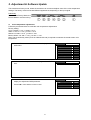
Note: Voltage shown for CN10 and CN11 are at Power On State.
Power off voltages are 0V, except CN11 Pin 10, this voltage is
always present.
CH 1
13