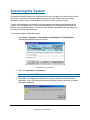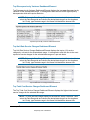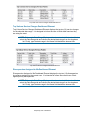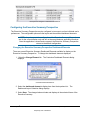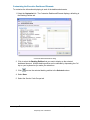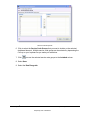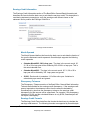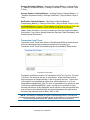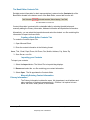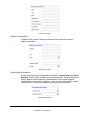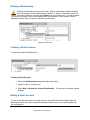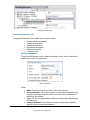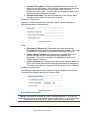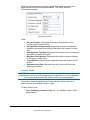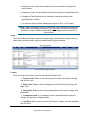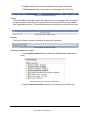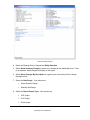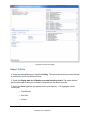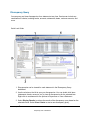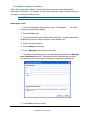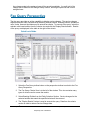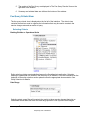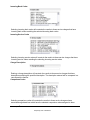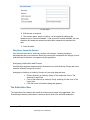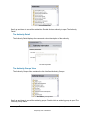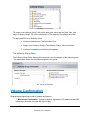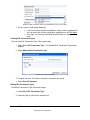
1
® SmartAnalysis® User Manual Version 6.0 Chesapeake System Solutions, Inc.® Two Owings Mills Corporate Center 10461 Mill Run Circle Suite 600 Owings Mills, Maryland 21117 SmartAnalysis® is a trademark of Chesapeake System Solutions Proprietary and Confidential Trademarks SmartAnalysis® and Chesapeake System Solutions words and design logo™ are trademarks of Chesapeake System Solutions, Inc. Windows®, Windows 95/98®, and Windows NT® are registered trademarks of Microsoft, Inc. Other trademarks referenced are the property of their respective owners. All trademarks are used for identification purposes and do not establish an affiliation or sponsorship by the trademark owners of Chesapeake's products and services. Copyright All Software, Documentation, and other Materials provided by Chesapeake are Copyright 1995 – 2011 Chesapeake System Solutions, Inc. unless otherwise stated. All copyrights of third parties used with permission or under license. Two Owings Mills Corporate Center 10461 Mill Run Circle Suite 600 Owings Mills, Maryland 21117 Main Office 410-356-6805 Product Support 410-356-6805 Fax 410-356-7625 All rights reserved. Printed in the United States of America. Notice The manual and any accompanying material (Documentation) are being made available to the Client in conjunction with the Client’s use of the System described herein, in accordance with the Client’s agreement with Chesapeake System Solutions, Inc. (Chesapeake). This documentation is made conditionally available to the extent that receipt and acceptance limits its use to the purpose stated above and that the information contained herein is maintained on a confidential basis without disclosures to third parties. All parties accepting this material thereby agree not to reproduce, copy, or otherwise distribute this information without the express written consent of Chesapeake. Disclaimer The information provided in this Document and by our customer support personnel is not intended as legal or accounting advice. If such advice is required, the services of a competent professional should be sought. Publication Data Last Revised: March 2011 SmartAnalysis® is a trademark of i Proprietary and Confidential Chesapeake System Solutions Publication Title: SmartAnalysis® 6.0 User Manual SmartAnalysis® is a trademark of ii Proprietary and Confidential Chesapeake System Solutions Table of Contents Chapter One: Understanding the SmartAnalysis® User Interface ______________________ 1 Perspectives ______________________________________________________________________ 3 Views ___________________________________________________________________________ 3 Editors __________________________________________________________________________ 3 The Menu Bar ____________________________________________________________________ 4 File Menu _______________________________________________________________________________ 4 Edit Menu _______________________________________________________________________________ 5 View Menu ______________________________________________________________________________ 5 Window Menu ___________________________________________________________________________ 5 Help Menu ______________________________________________________________________________ 6 Context Menus ___________________________________________________________________ 7 Toolbars_________________________________________________________________________ 7 Perspective Toolbar _______________________________________________________________________ 7 General Application Toolbar ________________________________________________________________ 7 View Specific Toolbars ____________________________________________________________________ 8 Navigating Between Perspectives ____________________________________________________ 8 Opening Views ___________________________________________________________________ 8 Opening Editors __________________________________________________________________ 8 Resizing Views And Editors_________________________________________________________ 8 Navigating Between Editors ________________________________________________________ 9 Saving Editors ____________________________________________________________________ 9 Handling Data Entry Errors ________________________________________________________________ 10 Closing Views And Editors ________________________________________________________ 11 Accessing Context Sensitive Help ___________________________________________________ 11 Form Field Data Entry____________________________________________________________ 11 Required Fields _________________________________________________________________________ 11 Twistie Sections _________________________________________________________________________ 11 List Selection ___________________________________________________________________________ 12 Date Entry______________________________________________________________________________ 12 Date Field ___________________________________________________________________________ 12 Using the Calendar Date Chooser ______________________________________________________ 12 Dynamic Date Ranges __________________________________________________________________ 13 Supported Dynamic Date Ranges_______________________________________________________ 13 Number Entry ___________________________________________________________________________ 14 URL Entry _____________________________________________________________________________ 14 Tables _________________________________________________________________________________ 14 Using Editable Tables __________________________________________________________________ 14 Using Selectable Tables ________________________________________________________________ 15 Using Dueling Tables __________________________________________________________________ 15 Transaction Cutoff Times__________________________________________________________________ 15 Transaction Cutoff Time Types___________________________________________________________ 16 Entity Selection _________________________________________________________________________ 16 vSmartAnalysis® is a trademark of Chesapeake System Solutions Proprietary and Confidential Samples___________________________________________________________________________ 17 Closing The Application___________________________________________________________ 22 Chapter Two: Using SmartAnalysis _____________________________________________ 23 Accessing the System _____________________________________________________________ 25 Changing your Password during Login _______________________________________________________ 26 Troubleshooting a Failed Login Attempt ______________________________________________________ 26 Executive Summary Perspective ____________________________________________________ 27 Executive Summary Dashboard Elements _____________________________________________________ 27 Total Charges by Bank Dashboard Element _________________________________________________ 27 Overall Charges Dashboard Element ______________________________________________________ 28 Top Discrepancies by Variance Dashboard Element __________________________________________ 29 Top Unit Rate Service Charges Dashboard Element __________________________________________ 29 Top Total Cost Service Charges Dashboard Element __________________________________________ 29 Top Volume Service Charges Dashboard Element ____________________________________________ 30 Discrepancies Assigned to Me Dashboard Element ___________________________________________ 30 Configuring the Executive Summary Perspective _______________________________________________ 31 Changing the Executive Summary Perspective Dashboard Elements______________________________ 31 Customizing the Executive Dashboard Elements _____________________________________________ 32 Banking Information Perspective ___________________________________________________ 34 Banking Structure View ___________________________________________________________________ 34 Creating a Bank _________________________________________________________________________ 35 Editing a Bank __________________________________________________________________________ 35 The Bank Editor General Information Tab __________________________________________________ 35 Required Information __________________________________________________________________ 36 Address Information ___________________________________________________________________ 36 Additional Information _________________________________________________________________ 36 Earnings Credit Information _____________________________________________________________ 37 Month Operand_____________________________________________________________________ 37 Discrepancy Tolerance _______________________________________________________________ 37 Earnings Credit Formula______________________________________________________________ 37 Transaction Cutoff Times _____________________________________________________________ 38 The Bank Editor Contacts Tab ___________________________________________________________ 39 Creating a Bank Editor Contacts Tab ____________________________________________________ 39 Importing your Contacts ______________________________________________________________ 39 Manually Entering Contact Information__________________________________________________ 39 Bank Editor Authorized Associates Tab ____________________________________________________ 41 Primary Information _________________________________________________________________ 41 The Bank Editor Balance Mappings Tab ___________________________________________________ 41 The Case Folder Tab ___________________________________________________________________ 43 Deleting a Bank _________________________________________________________________________ 45 Archiving a Bank ________________________________________________________________________ 46 Creating a Relationship ___________________________________________________________________ 47 Editing a Relationship ____________________________________________________________________ 47 General Information Tab ________________________________________________________________ 47 Identity Information _________________________________________________________________ 48 Tolerance Information _______________________________________________________________ 49 Additional Information _______________________________________________________________ 49 Negotiated Fees Tab ___________________________________________________________________ 50 Identity Information _________________________________________________________________ 50 Tolerance Information _______________________________________________________________ 51 Boundary Information _______________________________________________________________ 51 Rate Information ____________________________________________________________________ 52 Per Unit Rate_______________________________________________________________________ 52 Flat Rate __________________________________________________________________________ 53 SmartAnalysis® is a trademark of vi Proprietary and Confidential Chesapeake System Solutions Threshold Rate _____________________________________________________________________ 53 Tiered Rate ________________________________________________________________________ 54 Balance Based______________________________________________________________________ 55 Export Negotiated Fees to CSV ________________________________________________________ 55 Change History _____________________________________________________________________ 55 The Relationship Editor Contacts Tab _____________________________________________________ 55 Primary Information _________________________________________________________________ 56 Address Information _________________________________________________________________ 56 Specialized Information ______________________________________________________________ 57 Relationship General Ledger Allocations ___________________________________________________ 57 Managing Detail Accounts ______________________________________________________________ 58 Deleting a Relationship ___________________________________________________________________ 60 Creating a Detail Account _________________________________________________________________ 60 Editing a Detail Account __________________________________________________________________ 60 General Information Tab ________________________________________________________________ 61 Identity Information _________________________________________________________________ 61 Tolerance Information _______________________________________________________________ 62 Additional Information _______________________________________________________________ 62 Specialized Information ______________________________________________________________ 62 Location Codes _____________________________________________________________________ 63 Negotiated Fees Tab ___________________________________________________________________ 65 Identity Information _________________________________________________________________ 65 Tolerance Information _______________________________________________________________ 66 Boundary Information _______________________________________________________________ 66 Rate Information ____________________________________________________________________ 67 Per Unit Rate_______________________________________________________________________ 67 Flat Rate __________________________________________________________________________ 68 Threshold Rate _____________________________________________________________________ 68 Tiered Rate ________________________________________________________________________ 69 Balance Based______________________________________________________________________ 69 Change History _____________________________________________________________________ 70 The Detail Account Editor Contacts Tab ___________________________________________________ 70 Primary Information _________________________________________________________________ 70 Address Information _________________________________________________________________ 71 Specialized Information ______________________________________________________________ 71 Detail Account Editor Signer Assignment __________________________________________________ 71 Adding a Signer ____________________________________________________________________ 73 Detail Account General Ledger Allocations _________________________________________________ 73 Bank Confirmations____________________________________________________________________ 74 Deleting a Detail Account _________________________________________________________________ 75 General Ledger Export ____________________________________________________________________ 75 Exporting General Ledger Data___________________________________________________________ 75 Operational Structure View ________________________________________________________________ 76 Creating Operational Units ______________________________________________________________ 77 Editing Operational Units _______________________________________________________________ 77 Changing Hierarchy of the Operational Structure_____________________________________________ 78 Deleting Operational Units ______________________________________________________________ 78 Assigning Accounts and Relationships to an Operational Unit __________________________________ 79 Unassigned Accounts View ________________________________________________________________ 79 Signers View ___________________________________________________________________________ 79 Creating Signers ______________________________________________________________________ 80 Importing Signers _____________________________________________________________________ 80 Creating the Signer Import file: _____________________________________________________________ 80 Importing Signers ________________________________________________________________________ 81 Editing Signers _______________________________________________________________________ 81 Deleting Signers ______________________________________________________________________ 82 Assigning Accounts to Signers ___________________________________________________________ 82 SmartAnalysis® is a trademark of vii Proprietary and Confidential Chesapeake System Solutions Contact Types___________________________________________________________________________ 83 Account Types __________________________________________________________________________ 83 Account Purposes ________________________________________________________________________ 85 Location Codes__________________________________________________________________________ 86 Report Manager Perspective _______________________________________________________ 87 Report Selection View ____________________________________________________________________ 87 Executing a Report _______________________________________________________________________ 88 Report Criteria Editor __________________________________________________________________ 88 PDF Output________________________________________________________________________ 88 CSV Output _______________________________________________________________________ 88 Excel Output _______________________________________________________________________ 89 Saved Report Criteria __________________________________________________________________ 89 Executing Saved Report Criteria __________________________________________________________ 90 Editing Saved Report Criteria ____________________________________________________________ 90 Deleting Saved Report Criteria ___________________________________________________________ 90 Report Types ___________________________________________________________________________ 90 Closed Account Type __________________________________________________________________ 90 Overall Account Status Report ___________________________________________________________ 91 Report Criteria _____________________________________________________________________ 92 Fee Structure Audit Report ______________________________________________________________ 94 Balances by Type Report________________________________________________________________ 96 Report Criteria _____________________________________________________________________ 97 Contacts by Bank Report________________________________________________________________ 99 Discrepancies By Period Report _________________________________________________________ 101 Discrepancies By Type Report __________________________________________________________ 106 Earnings Credit Time Series Rate Analysis Report __________________________________________ 108 Earnings Credit Monthly Rate Analysis Report _____________________________________________ 110 Services By Month Report _____________________________________________________________ 113 Service Summary Report_______________________________________________________________ 116 Yearly Services Summary Report ________________________________________________________ 118 Report Criteria _________________________________________________________________________ 119 Sample _______________________________________________________________________________ 120 Layout________________________________________________________________________________ 120 Service Code Detail Report _____________________________________________________________ 121 Report Criteria ____________________________________________________________________ 121 Signer Status Report __________________________________________________________________ 122 Signers Status Report by Department _____________________________________________________ 124 Monthly Summary Statistics Report ______________________________________________________ 126 System Parameters ______________________________________________________________ 128 General System Parameters _______________________________________________________________ 128 Login Security System Parameters__________________________________________________________ 129 Decimal Precision System Parameters _______________________________________________________ 130 Statements _____________________________________________________________________ 132 Importing 822 Files using the Wizard _______________________________________________________ 132 Select a file _________________________________________________________________________ 133 Statement Import Options ______________________________________________________________ 133 Finish ______________________________________________________________________________ 133 Scheduling 822 Files for Subsequent Import into SmartAnalysis __________________________________ 133 Creating and Importing CSV Service Charge Files _____________________________________________ 134 Scheduling CSV Service Charge Files for Import ______________________________________________ 135 Importing Twist XML Files _______________________________________________________________ 135 Scheduling Twist XML Files for Import _____________________________________________________ 136 Creating a Manual Statement ______________________________________________________________ 136 Creating a statement from Bank Setup ____________________________________________________ 136 Creating a statement from the latest statement in a Bank ______________________________________ 137 SmartAnalysis® is a trademark of viii Proprietary and Confidential Chesapeake System Solutions Copying a statement __________________________________________________________________ 137 Viewing a Statement ____________________________________________________________________ 137 Statement Structure ___________________________________________________________________ 137 Save a copy _________________________________________________________________________ 140 Print a statement _____________________________________________________________________ 140 Editing a Statement _____________________________________________________________________ 140 Impact on Discrepancies _______________________________________________________________ 140 Statement General Information __________________________________________________________ 140 Bank Information_____________________________________________________________________ 140 Statement Period _____________________________________________________________________ 140 Contact Information___________________________________________________________________ 140 Information _________________________________________________________________________ 140 Account Detail Information_____________________________________________________________ 141 Account Hierarchy____________________________________________________________________ 141 Adding a new Relationship _____________________________________________________________ 141 Adding a new Account ________________________________________________________________ 141 Deleting a Relationship ________________________________________________________________ 141 Deleting an Account __________________________________________________________________ 141 Changing a Statement Account's Name or Number __________________________________________ 141 Account Detail_______________________________________________________________________ 141 Service Charges ______________________________________________________________________ 142 Bank Code __________________________________________________________________________ 142 Service Code ________________________________________________________________________ 142 Description _________________________________________________________________________ 142 Type _______________________________________________________________________________ 142 Unit Price___________________________________________________________________________ 142 Volume ____________________________________________________________________________ 142 Total Price __________________________________________________________________________ 142 Balance Requirement__________________________________________________________________ 142 Balances____________________________________________________________________________ 142 Industry Code _______________________________________________________________________ 142 Description _________________________________________________________________________ 142 Amount ____________________________________________________________________________ 143 Rates ______________________________________________________________________________ 143 Code_______________________________________________________________________________ 143 Description _________________________________________________________________________ 143 Rate _______________________________________________________________________________ 143 Days in Month _______________________________________________________________________ 143 Days in Year ________________________________________________________________________ 143 Import Logs _________________________________________________________________________ 143 Processing a Statement___________________________________________________________________ 143 Deleting a Statement ____________________________________________________________________ 143 Discrepancies___________________________________________________________________ 144 Configuring Enabled Discrepancies_________________________________________________________ 144 Discrepancy Process_____________________________________________________________________ 145 Types of Discrepancies __________________________________________________________________ 146 Account Closed ______________________________________________________________________ 146 Account Detail Missing________________________________________________________________ 146 Ambiguous Service Charge _____________________________________________________________ 147 Duplicate Account ____________________________________________________________________ 147 Earnings Credit Calculation Error ________________________________________________________ 147 Earnings Credit Error _________________________________________________________________ 147 Earnings Credit Setup Error ____________________________________________________________ 148 Incorrect Reserve Rate ________________________________________________________________ 148 Incorrect Service Charge _______________________________________________________________ 148 Incorrect Total Balance ________________________________________________________________ 148 SmartAnalysis® is a trademark of ix Proprietary and Confidential Chesapeake System Solutions Incorrect Total Service Charge __________________________________________________________ 149 Incorrect Total Service Charge Summary __________________________________________________ 149 Incorrect Volume_____________________________________________________________________ 149 Missing Account _____________________________________________________________________ 149 Missing Charge Information ____________________________________________________________ 149 Missing Reserve Rate _________________________________________________________________ 150 Missing Total Service Charge ___________________________________________________________ 150 Multiple Service Charges ______________________________________________________________ 150 Potentially Dormant Account ___________________________________________________________ 150 Unassigned Account in Operational Structure ______________________________________________ 150 Unassigned Relationship in Operational Structure ___________________________________________ 151 Unexpected Service ___________________________________________________________________ 151 Unknown Total Service Charge _________________________________________________________ 151 Unusually High Service Charge _________________________________________________________ 151 Unusually High Total Service Charge_____________________________________________________ 151 T-Recs Import Account is Invalid ________________________________________________________ 152 T-Recs Transaction Type is Invalid ______________________________________________________ 152 T-Recs Volumes Do Not Match _________________________________________________________ 152 T-Recs Volumes Do Not Match _________________________________________________________ 152 Volumes Do Not Exist_________________________________________________________________ 152 Volumes Do Not Match________________________________________________________________ 152 Discrepancy Query ______________________________________________________________________ 153 Entering Criteria _____________________________________________________________________ 154 Viewing Results______________________________________________________________________ 154 Exporting Results ____________________________________________________________________ 155 Auto-Resolving Results________________________________________________________________ 156 Auto-Resolve Wizard _________________________________________________________________ 157 Auto-Resolve Discrepancy Selection _____________________________________________________ 159 Auto-Resolve Results _________________________________________________________________ 160 Discrepancy Details___________________________________________________________________ 160 Information Fields ____________________________________________________________________ 161 Change History ______________________________________________________________________ 162 Adding Notes and Attachments to Discrepancies ____________________________________________ 162 E-mailing Discrepancy Information ______________________________________________________ 165 Updating Discrepancy Status ___________________________________________________________ 166 Assigning Discrepancy Responsibility ____________________________________________________ 166 Fee Query Perspective ___________________________________________________________ 167 Quick Look Guide _________________________________________________________________ 167 Fee Query Criteria View _________________________________________________________________ 168 Selecting Criteria _____________________________________________________________________ 168 The Fee Query Results View ______________________________________________________________ 170 Service Charge Comparison_______________________________________________________________ 171 Balance Query Perspective _______________________________________________________ 174 Quick Look Guide ____________________________________________________________________ 174 Balance Query Criteria View ______________________________________________________________ 175 Selecting Criteria _____________________________________________________________________ 175 Balance Query Results ___________________________________________________________________ 176 Comparison Codes ______________________________________________________________ 177 Creating Comparison Codes_______________________________________________________________ 179 Editing Comparison Codes________________________________________________________________ 180 Deleting Comparison Codes_______________________________________________________________ 180 Comparison Code Families _______________________________________________________ 181 Creating Comparison Code Families ________________________________________________________ 181 Editing Comparison Code Families _________________________________________________________ 183 SmartAnalysis® is a trademark of x Proprietary and Confidential Chesapeake System Solutions SmartAnalysisRM ______________________________________________________________ 184 SmartAnalysis RM Enablement ____________________________________________________________ 185 SmartAnalysisRM Features _______________________________________________________________ 185 Signers _____________________________________________________________________________ 186 Authorized Associates _________________________________________________________________ 186 SmartAnalysis RM Specialized Account Information ________________________________________ 186 Bank Confirmations___________________________________________________________________ 186 Bank Specialized Information ___________________________________________________________ 186 SmartAnalysis RM Report _____________________________________________________________ 186 Security and the Security Manager Perspective ______________________________________ 187 Security Concepts_______________________________________________________________________ 187 SmartAnalysis Security Authorities _________________________________________________________ 187 Authority Groups_____________________________________________________________________ 192 Users_________________________________________________________________________________ 192 The Security Manager Perspective__________________________________________________________ 192 Managing Users ________________________________________________________________________ 192 The Users View ______________________________________________________________________ 193 The User Editor ______________________________________________________________________ 193 Why Users Cannot Be Deleted __________________________________________________________ 195 Assigning Authorities and Groups _______________________________________________________ 195 The Authorities View ____________________________________________________________________ 195 The Authority Detail __________________________________________________________________ 196 The Authority Groups View ____________________________________________________________ 196 The Authority Group Editor ____________________________________________________________ 197 Volume Confirmation____________________________________________________________ 197 BAI Volume Confirmation________________________________________________________________ 198 T-Recs Volume Confirmation _____________________________________________________________ 201 What-If Banks and Scenarios _____________________________________________________ 202 Creating a What-If Bank using a Current Bank as a Baseline _____________________________________ 203 Manually Creating a What-If Bank _________________________________________________________ 203 Manually Creating a What-If Relationship ___________________________________________________ 204 Creating a What-If Bank from an existing Bank _______________________________________________ 206 Balance Mappings Tab___________________________________________________________________ 207 What-If Scenarios _______________________________________________________________ 207 Creating What-If Scenarios _______________________________________________________________ 207 Communicating with the SmartAnalysis Team _______________________________________ 211 Reporting Errors ________________________________________________________________________ 211 Coming Soon ___________________________________________________________________ 212 Glossary _______________________________________________________________________ 213 SmartAnalysis® is a trademark of xi Proprietary and Confidential Chesapeake System Solutions Chapter One: Understanding the SmartAnalysis® User Interface SmartAnalysis® is a trademark of 1 Proprietary and Confidential Chesapeake System Solutions Perspectives A perspective is a visual container for a set of Views and Editors that represent a logical function of the SmartAnalysis® application. There are several perspectives in SmartAnalysis, each of which is designed to perform a different application function. Examples of perspectives include the Executive Summary Perspective, Banking Information Perspective and Report Manager Perspective. Navigating between these perspectives is done using the Perspective Toolbar. Each button on the toolbar represents a different perspective. Clicking on these buttons selects the specified perspective. The currently selected perspective is highlighted in the perspective toolbar. Perspectives Toolbar Views A view is a visual construct used to navigate, examine or select hierarchical data. For example, the Banking Structure View allows users to explore the hierarchical association of banks, relationships, detail accounts and statements. Views can be used to effectively display the structure of data, allowing selection of elements for use in other portions of the application. Views may also be used to provide selected data as criteria for different types of queries. Finally, some views support drag and drop, allowing the user to quickly change the structure of the data. Unlike Editors views do not have a manual process for saving, so any changes made via drag and drop are immediately saved. In SmartAnalysis, there are two types of views, stand-alone views and normal views. The difference is that stand-alone views cannot be closed or moved because they are so integral to the functionality of the perspective that closing them would make the perspective useless. Editors Editors are used to create, view or modify the detailed properties of an item. For example, among others SmartAnalysis contains editors for banks, relationships, detail accounts and statements. All editors have a clearly defined process where an item may be opened, modified, saved and closed. Changes made in an editor are not saved to the database until the user saves the editor. Editors may contain multiple pages which organize the data elements into logical groups. You can navigate between these pages by selecting the corresponding tab at the bottom left of the editor pane. SmartAnalysis® is a trademark of 3 Proprietary and Confidential Chesapeake System Solutions The Menu Bar The Menu Bar lists the available menus along the top of the SmartAnalysis application window. The Menu Bar File Menu The File Menu provides access to common functions used within the application. The functions are explained below. The File Menu Save - Saves any changes to the currently active editor. This function can also be accessed by selecting CTRL+S and is only enabled if there are unsaved changes in the currently active editor. Import Statement - Opens the Statement Import Wizard. See Importing 822 Files using the Wizard. This function can also be accessed by selecting CTRL+i. Schedule Statement Import – Opens the Scheduled Statement Import Wizard. This function can also be accessed by selecting CTRL+Alt +i. Open File - Displays the Open File dialog. where you can select the file that you want to open. Export GL Data - Opens the save file dialog to save the generated General Ledger Export spreadsheet. Exit - Closes SmartAnalysis. SmartAnalysis® is a trademark of 4 Proprietary and Confidential Chesapeake System Solutions Edit Menu The Edit Menu provides access to common configuration dialogs, such as Comparison Codes and Comparison Code Families. The functions available on the Edit Menu are explained below. The Edit Menu Comparison Codes - Opens the Comparison Codes dialog, allowing you to add or edit Comparison Codes. Comparison Code Families - Opens the Comparison Code Families dialog, allowing you to add or edit Comparison Code Families. Contact Types - Opens the Contact Types dialog, allowing you to add or edit Contact Types. System Parameters - Opens the System Parameters dialog, allowing you to add or edit System Parameters. Users - Opens the Users dialog, allowing you to add or edit Users. View Menu The View Menu contains a list of the Views available for the current perspective. Many perspectives require only the default Stand-Alone View, but some, such as Banking Information Perspective support several views. The contents of the View Menu are specific to each perspective and will vary according to the currently active perspective. View Menu for Banking Information Perspective. Window Menu The Window Menu provides functions for managing the current perspective and the open editors. The functions available are explained below. SmartAnalysis® is a trademark of 5 Proprietary and Confidential Chesapeake System Solutions The Window Menu Close - Closes the currently active editor. Close All - Closes all open editors. Reset Perspective - Resets the active perspective to the default settings. This function only has meaning for perspectives that allow changes from the default, like the Banking Information Perspective. Help Menu The Help Menu provides functions for managing the current perspective and the open editors. The functions available are explained below. The Help Menu Help Contents - Opens the SmartAnalysis Help System in a new window. Dynamic Help - Opens the context-sensitive help entry for the currently active form field in a new editor area. Search - Opens the help search dialog in a new editor area. Send Support Email - Opens the SmartAnalysis Support Email Dialog. Enable SmartAnalysis® RM - Opens the Enable SmartAnalysisRM Dialog. Key Assist…- Opens a popup window displaying available shortcut keys and their functions. Software Updates – Allows you to Find and Install Software Updates or Manage Configuration. SmartAnalysis® is a trademark of 6 Proprietary and Confidential Chesapeake System Solutions About SmartAnalysis® - Displays the build information for the client software. Context Menus Context menus are available throughout the application and can be accessed by right-clicking on a particular item. Generally the contents of the context menu are specific to the item upon which the menu is selected. This means that the context menu options for one item may differ from those of a different item. This customized functionality increases the ease of using the SmartAnalysis application. Toolbars Toolbars provide one-click access to common functions. Several toolbars are generally visible in SmartAnalysis. These toolbars include the perspective toolbar, the general application toolbar and the view specific toolbar. Perspective Toolbar The Perspective Toolbar exists at the top of the user interface beneath the menu bar and to the right of the General Application Toolbar. The Perspective Toolbar lists all available perspectives. Each perspective is shown using an icon and a descriptive name. Left-clicking one of these buttons shows the selected perspective. Once selected, the button remains depressed as an indication of which perspective has been selected. The Perspective Toolbar, indicating that Fee Query Perspective is currently active. General Application Toolbar The General Application Toolbar is located on the upper left-hand side of the application window, beneath the File Menu. This toolbar contains two generally useful functions: Saving Editors - Saves any changes to the currently active editor. This function can also be accessed by selecting CTRL+S and is only enabled if there are unsaved changes in the currently active editor. Statement Import – Displays the Statement Import Wizard for Basic Statement Import. The toolbar may be expanded or collapsed by clicking and dragging the handles located on either the left or right side of the toolbar. SmartAnalysis® is a trademark of 7 Proprietary and Confidential Chesapeake System Solutions View Specific Toolbars The view specific toolbars reside at the top of the view and provide one-click access to common functions for the view. The specific buttons are defined by each view. The view specific toolbar also contains a drop down menu that can be accessed by selecting on the far right of the toolbar. This drop down menu can contain additional commands related to the view. Banking Structure View toolbar Navigating Between Perspectives Navigating between Perspectives is done using the Perspective Toolbar, which is located at the top of the interface. All perspectives available are listed on the toolbar and can be accessed by left-clicking on the button for the desired perspective. Opening Views When accessing SmartAnalysis, some views are open by default. These views are typically required during general usage of a given perspective. There are additional views within the application that are not automatically displayed upon startup. These optional views are not necessarily needed for everyday usage of the application. To access one of these additional views, left-click on View in the main application menu bar, and select the desired view from the resulting drop down menu. The selected view will open within the currently displayed perspective. Please note that some views are specific to a particular perspective, thus potentially making the options presented in the View drop down menu different, depending on what perspective is currently active. Opening Editors Editors are opened when a user selects an item to edit. If an item is editable, right-click on it to display the context menu and select Edit. (In some cases, you can also double-click on an item to open it in an editor.) Editors will be opened in the main editing area on the right-hand side of the SmartAnalysis application window. Resizing Views And Editors Both Views and Editors may be resized to fit your personal preferences. Normal views may also be moved by clicking on the blue tab and dragging them to a new location. Stand alone views and editors may not be relocated in this fashion. SmartAnalysis® is a trademark of 8 Proprietary and Confidential Chesapeake System Solutions Maximize - To maximize a View or Editor, select the Maximize icon ( hand corner. Minimize - To minimize a View or Editor, select the Minimize icon ( hand corner. ) from the upper right- ) from the upper right- Restore - To restore a maximized or minimized View or Editor, select the Restore icon ( from the upper right-hand corner. ) Manual Resize - You can manually resize a View or Editor to any width or height by clicking and dragging on its border. The Maximize, Minimize and Restore functions may also be accessed via the context menu by right-clicking on the tab of the View or Editor. Navigating Between Editors Across the top of the main editor area is the editor title bar. The editor title bar presents tabs that represent the different Editors currently open. It is possible to have several editors open at once. The currently selected editor tab will be highlighted and the editor for that tab will be displayed. Clicking on a currently unselected tab will highlight that tab and display its corresponding editor. In cases where there are too many open editors to display all of the available tabs, the remaining editors may be accessed by clicking the double arrow (>>) on the right-hand side of the last tab, and selecting the desired editor from the drop down menu. Additionally, various commands, such as close, close all and close others, are available to manage the displayed editors. These commands may be accessed using the context menu available when right-clicking the editor title tab. Saving Editors Changes made in an editor will not be committed to the database until they have been manually saved within the application. Editors can be saved by typing CTRL-S, by selecting the Save ). option from the file menu, or by selecting the Save icon ( If you attempt to close one or more Editors with unsaved changes, the system will prompt you to save them. Select OK to save. SmartAnalysis® is a trademark of 9 Proprietary and Confidential Chesapeake System Solutions The Save Resources Dialog Handling Data Entry Errors If validation failures occur while saving, a validation dialog will appear. The dialog contains details about the validation failures that prevented the save. Once the validation failures have been reviewed, changes should be made to the editor so that the indicated validation requirements are met. Once all validation failures are resolved the editor may be saved. The Validation Failure Dialog SmartAnalysis® is a trademark of 10 Proprietary and Confidential Chesapeake System Solutions Closing Views And Editors Views and Editors may be closed by clicking the "Close" icon ( ) in the upper right-hand corner of the tab. This function may also be accessed via the context menu, by right-clicking on the tab for the view or editor. Stand-alone views cannot be closed. In the case of Editors, two additional options are available, "Close All", which closes all open editors, and "Close Others", which closes all open editors, except for the currently active Editor. Please note that this does not close the entire application, but only the selected view or editor. Accessing Context Sensitive Help Context sensitive helps information concerning the currently active visual construct (such as Views, Editors or fields) and is available throughout the application. Context sensitive help may be accessed by pressing the "F1" key. This will reveal the Dynamic Help view, which is used to present context sensitive help information. Form Field Data Entry This section describes how to effectively and efficiently use common user interface components in SmartAnalysis. Required Fields Required fields are marked with an asterisk (*). Twistie Sections Twistie Sections are parts of the interface that may be opened and closed as needed. This simplifies the appearance of the interface, while providing a full set of features for those users that desire them. Click the toggle icon ( ) to open or close a Twistie Section. Twistie Sections on the Fee Query Criteria SmartAnalysis® is a trademark of 11 Proprietary and Confidential Chesapeake System Solutions List Selection There are many places in SmartAnalysis where you may select one or more items in a list. This functionality is included in the drop-down selection lists, as well as the lists presented in the views, such as the banking structure view or the operational structure view. Please note that not all lists support the selection of multiple elements, since this is not always appropriate. The following is an explanation of the various ways you can select items in a list. To Select A Single Element of a List - Using the mouse, click once on an element to select it. To Select All Elements of a List - While working in a selectable field, use CTRL-A to select the entire contents of the field. To Select All Elements of a List in a Contiguous Range - Select the first element in the range using the left mouse button, then while holding the SHIFT key, select the last element in the list using the left mouse button. To Select Many Non-Contiguous Elements of a List - Select each element using the left mouse button while holding the CTRL key. To Unselect a Selected Element of a List - Hold the CTRL key down and left click the selected element. Date Entry Dates can be entered two different ways: Manual entry in a Date Field Dynamic Date Ranges Date Field The date entry field is a text field used to manually enter dates. A date may be entered in any of the following formats: mm/dd/yyyy mm-dd-yyyy mm/dd/yy mm-dd-yy Using the Calendar Date Chooser As an alternative to manually entering dates, the calendar date selector may be used to select a date . Click the calendar icon ( display the calendar date selector. SmartAnalysis® is a trademark of 12 Proprietary and Confidential ) next to the entry field to Chesapeake System Solutions The calendar date chooser Once a date is selected and the selector is closed ( the date entry field. ), the date will appear in Dynamic Date Ranges For reports and queries that use a date range, SmartAnalysis supports dynamic date ranges. When a dynamic date range is selected, the application calculates the appropriate start and end dates relative to the current date. It is important to note that the dynamic range will be re-calculated each time the report is executed. This is especially useful for saved report criteria, as a single report criterion can be used repeatedly without editing to generate monthly, quarterly or annual reports. Selecting a dynamic date range Supported Dynamic Date Ranges Month to Date -This is a date range from the first of the current month up to, and including, the current date. For example, if the current date is October 18th, 2005, the calculated date range is from October 1st, 2005 through October 18th, 2005 inclusive. Quarter to Date - This is a date range from the first of the current quarter up to, and including, the current date. For example, if the current date is September 18th, 2005, the calculated date range is from July 1st, 2005 through September 18th, 2005 inclusive. Year to Date - This is a date range from the first of the current year up to, and including, the current date. For example, if the current date is October 18th, 2005, the calculated date range is from January 1st, 2005 through October 18th, 2005 inclusive. Previous Month - This is a date range spanning the entirety of the previous month. For example, if the current date is October 18th, 2005, the calculated date range is from September 1st, 2005 through September 30th, 2005 inclusive. SmartAnalysis® is a trademark of 13 Proprietary and Confidential Chesapeake System Solutions Previous Quarter - This is a date range spanning the entirety of the previous quarter. For example, if the current date is October 18th, 2005, the calculated date range is from July 1st, 2005 through September 30th, 2005 inclusive. Previous Year This is a date range spanning the entirety of the previous year. For example, if the current date is October 18th, 2005, the calculated date range is from January 1st, 2004 through December 31st, 2004 inclusive. Number Entry Number entry fields are devised to accept either decimal or integer values. Depending on the intention of the field (integer, decimal, etc) the input will be constrained to include only the appropriate characters (numbers, decimal points, commas, etc). Inappropriate characters such as letters, empty spaces, and most punctuation will be ignored. URL Entry Some editors allow for the entry of URLS. URLS must be fully qualified and begin with "http://www". Once a URL is entered, the link becomes active and may be user to access the specified side by holding down the CTRL key while clicking the URL with the left mouse button (CTRL-click). Entering a URL Tables Tables are an important element in the SmartAnalysis user interface. There are four types of tables present in the application: Read-only Tables (used to display query results) Editable Tables Selectable Tables Dueling Tables In general, all columns can be sorted by clicking the column title header for each column. Switching between an ascending and a descending sort is done by clicking on the column header again. Using Editable Tables Editable tables allow a user to edit data directly inside a table in situations where the data can be displayed entirely inside the table. To add a row to the editable table, click Add. To SmartAnalysis® is a trademark of 14 Proprietary and Confidential Chesapeake System Solutions modify fields in a pre-existing or new row, simply click the cell in the row to edit, make the necessary changes, and press Enter to complete. To select an entire row, click the small empty cell at the far left of the table. To delete a row, select the entire row and click Delete.. Using Selectable Tables A Selectable Table provides the user with a list of elements, organized into rows and columns that summarize the detailed data. The user may sort and scroll through the viewable elements. Selecting an element populates the fields below the table with the entire detailed data that the row in the table represents. Click Add to add a row to the table. Enter the new data in the fields, and then Save the editor. Using Dueling Tables Dueling Tables are used whenever there is a master list of available elements to select from, and a resulting list of selected or included elements. For example, Comparison Code Families are defined with dueling tables. In this case, the Comparison Codes are the master list, while the Comparison Codes that are members of the Family are the selected elements. Dueling Tables support four functions: Remove All - Removes all currently included elements. These elements become available as part of the master list. The included list is now empty. - Removes all currently selected elements. These elements Remove Selected become available as part of the master list. Add Selected - Adds all selected elements in the master list. These elements become part of the included list. - Adds all remaining elements in the master list. These elements become part Add All of the included list. The master list is now empty. Transaction Cutoff Times Transaction Cutoff Times are a feature of SmartAnalysisRM that record the time of day at which banks stop processing transactions of a certain type. Transaction Cutoff Times are entered Using Editable Tables. Transaction cutoff times consist of a Transaction Cutoff Time Type, a time and time zone. The format of the time is fairly flexible. At the most basic level all that is required is an integer between 1 and 23 to specify the hour. Values from 13 through 23 are interpreted as military time, while values from 1 to 12 are interpreted as standard time, PM. It is possible to fully specify the time in the format of ##:##:## [AM|PM]. Again, only the hour is required, minutes, seconds and the time of day designator are all optional. If they are specified they must conform to the indicated format, the colons and spaces are required and the time of day indicator must be either "PM" or "AM". SmartAnalysis® is a trademark of 15 Proprietary and Confidential Chesapeake System Solutions NOTE: This feature is available as a part of SmartAnalysis® RM. If you have not purchased this module, you will not have access to this feature. If you are interested in purchasing SmartAnalysis® RM, please contact your sales associate. Transaction Cutoff Time Types Transaction Cutoff Time Types are an indication of the type of transaction the bank stops processing at the specified time. SmartAnalysis is delivered with several preconfigured Transaction Cutoff Time Types, including "Ledger", "ACH", "Lockbox" and "Wire". Transaction Cutoff Time Types are fully configurable, however, and the user may add and edit them to suit their needs. To select an existing Transaction Cutoff Time Types, select one from the drop down in the editable table. To enter a new Transaction Cutoff Time Types, select "Add/Edit..." from the drop down in the editable table. NOTE: This feature is available as a part of SmartAnalysis® RM. If you have not purchased this module, you will not have access to this feature. If you are interested in purchasing SmartAnalysis® RM, please contact your sales associate. Entity Selection When using any report or query, the behavior of that report or query when different combinations of banking entities are selected, should be common and well understood. The results of each combination of query should be predictable and clearly documented. There are three levels of entity selection available: Bank Account (Relationship and Detail Account) via direct selection or Operational Units Statement The general condition of these is that: When Banks are selected, information for both the relationship and account will be returned. When an Account (or any combination thereof) is selected, information for each selected Account (relationship or otherwise) will be returned When a Statement is selected, information for all accounts (relationship or otherwise) on the statement will be returned When an Operational Unit is selected, it is the functional equivalent of selecting all of the accounts (relationship or otherwise) that exist at any level beneath the operational unit. The product of this selection (in the form of accounts) is added to the selected Account level entities The three levels are applied in conjunction with one another. This means that when a Statement and an Account are selected, the information present on the statement that pertains to the account will be returned. Internal to the selection level the elements are members of a SmartAnalysis® is a trademark of 16 Proprietary and Confidential Chesapeake System Solutions disjunctive construct. The Bank level can generally be thought of as a shortcut to retrieve information for all accounts (relationship and otherwise). Samples Description: A single statement is selected. Expectation: All records for the specified statement will be returned. Description: A single bank is selected. Expectation: All records for the specified bank will be returned, relationship or account level. Description: A single bank and one of its relationships are selected. Expectation: All records for the relationship will be returned. This is functionally equivalent to selecting only the relationship. SmartAnalysis® is a trademark of 17 Proprietary and Confidential Chesapeake System Solutions Description: A single bank, one of its relationships and one of its statements are selected. Expectation: All records for the selected relationship that exist in the statement will be returned. Description: A Relationship and a Bank unrelated to it are selected. Expectation: Nothing is returned. SmartAnalysis® is a trademark of 18 Proprietary and Confidential Chesapeake System Solutions Description: A Relationship and one of its Detail Accounts are selected. Expectation: The records for both the Relationship and Detail Account are returned. Description: Detail Account and unrelated Relationship are selected. Expectation: The records for both the Relationship and Detail Account are returned. SmartAnalysis® is a trademark of 19 Proprietary and Confidential Chesapeake System Solutions Description: Two unrelated relationships are selected. Expectation: The records for both relationships are returned. Description: Several accounts are selected. Expectation: The records for each selected account are returned. SmartAnalysis® is a trademark of 20 Proprietary and Confidential Chesapeake System Solutions Description: The root node of the operational structure is selected. Expectation: The records for every account and relationship assigned to any operational unit below the root are returned. Description: An Operational Unit and one of its assigned accounts are selected. Expectation: The records for every account and relationship assigned to any operational unit below the selected unit are returned. SmartAnalysis® is a trademark of 21 Proprietary and Confidential Chesapeake System Solutions Description: Two Operational Units are selected. Expectation: The records for each and every relationship or account under either operational unit are returned. Closing The Application SmartAnalysis may be closed by selecting the Close Window icon corner of the application window, or by selecting File > Exit.. SmartAnalysis® is a trademark of 22 Proprietary and Confidential in the upper right-hand Chesapeake System Solutions Chapter Two: Using SmartAnalysis SmartAnalysis® is a trademark of 23 Proprietary and Confidential Chesapeake System Solutions Accessing the System Chesapeake System Solutions Inc. recommends that prior to logging into SmartAnalysis for the first time you should be trained on understanding your security access, and maneuvering through the system, which should include the location of all the system functions. To access SmartAnalysis you must have a valid username and password established in the system. Your username is the unique code that identifies you to SmartAnalysis, and will be linked to your specified password. Please see your System Administrator who will assign you your unique username and password. To access the system, follow these steps: 1. Select Start > Programs > Chesapeake's SmartAnalysis > SmartAnalysis. SmartAnalysis displays the login window. SmartAnalysis Login Window 2. Enter your username and password. NOTE: Your password is case sensitive. 3. Select OK. SmartAnalysis validates your security credentials and launches the application. If any of the information typed in the login screen is incorrect, a warning message is displayed. SmartAnalysis® is a trademark of 25 Proprietary and Confidential Chesapeake System Solutions Changing your Password during Login Password Requirements are assigned at the System Parameters level. The Minimum length for passwords can be set here from 2-15. It is possible to change your password when logging on to the system. You may wish to do this, for example, to change a System Administrator assigned password to something that you are more likely to remember and that only you know. Depending on your Login Security System Parameters, you may also be forced to change your password during login. In either case, follow the steps below: 1. Select Change Password… on the login screen. The Change Password window displays. 2. Enter your current username and password as well as your desired new password. Re-enter your newly selected password in the Confirm New Password field. 3. Select OK. If your current username and password are correct and the new password matches the confirmation password, the system will grant access to SmartAnalysis and change your password to the new password. NOTE: The next time you log on to SmartAnalysis, you will have to use the new password you entered. Troubleshooting a Failed Login Attempt There are a number of reasons why a login attempt may have failed. SmartAnalysis® is a trademark of 26 Proprietary and Confidential Chesapeake System Solutions Invalid Username or Password - In most failed login attempts, the problem is that the user's security credentials were entered incorrectly. If this is the case, re-enter your username and password. Account Not Created - If repeated attempts to access the system fail, it may be that the SmartAnalysis System Administrator has not yet created an account for you. Confirm that the SmartAnalysis System Administrator has setup your account. Account Disabled - If repeated attempts to access the system fail with a user account that worked previously, it may be that your account is now inactive. This can happen for a number of reasons, depending on your Login Security System Parameters. If you believe your account is disabled, contact your SmartAnalysis System Administrator to correct the problem. Password Change Required - If your attempt to access the system displays the password change dialog, you are required to change your password before proceeding. This can happen for a number of reasons, depending on your System Parameters. If this is the case, it should be possible to access the system once you have changed your password. Executive Summary Perspective The Executive Summary Perspective presents an informative overview of the data in SmartAnalysis and is the default perspective displayed when a user first accesses the application. The information and displays on the Executive Summary Perspective, called Executive Summary Dashboard Elements, provide the user with an at-a-glance understanding of the current state of their account analysis. The Executive Summary Perspective can be accessed at any time by selecting Executive Summary on the Perspective Toolbar Selecting the Executive Summary Perspective from the Perspective Toolbar Executive Summary Dashboard Elements Each summary graph or report on the Executive Summary Perspective is a dashboard element. The Executive Summary Perspective presents four of these dashboard elements at once to provide a snapshot of the current state of your account analysis. Total Charges by Bank Dashboard Element The Total Charges by Bank Dashboard Element is a chart that displays the five (5) largest total service charges by bank for the previous month. It is designed to inform the user of the amount of fees paid to each of the largest banks with which they do business for the previous month. If the system is configured for more than five (5) banks, all other banks will be summarized as a sixth slice in the pie chart. SmartAnalysis® is a trademark of 27 Proprietary and Confidential Chesapeake System Solutions NOTE: To have the Date Range Display on the element, select Customize. Next, select the Date Range tab and choose the desired date range from the dropdown list. Finally, type the date range in the Name field beside the element title. Total Charges by Bank Dashboard Element Overall Charges Dashboard Element The Overall Charges Dashboard Element is a bar chart that summarizes the total amount in service charges for all banks for each month in the selected date range. It is designed to inform the user of the total amount in bank account fees paid each month. NOTE: To have the Date Range Display on the element, select Customize. Next, select the Date Range tab and choose the desired date range from the dropdown list. Finally, type the date range in the Name field beside the element title. Overall Charges Dashboard Element SmartAnalysis® is a trademark of 28 Proprietary and Confidential Chesapeake System Solutions Top Discrepancies by Variance Dashboard Element Top Discrepancies by Variance Dashboard Element displays the top open discrepancies by variance for the selected date range. It is designed to alert the user to the highest priority discrepancies which still require resolution. NOTE: To have the Date Range Display on the element, select Customize. Next, select the Date Range tab and choose the desired date range from the dropdown list. Finally, type the date range in the Name field beside the element title. Top Discrepancies By Variance Dashboard Element Top Unit Rate Service Charges Dashboard Element Top Unit Rate Service Charges Dashboard Element displays the top ten (10) service charges by unit rate for the selected date range. It is designed to alert the user to the most expensive service charges for the selected date range on a per rate basis. NOTE: To have the Date Range Display on the element, select Customize. Next, select the Date Range tab and choose the desired date range from the dropdown list. Finally, type the date range in the Name field beside the element title. Top Unit Rate Service Charges Dashboard Element Top Total Cost Service Charges Dashboard Element The Top Total Cost Service Charges Dashboard Element displays the highest total amount service charges for the selected date range. NOTE: To have the Date Range Display on the element, select Customize. Next, select the Date Range tab and choose the desired date range from the dropdown list. Finally, type the date range in the Name field beside the element title. SmartAnalysis® is a trademark of 29 Proprietary and Confidential Chesapeake System Solutions Top Total Cost Service Charges Dashboard Element Top Volume Service Charges Dashboard Element Top Volume Service Charges Dashboard Element displays the top ten (10) service charges for the selected date range. It is designed to inform the user of which bank services they are using the most. NOTE: To have the Date Range Display on the element, select Customize. Next, select the Date Range tab and choose the desired date range from the dropdown list. Finally, type the date range in the Name field beside the element title. Top Volume Service Charges Dashboard Element Discrepancies Assigned to Me Dashboard Element Discrepancies Assigned to Me Dashboard Element displays the top ten (10) discrepancies by variance assigned to the current user. It is intended to inform the current user of their highest priority discrepancies. NOTE: To have the Date Range Display on the element, select Customize. Next, select the Date Range tab and choose the desired date range from the dropdown list. Finally, type the date range in the Name field beside the element title. SmartAnalysis® is a trademark of 30 Proprietary and Confidential Chesapeake System Solutions Discrepancies Assigned To Me Dashboard Element Configuring the Executive Summary Perspective The Executive Summary Perspective may be configured in two ways to suit an individual user's preferences. The configurable options are the layout and the selected dashboard elements. NOTE: Any changes to the configuration of the Executive Summary Perspective are for the current session only and will not be saved between application launches. Once the application is closed and re-opened, the Executive Summary Perspective returns to the default configuration. Changing the Executive Summary Perspective Dashboard Elements There are several Executive Summary Dashboard Elements available for display on the Executive Summary Perspective. To change the dashboard elements displayed: 1. Select the Change Element link. The Customize Dashboard Elements dialog displays. Customize Dashboard Element 2. Select the dashboard element to display here from the dropdown list.. The Dashboard Layout Selection dialog displays. 3. Select Save. The changed element loads and displays in the selected frame of the Executive Summary. SmartAnalysis® is a trademark of 31 Proprietary and Confidential Chesapeake System Solutions Customizing the Executive Dashboard Elements To customize the information displaying in each of the dashboard elements: 1. Select the Customize link. The Customize Dashboard Element displays, defaulting to the Banking Entities tab. Customize Dashboard Element dialog 2. Click to select the Banking Entities that you want to display on the selected dashboard element. Multiple banking entities can be selected by depressing the Ctrl key on your keyboard as you make your selections. 3. Click to move the selected banking entities to the Selected column. 4. Select Save. 5. Select the Service Code Groups tab. SmartAnalysis® is a trademark of 32 Proprietary and Confidential Chesapeake System Solutions Service Code Groups tab 6. Click to select the Service Code Groups that you want to include on the selected dashboard element. Multiple service code groups can be selected by depressing the Ctrl key on your keyboard as you make your selections. 7. Click to move the selected service code groups to the Included column. 8. Select Save. 9. Select the Date Range tab. SmartAnalysis® is a trademark of 33 Proprietary and Confidential Chesapeake System Solutions Date Range tab 10. Select a date range from the drop down menu to include in the selected dashboard element. 11. Select Save. The Dashboard Element updates and displays the defined information. Banking Information Perspective Keeping track of the bank setup is an important part of using SmartAnalysis. A well-maintained bank setup allows SmartAnalysis to produce the most consistently accurate evaluations of bank fee information. All bank setup information can be viewed and edited using the Banking Information Perspective, which you can access at any time from the Perspective Toolbar. Banking Information Perspective Banking Structure View The Banking Structure View contains the hierarchical information about a bank and the relationships, accounts and statements that belong to that bank. To view statements and accounts for each bank, expand the tree by clicking the '+' buttons to the left side of the name of the bank. Under each bank are folders containing statements and relationship accounts. Trees may be expanded to review the relationships and the accounts that belong to each relationship. SmartAnalysis® is a trademark of 34 Proprietary and Confidential Chesapeake System Solutions Banking Structure View The Banking Structure View is the primary means of navigating and browsing your bank setup information. Creating a Bank It is possible to manually enter your bank setup information. This is often a good idea to ensure that the information in your bank setup is accurate and reflects your current understanding of your relationship with the bank. The first step in setting up your banking information is creating the bank. To create a bank: 1. Select the drop down menu from the Banking Structure View. 2. Select New > Bank. The Bank Editor displays defaulting to the Bank Information window. Editing a Bank To view or edit the information for a bank, open the Bank Editor from the Banking Structure View either by double-clicking the bank or by selecting Edit from the context menu. The Bank Editor General Information Tab Basic information concerning a bank, including name, ABA/Swift number and contact information is entered on the Banking Information tab of the Bank Editor, which is located in the bottom left-hand corner of the Bank Editor. The Bank Editor General Information Tab SmartAnalysis® is a trademark of 35 Proprietary and Confidential Chesapeake System Solutions Required Information Required information for all banks includes the bank's name, ABA or Swift number and reporting period. The field labeled BAI ABA Number will only display if SA-BAI is selected for Enable volume confirmation on the General tab of the Systems Parameters dialog. Required Information Address Information If known, the bank's address information can be entered in the Bank Editor. NOTE: Selecting a country other than United States will replace the States field dropdown menu option with a data entry text field for State/Region. Address Information Additional Information It is possible to add additional contact information for a bank, including the main phone number, the customer service phone numbers and the website in the Bank Editor. SmartAnalysis® is a trademark of 36 Proprietary and Confidential Chesapeake System Solutions Additional Information Earnings Credit Information The Earnings Credit Information section of The Bank Editor General Bank Information tab describes the formula that the bank uses to calculate the earnings credit. This description is used during statement processing to verify the earnings credit amount shown on the statement and to produce the Earnings Credit Error. Earnings Credit Information Month Operand The Month Operand defines the formula the bank uses to calculate the fraction of the year the statement month represents. SmartAnalysis supports the following month operands: Calendar Month/365; 366 in leap year - The days in the current month, 30, 31, 28 or 29 in leap year will be divided by 365 or 366 in a leap year. This is the actual calendar time. Calendar Month/365 - The days in the current month, 30, 31, 28 or 29 in leap year will be divided by 365. Leap years are ignored. 30/360 - Each month is treated as 1/12 of the entire year. Variations in calendar days per month are ignored. Discrepancy Tolerance The Discrepancy Tolerance section of the Bank Editor General Bank Information Tab sets the threshold for the earnings credit discrepancy. If the earnings credit amount reported on the statement varies from the amount calculated by SmartAnalysis by less than the discrepancy tolerance, the earnings credit discrepancy for that account will be suppressed. For example, if the discrepancy tolerance is $1.00, and the calculated variance is only $0.99, SmartAnalysis will not report a discrepancy. Earnings Credit Formula The Earnings Credit Formula defines the formula the bank uses to calculate the earnings credit amount. The following formulas are supported by SmartAnalysis: SmartAnalysis® is a trademark of 37 Proprietary and Confidential Chesapeake System Solutions Average Net Ledger Balance - (Average Net Ledger Balance - Average Float) * (1 - Reserve Requirement Rate) * Earnings Credit Rate * (Days in Month / Days in Year) Average Positive Collected Balance - Average Positive Collected Balance * (1 - Reserve Requirement Rate) * Earnings Credit Rate * (Days in Month / Days in Year) Net Positive Collected Balance - (Net Positive Collected Balance Compensating Balance) * Earnings Credit Rate * (Days in Month / Days in Year) Investable Balance: Average Collected Balance less Reserve amount. This is the amount of balances available to cover services rendered on the account. None - Select this option if you wish to disable the Earnings Credit Discrepancy for this bank. If you wish to globally disable the Earnings Credit Discrepancy, see General System Parameters Transaction Cutoff Times Transaction Cutoff Times are a feature of SmartAnalysisRM that record the time of day at which banks stop processing transactions of a certain type. Transaction Cutoff Times are entered using the Using Editable Tables section. Transaction Cut-off Times Transaction cutoff times consist of a Transaction Cutoff Time Types, a Time and Time Zone. The format of the time is quite flexible. At the most basic level all that is required is an integer between 1 and 23 to specify the hour. Values from 13 through 23 are interpreted as military time, while values from 1 to 12 are interpreted as standard time, PM. Of course, it is possible to fully specify the time in the format of ##:##:## [AM|PM]. Again, only the hour is required, minutes, seconds and the time of day designator are all optional. If they are specified they must conform to the indicated format, the colons and spaces are required and the time of day indicator must be either "PM" or "AM" NOTE: This feature is available as a part of SmartAnalysis RM. If you have not purchased this module, you will not have access to this feature. If you are interested in purchasing SmartAnalysis RM, please contact your sales associate. SmartAnalysis® is a trademark of 38 Proprietary and Confidential Chesapeake System Solutions The Bank Editor Contacts Tab Detailed contact information for bank representatives is entered on the Contacts tab of the Bank Editor located in the bottom corner of the Bank Editor, second tab from the left. The Bank Editor Contacts Tab Contact information is entered with a selectable table by selecting the add button and manually adding the Primary Information, Address Information and Specialized Information. Alternatively, you can select the Import button and select the desired .csv file containing this information to import into these fields. Creating a Bank Editor Contacts Tab To create the Contacts Import File: 1. Open Microsoft Excel. 2. Enter the contact information in the following format: Name, Title, Email, Dept, Phone, Alt Phone, Fax, Mobile, Address, City, State, Zip 3. Save file as a .csv file. Importing your Contacts To import your contacts: 1. Select the Import button. The Select File to Import dialog displays. 2. Browse and select the .csv file containing your contact information. 3. Select Open. The file populates the Contacts fields. Manually Entering Contact Information Primary Information The Primary Information includes the name, title, department, email address and phone numbers of the bank representative(s). Of these, it is required to have either: the name, email, phone, or fax number. SmartAnalysis® is a trademark of 39 Proprietary and Confidential Chesapeake System Solutions Primary Information Address Information The Bank Editor Contact Tab also provides an area to enter the contact's address information. Address Information Specialized Information Contacts have two forms of Specialized Information, Contact Types and Notice Required. Contact Types categorize bank representatives. These categories are entirely arbitrary and are defined by SmartAnalysis users. Notice Required indicates the number of days, (same day, 1 day or 2 day) notice that the contact requires before a change to the banking relationship can be effected. Specialized Information SmartAnalysis® is a trademark of 40 Proprietary and Confidential Chesapeake System Solutions Bank Editor Authorized Associates Tab Authorized Associates are employees of your organization that are trusted to make decisions about and take action on the relationship with a bank. They may be entered for a bank by selecting the "Authorized Associates" tab of the Bank Editor. Bank Editor Authorized Associates Tab Authorized Associates are entered with a selectable table by selecting the add button. NOTE: This feature is available as a part of SmartAnalysis RM. If you have not purchased this module, you will not have access to this feature. If you are interested in purchasing SmartAnalysis RM, please contact your sales associate. Primary Information SmartAnalysis allows you to record the name, title, department, email address and phone numbers for an authorized associate. Primary Information The Bank Editor Balance Mappings Tab Balance Mappings equate the incoming balance information from a bank with the SmartAnalysis Comparison Codes. This allows SmartAnalysis to perform meaningful comparisons of balances across banks in reports and queries, even in a heterogeneous environment where different banks are using different code sets to identify logically equivalent balances. Balance Mappings are directly analogous to Negotiated Fees Identity Information. To enter Balance Mappings, select the Balance Mappings tab of the Bank Editor. The Bank Editor Balance Mappings Tab Balance Mappings are entered with a selectable table by selecting the add button. SmartAnalysis® is a trademark of 41 Proprietary and Confidential Chesapeake System Solutions Balance Mappings SmartAnalysis® is a trademark of 42 Proprietary and Confidential Chesapeake System Solutions Auto-Match Codes Often, SmartAnalysis can produce a reasonable baseline of Balance Mappings for a bank by matching the incoming balance code to the comparison code. To have SmartAnalysis automatically generate Balance Mappings, select Auto-Match Codes ( ). Manually Match Codes When SmartAnalysis cannot automatically determine the Balance Mapping, or when the AutoMatch feature has produced an incorrect Balance Mapping, the codes can be matched manually. To Manually Match a code, follow these steps: 1. Select the Balance Mapping from the selectable table, or select Add. 2. The first selection list labeled, "Incoming Balance Code" contains all of the balance codes imported from 822s for this bank. Please note that in order for this list to be populated, you must have imported at least one statement for the bank. Select the incoming balance code you wish to map from the selection list. 3. The second selection list contains all of the comparison codes defined in the system. Select the comparison code you wish to map from the selection list. 4. Save your changes. The Case Folder Tab The Case Folder tab provides you with an area to add comments/case notes and attachments to the file and to email those entries to a selected email address. Selecting the Case Folder tab displays the history for the bank. Case Folder Tab 1. On the Bank View, select the Case Folder tab. The Bank Case Folder window displays the history for the bank. 2. Select dialog displays. SmartAnalysis® is a trademark of to attach a note to the case folder. The Enter a note to attach 43 Proprietary and Confidential Chesapeake System Solutions 3. Enter the Title of the comment. 4. Enter the Contents of the note to be attached to the case folder. 5. Select Save. The comment displays in the Bank Case Folder. Bank Case Folder Comment 6. To send the displayed bank case folder to an email recipient, select SmartAnalysis® is a trademark of 44 Proprietary and Confidential . Chesapeake System Solutions 7. Enter your From email information. 8. Enter the To email address or select the arrow and chose from one of the displayed email addresses. 9. Enter the email address of the person that you would also like to receive this email in the Cc field, if desired. 10. Enter the Subject of the email. 11. Enter your desired Message. 12. Select Send. . The Select a file to attach dialog 13. To insert and attachment, select display. 14. Browse and select the file that you want to attach and select Save. The attached file displays in the Bank Case Folder. Deleting a Bank Deleting a bank will remove all information about that bank from SmartAnalysis, including all relationships, accounts and statements. Except for extreme cases, banks should rarely be deleted. To delete a bank, select the bank in the Banking Structure View and select the delete icon ( ) or right click and select the "Delete" option from the context menu. SmartAnalysis® is a trademark of 45 Proprietary and Confidential Chesapeake System Solutions Archiving a Bank Banks or Accounts that are no longer relevant can be moved from the banking structure view into the Archive area. To archive a bank/account: 1. Right-click the bank/account that you want to move into the Statements Archive folder. 2. Select Archive. The Archive view opens on the right of the Banking Structure window and displays the archived bank/account. Reversing the Archive Process Banks/accounts can be returned from Archive to the Banking Structure. To reinstate an archived bank/account: 1. Select View> Archive. The Archive view displays. 2. Right-click the bank/account in the Archive view. 3. Select Undo archive. The archived bank/account returns to the Banking Structure view. Viewing the Archive To view archived items: 11. Select View > Archive. The Archive editor displays the archived banks. SmartAnalysis® is a trademark of 46 Proprietary and Confidential Chesapeake System Solutions Creating a Relationship To manually create a Relationship Summary, right click on the Relationships folder underneath the desired bank. Select New > Relationship for selected Bank. Creating a Relationship Editing a Relationship To view or edit the information for a relationship, open the Relationship Account Editor from the Banking Structure View either by double-clicking the relationship or by selecting Edit from the context menu. Editing a Relationship General Information Tab The general information tab contains a variety of basic information about the relationship. SmartAnalysis® is a trademark of 47 Proprietary and Confidential Chesapeake System Solutions General Information Tab Identity Information The general information section contains information that is used to identify the relationship summary within the application. Identity Information Name: The account name provides a title for the account. Relationship Summary accounts must be explicitly named. The name must include at SmartAnalysis® is a trademark of 48 Proprietary and Confidential Chesapeake System Solutions least one of the words: "RELATIONSHIP", "COMPOSITE", or "SUMMARY" Account Number: The account number is the identifier assigned to the account by the bank. Account numbers must be unique at the level at which they are defined. Type: The account type provides additional customizable categorization of the account. Settlement Method: The settlement method indicates the method by which this account performs settlement. Account Closing Date: Clicking the calendar allows you to select the date of the account closing. Once this date is selected and saved on the system, the account will move to the Closed Folder under the Relationship Level Folder. This will enable you to display or hide closed accounts and only show open accounts. Operational Structure: The operational structure view displays which operational unit to which this account is assigned. Tolerance Information Account level tolerance information fields are used to define the bounds for different calculations in SmartAnalysis. Tolerance Information Discrepancy Tolerance ($): Highest amount discrepancies can be before being identified as a discrepancy. This value is overridden if a negotiated fee also has a Discrepancy Tolerance. Charge Change Tolerance (%): Percent fees in this account can vary month-to-month before being identified as a discrepancy. This value is overridden if a negotiated fee also has a Charge Change Tolerance. Volume Tolerance (%): Percent the expected volume for fees in this account can deviate before being identified as a discrepancy. This value is overridden if a negotiated fee also has a Volume Tolerance. Additional Information The additional information section contains the general ledger account ID, the tax identification number and account opening and closing dates. SmartAnalysis® is a trademark of Additional Information 49 Proprietary and Confidential Chesapeake System Solutions Negotiated Fees Tab The Negotiated Fees Tab of the relationship editor contains information for the expected fees that define the baseline against which the discrepancy process compares incoming service charges. When carefully maintained the negotiated fee information provides accurate rate, boundary and tolerance data. The more accurate the negotiated fee setup is the more effective SmartAnalysis can be in helping you to identify and eradicate discrepancies. Select the Negotiated Fees Tab at the lower left of the editor interface to display the negotiated fees for the relationship. Negotiated Fees Tab Identity Information Negotiated Fee identity information is used throughout the application to match service charges to bank setup information. This matching is important because it is the foundation of the discrepancy processing and reporting capabilities of SmartAnalysis. It is critical to these processes that the negotiated fee setup identity information be well maintained. Identity Information Fields: Incoming Bank Code: The identifying string assigned to a service by the bank. Incoming Service Code: The identifying string defining the service based on the industry standard codes. Incoming Description: The charge description. Comparison Code: The cross-bank comparison code used to perform queries and reports across banks with differing negotiated fees. BAI Transaction Type: The identifying string that identifies the type of data being reported as the transaction type. SmartAnalysis® is a trademark of 50 Proprietary and Confidential Chesapeake System Solutions Tolerance Information Negotiated fee tolerance information is used by the discrepancy processing system to define the bounds inside which discrepancies are measured or created. Tolerance Information Fields: Allowable Occurrences: Indicates to the discrepancy processing system how many charges with this identical service code to allow when a statement is being processed. A discrepancy will be created if this amount is exceeded. Discrepancy Tolerance ($): Highest amount discrepancies can be before being identified as a discrepancy. If entered, this value overrides the discrepancy tolerance set at the account level. For negotiated fees, this tolerance is currently only used for Incorrect Service Charge discrepancies. Monthly Expected Volume: Defines the expected volume for this negotiated fee. A discrepancy will be created if the actual volume is not within a certain amount (specified in the Volume Tolerance) of this value. Volume Tolerance (%): Percent the expected volume can deviate before being identified as a discrepancy. This is only used if the Monthly Expected Volume field is also set. Charge Change Tolerance (%): Percent fees can vary month-to-month before being identified as a discrepancy. If entered, this value overrides the tolerance set at the account level. Boundary Information Negotiated Fee boundary information is used to provide charge type agnostic price information. Tolerance Information SmartAnalysis® is a trademark of 51 Proprietary and Confidential Chesapeake System Solutions Fields: Base Fee: The initial fee that the bank assesses regardless of the nature of the negotiated fee. Minimum Fee: The minimum fee that will be charged for a service. If the calculated fee is less than this amount, this amount should be charged. Maximum Fee: The maximum fee that will be charged for a service. If the calculated fee is greater than this amount, this amount should be charged. Rate Information There are several varieties of rates available for negotiated fees. Each rate type provides a different method of calculation for a negotiated fee. Negotiated Fee Rate Types: Unit Rate Flat Rate Threshold Rate Tiered Rate Balance Based Selecting a rate type Rate Information To select a rate type and reveal its fields for input, select a rate type radio button from the left hand side of the negotiated fee rate details section. Per Unit Rate The value for this type of rate is multiplied by the volume to produce the expected total amount. SmartAnalysis® is a trademark of 52 Proprietary and Confidential Chesapeake System Solutions Unit Rate Entering a unit rate: To enter a unit rate select the per unit rate radio from the left hand side of the rate details section. Input the numeric unit rate into the field. Flat Rate The value for this type of rate is evaluated alone, and the amount listed is the expected total amount. Entering a flat rate: To enter a flat rate select the flat rate radio from the left side of the rate details section. Enter a numeric value in the field to indicate what the flat rate for the negotiated fee should be. Threshold Rate A threshold rate is a charge structure where the per unit fee changes at an agreed level of activity. When the volume of the charge equals or exceeds the threshold the calculation will use the after threshold rate. Prior to that, the calculation will use the before threshold rate. SmartAnalysis® is a trademark of 53 Proprietary and Confidential Chesapeake System Solutions Threshold Rate Entering a threshold rate: To enter a threshold rate select the threshold rate radio button at the left hand side of the rate details section. Enter appropriate values in the fields for the threshold rate. Fields: Before Threshold Rate: The rate that will be charged for volumes below the threshold Threshold: The volume at which the rate will shift to the upper rate. After Threshold Rate: The rate that will be charged for volumes above the threshold. Tiered Rate A tiered rate is a fee structure relating a per unit fee to an activity level Tiered Rate Entering a tiered rate To enter a tiered rate, select the tiered rate radio from the left hand side of the rate detail section. To add a tier to the table, click the add button. Click on each cell of the row to edit the values for the tier. Repeat the process for each tier for the negotiated fee. When finished entering tiers, click the 'Validate Tiers' button to evaluate the tiers entered and ensure the consistency of the data. There are a number of rules that tiered rates must follow. The first tier must contain a '0' value as its lower bound. The tiers must be sequential, without gaps in the coverage or any overlap, (1-10, 11-20, etc) Each tier must have a rate specified. SmartAnalysis® is a trademark of 54 Proprietary and Confidential Chesapeake System Solutions The final tier must have a blank upper bound. This signifies that the bound terminates at infinity. Only the final tier may have this value. Balance Based The Balance Based rate is based on the bank account balance. For instance, if the balance was over $5,000 but under $20,000 then the fee would be $100 but if the balance was $20,000 and over the fee might be zero and anything under $5,000 the fee might be $250. The fee could also be a % instead of $ amount. Export Negotiated Fees to CSV You can save the negotiated fees in the Coma Separated Value (CSV) format by clicking Export Negotiated Fees to CSV at the bottom of the Negotiated Fees tab. You can select the structures under one bank or multiple banks. To export negotiated fees to CSV: 1. Select . The Select file dialog displays. 2. Browse for the location 3. Enter the File name. 4. Select Save. The Export File Generated dialog will confirm the successful generation of the CSV file. Change History Negotiated fees maintain an audit trail of changes made to the fee. Each change is recorded when the relationship or detail account editor is saved. The audit trail contains information about the time of the change, the user who made the change and a record of the changes made. The record of changes made includes the field title in which the change occurred as well as the value of the field before and after the change. These audit entries are stored in a tree format at the bottom of the negotiated fee interface. Expand the section title to view the change history. Scroll through the changes using the scroll arrows at the right of the section. Change History The Relationship Editor Contacts Tab Detailed contact information for relationship representatives are entered on the Contacts tab of the Relationship Editor located in the bottom left of the interface. SmartAnalysis® is a trademark of 55 Proprietary and Confidential Chesapeake System Solutions Relationship Editor Contacts Tab The Relationship Editor Contacts Tab Contact information is entered Using Selectable Tables by selecting the Add button. Alternatively, you can select the Import button to import the desired .csv file required to populate these fields. Primary Information The Primary Information includes the name, title, department, email and phone numbers of the relationship representative, of these, at least one of name, email, phone, or fax number are required. Primary Information Address Information The Relationship Editor Contact Tab also provides an area to enter the contact's address information. SmartAnalysis® is a trademark of 56 Proprietary and Confidential Chesapeake System Solutions Address Information Specialized Information Contacts have two forms of Specialized Information, Contact Types and Notice Required. Contact Types provide a way to organize the bank representatives into categories. These categories are entirely arbitrary and are defined by SmartAnalysis users. Notice Required indicates the number of days, (same day, 1 day or 2 day) notice that the contact requires before a change to the banking relationship can be effected. Specialized Information Relationship General Ledger Allocations GL Export Tab Entering allocations To enter an allocation: 1. Click the Add button on the editable table. 2. Select the new row using the mouse and input the credit and debit account numbers (as they apply). 3. Enter an allocation percentage. 4. You may continue and enter custom fields, but they are not required. 5. Repeat the process to add as many allocations as are required. SmartAnalysis® is a trademark of 57 Proprietary and Confidential Chesapeake System Solutions 6. When finished, select Validate Allocations to analyze the allocations for validity. Allocation percentages must sum to 100 in each table. General Ledger Allocations General Ledger Allocations are used when the net amount of the calculation of the general ledger export is greater than zero. General Ledger Account Allocation Excess Earnings Credit Allocations Excess earnings credit allocations are used when the net amount of the calculation of the general ledger export is less than zero. Excess Earnings Credit Allocations Managing Detail Accounts Managing detail account assignment to relationship summaries is an important part of the bank setup management process. SmartAnalysis requires accurate and current bank setup to precisely calculate discrepancies and reliably produce reports. To manage the assignment of detail accounts between relationships, SmartAnalysis provides Drag-andSmartAnalysis® is a trademark of 58 Proprietary and Confidential Chesapeake System Solutions Drop support for detail account elements in the Banking Structure View. The steps for reassigning a detail account are: 1. Select the detail account to reassign in the Banking Structure View. Hold the mouse button down. Managing Detail Accounts step 1 2. While holding the mouse button down, drag the pointer until it is hovering over the desired destination relationship in the Banking Structure View. The target relationship should become highlighted. Managing Detail Accounts step 2 3. When the target relationship is highlighted, release the mouse button. A confirmation dialog appears, asking you to confirm your reassignment. Verify the correct destination relationship is selected and select OK. Select Cancel to abort the drop. Managing Detail Accounts step 3 SmartAnalysis® is a trademark of 59 Proprietary and Confidential Chesapeake System Solutions Deleting a Relationship Deleting a relationship is a powerful function. When a relationship is deleted all detail accounts assigned to that relationship are deleted. To delete a relationship, select it in the banking structure view and select Delete from the context menu. You will be asked to confirm your choice. Undo of relationship delete is not possible, so use caution. See the Banking Structure View for details on selecting a relationship. Deleting a Relationship Creating a Detail Account To manually create a Detail Account: . Creating a Detail Account 1. Select the Relationship Account that will be the parent. 2. Open the view or context menu. 3. Select New > Account for selected Relationship. The Account Information window displays. Editing a Detail Account To view or edit the information for a detail account, open the Detail Account Editor from the Banking Structure View either by double-clicking the detail account or by selecting Edit from the context menu. SmartAnalysis® is a trademark of 60 Proprietary and Confidential Chesapeake System Solutions Editing a Detail Account General Information Tab The general information tab is made up of several sections. General Identity Information Tolerance Information Additional Information Specialized Information Address Information Location Codes Identity Information The general information section contains information that is used to identify the detail account within the application. Identity Information Fields: Name: The account name provides a title for the account. Account Number: The account number is the identifier assigned to the account by the bank. Account numbers must be unique at the level at which they are defined. Type: The account type provides additional customizable categorization of the account. Settlement Method: The settlement method indicates the method by which this account performs settlement. SmartAnalysis® is a trademark of 61 Proprietary and Confidential Chesapeake System Solutions Account Closing Date: Clicking the calendar allows you to select the date of the account closing. Once this date is selected and saved on the system, the account will move to the Closed Folder under the Relationship Level Folder. This will enable you to display or hide closed accounts and only show open accounts. Operational Structure: The operational structure view displays which operational unit to which this account is assigned. Tolerance Information Account level tolerance information fields are used to define the bounds for different calculations in SmartAnalysis. Tolerance Information Fields: Discrepancy Tolerance ($): Represents the highest amount that discrepancies can be before being identified as a discrepancy. This value is overridden if a negotiated fee also has a Discrepancy Tolerance. Charge Change Tolerance (%): Represents the percent fees in this account can vary month-to-month before being identified as a discrepancy. This value is overridden if a negotiated fee also has a Charge Change Tolerance. Volume Tolerance (%): Represents the percent the expected volume for fees in this account can deviate before being identified as a discrepancy. This value is overridden if a negotiated fee also has a Volume Tolerance. Additional Information The additional information section contains the General Ledger Account ID, the Tax Identification Number and Account Opening Date. Additional Information Specialized Information NOTE: This feature is available as a part of SmartAnalysisRM. If you have not purchased this module, you will not have access to this feature. If you are interested in purchasing SmartAnalysis RM, please contact your sales associate. SmartAnalysis® is a trademark of 62 Proprietary and Confidential Chesapeake System Solutions Detail account specialized information includes data that deals with account purposes and overall amounts and thresholds. This data is stored for informational purposes. Specialized Information Fields: Account Purpose: Represents an arbitrary categorization of the purpose that the account fulfills. Average Balance Requirement: Represents an amount established between the customer and institution that allows the customer to offset fees. Dual Signature Threshold: Represents the amount at which two signers are required to authorize a check. Maximum Check Amount: Represents the maximum amount that may be written on a single check. Target Balance: Represents the suggested day-to-day balance for the account. Statement Cycle Date: Represents the day of the month that is the statement end period. Location Codes NOTE: This feature is available as a part of SmartAnalysisRM. If you have not purchased this module, you will not have access to this feature. If you are interested in purchasing SmartAnalysis RM, please contact your sales associate. The Location Codes setup allows you to select all the location codes for an account as well as to Add/Edit Location Types. To add a location code: 1. Select the Manage Location Codes link. The Add/Edit Location Types dialog displays. SmartAnalysis® is a trademark of 63 Proprietary and Confidential Chesapeake System Solutions Add/Edit Location Types 2. Select Add new Location Type. New Type in the Short Name field becomes highlighted. 3. Enter a Short Name for the Location Type. This is a required field. 4. Enter an optional Description. 5. Select Save All Changes. The newly created location code displays in the All Available column of the Locations Code section. To edit a location code: 1. Select the Manage Location Codes link. The Add/Edit Location Types dialog displays. 2. Using the dropdown, select the location type that you need to edit. 3. Make your changes to the Short Name or Descriptions fields. 4. Select Save All Changes. 5. The edited location code displays in the All Available Location Codes column. To delete a location code: 1. Select the Manage Location Codes link. The Add/Edit Location Types dialog displays. 2. Using the dropdown menu, select the location code that you want to delete. 3. Select Delete. The location code is removed from the All Available column of the Location Codes. SmartAnalysis® is a trademark of 64 Proprietary and Confidential Chesapeake System Solutions Location Codes Negotiated Fees Tab The Negotiated Fees Tab of the relationship editor contains information for the expected fees that define the baseline against which the discrepancy process compares incoming service charges. When carefully maintained the negotiated fee information provides accurate rate, boundary and tolerance data. The more accurate the negotiated fee setup is the more effective SmartAnalysis can be in helping you to identify and eradicate discrepancies. Select the Negotiated Fees Tab at the lower left of the editor interface to display the negotiated fees for the relationship. Negotiated Fees Tab Identity Information Negotiated Fee identity information is used throughout the application to match service charges to bank setup information. This matching is important because it is the foundation of the discrepancy processing and reporting capabilities of SmartAnalysis. It is critical to these processes that the negotiated fee setup identity information be well maintained. Identity Information Incoming Bank Code: Represents the identifying string assigned to a service by the bank. This is a required field. SmartAnalysis® is a trademark of 65 Proprietary and Confidential Chesapeake System Solutions Incoming Service Code: Represents the identifying string defining the service based on the industry standard codes. This is a required field. Incoming Description: Represents the charge description. Comparison Code: Represents the cross-bank comparison code used to perform queries and reports across banks with differing negotiated fees. Tolerance Information Negotiated fee tolerance information is used by the discrepancy processing system to define the bounds inside which discrepancies are measured or created. Tolerance Information Allowable Occurrences: Indicates to the discrepancy processing system how many charges with this identical service code to allow when a statement is being processed. A discrepancy will be created if this amount is exceeded. Discrepancy Tolerance ($): Represents the highest amount discrepancies can be before being identified as a discrepancy. If entered, this value overrides the discrepancy tolerance set at the account level. For negotiated fees, this tolerance is currently only used for Incorrect Service Charge discrepancies. Monthly Expected Volume: Defines the expected volume for this negotiated fee. A discrepancy will be created if the actual volume is not within a certain amount (specified in the Volume Tolerance) of this value. Volume Tolerance (%): Represents the percent the expected volume can deviate before being identified as a discrepancy. This is only used if the Monthly Expected Volume field is also set. Charge Change Tolerance (%): Represents the percent fees can vary month-to-month before being identified as a discrepancy. If entered, this value overrides the tolerance set at the account level. Boundary Information Negotiated Fee boundary information is used provide charge type agnostic price information. SmartAnalysis® is a trademark of 66 Proprietary and Confidential Chesapeake System Solutions Boundary Information Base Fee: Represents the initial fee that the bank assesses regardless of the nature of the negotiated fee. Minimum Fee: Represents the minimum fee that will be charged for a service. If the calculated fee is less than this amount, this amount should be charged. Maximum Fee: Represents the maximum fee that will be charged for a service. If the calculated fee is greater than this amount, this amount should be charged. Rate Information There are server varieties of rates available for negotiated fees. Each rate type provides a different method of calculation for a negotiated fee. Negotiated Fee Rate Types: Flat Rate Per Unit Rate Threshold Rate Tiered Rate Balance Based Selecting a rate type: Rate Information To select a rate type and reveal its fields for input select a rate type radio button from the left hand side of the negotiated fee rate details section. Per Unit Rate The value for this type of rate is multiplied by the volume to produce the expected total amount. SmartAnalysis® is a trademark of 67 Proprietary and Confidential Chesapeake System Solutions Unit Rate Entering a unit rate: To enter a unit rate select the per unit rate radio from the left hand side of the rate details section. Input the numeric unit rate into the field. Flat Rate The value for this type of rate is evaluated alone, and the amount listed is the expected total amount. Flat Rate Entering a flat rate: To enter a flat rate select the flat rate radio from the left side of the rate details section. Enter a numeric value in the field to indicate what the flat rate for the negotiated fee should be. Threshold Rate A threshold rate is a charge structure where the per unit fee changes at an agreed level of activity. When the volume of the charge equals or exceeds the threshold the calculation will use the after threshold rate. Prior to that time the calculation will use the before threshold rate. Threshold Rate Entering a threshold rate: To enter a threshold rate select the threshold rate radio button at the left hand side of the rate details section. Enter appropriate values in the fields for the threshold rate. SmartAnalysis® is a trademark of 68 Proprietary and Confidential Chesapeake System Solutions Fields: Before Threshold Rate: The rate that will be charged for volumes below the threshold Threshold: The volume at which the rate will shift to the upper rate. After Threshold Rate: The rate that will be charged for volumes above the threshold. Tiered Rate A tiered rate is a fee structure relating a per unit fee to an activity level Tiered Rate Entering a tiered rate To enter a tiered rate, select the tiered rate radio from the left hand side of the rate detail section. To add a tier to the table, click the add button. Click on each cell of the row to edit the values for the tier. Repeat the process for each tier for the negotiated fee. When finished entering tiers, click the 'Validate Tiers' button to evaluate the tiers entered and ensure the consistency of the data. There are a number of rules that tiered rates must follow. The first tier must contain a '0' value as its lower bound. The tiers must be sequential, without gaps in the coverage or any overlap, (1-10, 11-20, etc) Each tier must have a rate specified. The final tier must have a blank upper bound. This signifies that the bound terminates at infinity. Only the final tier may have this value. Balance Based Balance Based SmartAnalysis® is a trademark of 69 Proprietary and Confidential Chesapeake System Solutions NOTE: Negotiated Fees can be exported to a CSV file by clicking the following link at the bottom of the window. Change History Negotiated fees maintain an audit trail of changes made to the fee. Each change is recorded when the relationship or detail account editor is saved. The audit trail contains information about the time of the change, the user who made the change and a record of the changes made. The record of changes made includes the field title in which the change occurred as well as the value of the field before and after the change. These audit entries are stored in a tree format at the bottom of the negotiated fee interface. Expand the section title to view the change history. Scroll through the changes using the scroll arrows at the right of the section. Change History The Detail Account Editor Contacts Tab Detailed contact information for account representatives is entered on the Contacts tab of the Detail Account Editor located in the bottom left of the interface. The Detail Account Editor Contacts Tab Select the contacts tab from the list of available tabs at the bottom of the editor interface. Contact information is entered Using Selectable Tables. Click the Add button to manually add your contact information or Import to import these details on a .csv file. Primary Information The Primary Information includes the name, title, department, email and phone numbers of the account representative, of these, at least one of name, email, phone or fax number are required. SmartAnalysis® is a trademark of 70 Proprietary and Confidential Chesapeake System Solutions Primary Information Address Information The Detail Account Editor Contact Tab also provides an area to enter the contact's address information. Address Information Specialized Information Contacts have two forms of Specialized Information, Contact Types and Notice Required. Contact Types provide a way to organize the bank representatives into categories. These categories are entirely arbitrary and are defined by SmartAnalysis users. Notice Required indicates the number of days, (same day, 1 day or 2 day) notice that the contact requires before a change to the banking relationship can be effected. Specialized Information Detail Account Editor Signer Assignment NOTE: This feature is available as a part of SmartAnalysisRM. If you have not purchased this module, you will not have access to this feature. If you are interested in purchasing SmartAnalysisRM, please contact your sales associate. Reviewing detail account signers Detail Account Editor Signer Assignment Select the signer assignments tab at the bottom of the user interface. The Signer assignment screen consists of two tables. The table on the left shows all signers currently SmartAnalysis® is a trademark of 71 Proprietary and Confidential Chesapeake System Solutions unassigned to the account. The table on the right shows the signers currently active on the account. Detail Account Editor Signer Assignment Managing detail account signers Four icons are available to manage assignment of signers. These are: Remove all signers from the account. Remove selected signers from the account. Add all signers to the account. Add selected signers to the account. SmartAnalysis® is a trademark of 72 Proprietary and Confidential Chesapeake System Solutions Adding a Signer To add a brand new signer to an account, click the add signer link at the bottom right of the interface. Enter the signer information in the signer editor. Save and close the signer editor to return to the detail account editor. Adding a new Signer Detail Account General Ledger Allocations Entering allocations: To enter an allocation, select Add on the editable table. Select the new row using the mouse and input the credit and debit account numbers (as they apply). Enter an allocation percentage. You may continue and enter custom fields, but they are not required. Repeat the process to add as many allocations as required. When finished, select Validate Allocations to analyze the allocations for validity. Allocation percentages must sum to 100 in each table. General Ledger Allocations General Ledger Allocations are used when the net amount of the calculation of the general ledger export is greater than zero. General Ledger Account Allocation Excess Earnings Credit Allocations Excess earnings credit allocations are used when the net amount of the calculation of the general ledger export is less than zero. SmartAnalysis® is a trademark of 73 Proprietary and Confidential Chesapeake System Solutions Excess Earnings Credit Allocations NOTE: Click the checkbox to Use for GL Export. Bank Confirmations Bank confirmations provide you with the capability to record, review and manage the notifications and requests made to the banks about specific accounts. The bank confirmation interface permits the entry of data into the fields in order to note what type of request or notification was sent as well as the date when it was sent and when the bank responded. Bank Confirmations SmartAnalysis® is a trademark of 74 Proprietary and Confidential Chesapeake System Solutions Deleting a Detail Account To delete a detail account, select the account in the Banking Structure View and select the Delete from the view menu. Deleting a Detail Account General Ledger Export Every financial transaction in your company is recorded in your General Ledger. General Ledgers contain many accounts, including separate accounts for income, expenses, and losses. Each time an entry is made in the General Ledger, it is recorded as a debit to one account and a credit to another account. SmartAnalysis handles these debits and credits by exporting a file with allocated net banking charges at either the relationship or account level. The GL Export feature exports the net fees according to the allocation defined in the account or relationship setup to a delimited text file (either tab or comma) that can then be fed into the General Ledger or other accounting software package. These allocations are created at the Relationship and Account levels to assign the appropriate service charges to the entities for that specific account. Before the allocations are assigned, the earnings credit is applied to the total service charge amount. The remaining surplus or deficit is then applied to the entities rolling up into the account or relationship, depending on the G/L setup level chosen in SmartAnalysis Based on your business’ financial structure, you can setup the G/L Debit allocations at either the Relationship level or at the Account level. At each level, you have the option to assign allocations to as many entities as desired, with the allocation percentages for each account or relationship summing 100%. Setting up General Ledger Allocations: Relationship General Ledger Allocations Detail Account General Ledger Allocations Exporting General Ledger Data Export general ledger information for statements in SmartAnalysis using the file menu option to Export GL Data. SmartAnalysis® is a trademark of 75 Proprietary and Confidential Chesapeake System Solutions General Ledger Export Once the menu option is selected, SmartAnalysis analyzes the statements and allocations in the system. If unexported statements with allocations on bank setup accounts can be found an export file is created. A file dialog allows you to save the allocation to a location of your choice. Should you wish to re-export the data for statements you may revert their export status to unexported. Select a statement in the banking structure view and select Mark Statement GL Unexported from the drop down menu. After this procedure the statement will again be eligible for General Ledger Export. Mark statement unexported Operational Structure View The Operational Structure View organizes relationships and accounts by operational units. Once defined, the operational structure is useful for narrowing reports and queries to distinct sub-units of your entire organization. You can drag-and-drop relationships and accounts from the Banking Structure View or from the Unassigned Accounts View to the operational unit to which they belong. To open the Operational Structure View, select the "Operational Structure" option from the View Menu. NOTE: You must be in the Banking Information Perspective to use this view. SmartAnalysis® is a trademark of 76 Proprietary and Confidential Chesapeake System Solutions Operational Structure View Creating Operational Units To add an operational unit, follow these steps: To add a top-level operational unit, select the "Add Operational Unit" icon from the view toolbar. To add an operational unit as a sub-unit of an existing operational unit, first select the parent unit from the Operational Structure View, then select the "Add Operational Unit" icon from the view toolbar. The "Add Operational Unit" icon of the Operational Structure View toolbar 1. Enter the name of the operational unit. Add Operational Unit dialog 2. Select OK. The newly created Operational Unit displays under the Operation Structures. Editing Operational Units To change the name of an operational unit, follow these steps: 1. Open the "Save Operational Unit" Dialog By double-clicking the operational unit. SmartAnalysis® is a trademark of 77 Proprietary and Confidential Chesapeake System Solutions By right-clicking the operational unit and selecting "Edit" from the context menu. By selecting the operational unit and selecting the "Edit" option from the view toolbar. Edit Operational Unit icon of the Operational Structure View toolbar 2. Enter the name of the operational unit. The Save Operational Unit Dialog 3. Select OK. Changing Hierarchy of the Operational Structure Operational Units may be re-ordered in the Operational Structure View by dragging-and dropping. To move an Operational Unit and all of its children to a new location, select the Operational Unit and drag it to its new parent Operational Unit. NOTE: Changes made in a view are automatically and immediately saved to the database. Deleting Operational Units To delete an operational unit, follow these steps: 1. Select the Operational Unit from the Operational Structure View. 2. Select the Delete icon of the Operational Structure View toolbar or from the context menu. The Operational Structure View toolbar 3. Select OK. SmartAnalysis® is a trademark of 78 Proprietary and Confidential Chesapeake System Solutions Assigning Accounts and Relationships to an Operational Unit SmartAnalysis supports drag-and-drop of Accounts and Relationships to Operational Units so you can easily configure your operational structure. Assigning an Account to an Operational Unit using drag-and-drop: Find the account in the Banking Structure View or Unassigned Accounts View that you want to assign to an operational unit. Click on that account, and drag it to the operation unit in the Operational Structure View. Click OK on the confirmation dialog that appears. Unassigned Accounts View The purpose of the Unassigned Accounts View is simply to provide a full list of all accounts and relationships within the system that do not belong to an operational unit. 1. Select View > Unassigned Accounts from the menu to view a list of unassigned account. The Unassigned accounts display as a new window on the right side of the open window. 2. These unassigned accounts can be easily assigned to an operational unit using dragand-drop. See the following section for details: Assigning Accounts and Relationships to an Operational Unit Signers View The Signers View assigns accounts to signers. Signers are associates in your organization that are authorized to approve expenditures for the assigned accounts. To open the Signers View, select View > Signers View from the menu. NOTE: You must be in the Banking Information Perspective to access the Signers View. To view the accounts assigned to a signer, click the '+' icon next to the signer's name. Signers View NOTE: This feature is available as a part of SmartAnalysisRM. If you have not purchased this module, you will not have access to this feature. If you are interested in purchasing SmartAnalysis RM, please contact your sales associate. SmartAnalysis® is a trademark of 79 Proprietary and Confidential Chesapeake System Solutions Creating Signers To create a signer, follow these steps: 1. Select Editor. or Create Signer from the dropdown menu to open the Signer The Signer View Toolbar 2. Complete the form. Name is required. NOTE: The account assignment table is read-only. The Signer Editor 3. Save your changes. 4. The signer is added to the Signers View, which you can use to the assign accounts to the signer. Importing Signers If you have your signer information saved in a .csv file you can import this information and populated Signer Information without having to manually enter each signer. Creating the Signer Import file: To create the signer import file: 1. Open Microsoft Excel. SmartAnalysis® is a trademark of 80 Proprietary and Confidential Chesapeake System Solutions 2. Enter the signer information in the following format: Last Name, First Name, Title, Limit, Email, Dept., Phone, Alt. Phone, Fax, Mobile, Type (F,M,A) 3. Save the file as a .csv file. Importing Signers To import signers: 1. In the Banking Information view, select View > Signers View. The Signers View window displays. or click the down arrow and select Import Signers. The Select File to Import 2. Select dialog displays. 3. Browse for the .csv file containing your signer information and select Open. The names of your signers display in the Signers View and the data from your signer file displays on the Signer Information window. Editing Signers To edit a signer, follow these steps: 1. Double click the signer in the Signers View or right-click the signer and select Edit from the context menu. 2. Complete the form in the Signer Editor. Name is required. NOTE: The account assignment table is read-only. SmartAnalysis® is a trademark of 81 Proprietary and Confidential Chesapeake System Solutions The Signer Editor 3. Save your changes. Deleting Signers To delete a Signer, follow these steps. 1. Select the Signer in the Signers View. 2. Select the Delete icon from the toolbar. The Signer View Toolbar 3. Select Yes to confirm delete. NOTE: Changes made in a view are automatically and immediately saved to the database. Assigning Accounts to Signers There are several ways to assign detail accounts to signers using the Signers View. All involve dragging banking entities or signers and dropping them onto the desired signers. The options are: Dragging A: Results In: Bank All Detail Accounts in the Bank will be assigned. Relationship All Detail Accounts in the Relationship will be assigned SmartAnalysis® is a trademark of 82 Proprietary and Confidential Chesapeake System Solutions Detail Account The selected Detail Account will be assigned. Signer All accounts in the dragged signer will be assigned to the target signer. Contact Types Contact Types are categories you may define to provide additional information about the nature of a contact. To manage contact types: 1. Select Edit > Contact Types. The Add/Edit Contacts Types dialog displays. 2. To add a new contact type, select Add New Contact Type or to edit an existing contact type, select it from the selection list. The Contact Types Dialog 3. Complete the form. Name is required. This process may be repeated until all changes are entered. 4. Select Save All Changes when you are finished. Account Types NOTE: This feature is available as a part of SmartAnalysisRM. If you have not purchased this module, you will not have access to this feature. If you are interested in purchasing SmartAnalysis RM, please contact your sales associate. Account Types are categories you may define to provide additional information about the nature of a relationship account or a detail account. SmartAnalysis defines the following account types, Disbursement, Depository, Concentration, Lockbox, ZBA, Main, Shadow, SmartAnalysis® is a trademark of 83 Proprietary and Confidential Chesapeake System Solutions Investment, Third Party Investment, Credit Line, Parent, and Sub-Account. You may expand this list as required. To manage Account Types: 1. Within the Banking Structure, right-click a relationship and select New > Account for Selected Relationship. The Account Information window displays. 2. Click the down arrow for Type in the General Information section. 3. Select Add/Edit Types. The Add/Edit Account Types dialog displays. The Account Types Dialog 4. To add a new account type, select Add New Account Type or to edit an existing account type, select it from the selection list. The Type Details field becomes active. 5. Enter a Short Name for the Account Type. This is a required field. 6. Enter a Description, if desired. SmartAnalysis® is a trademark of 84 Proprietary and Confidential Chesapeake System Solutions NOTE: This process may be repeated until all changes are entered. 7. Select Save All Changes when you are finished. The Newly created account type(s) are added to the Type dropdown in the General Information field. Account Purposes Account Purposes are categories you may define to provide additional information about the nature of a contact. To manage Account Purposes: 1. Within the Banking Structure, right-click a relationship and select New > Account for Selected Relationship. The Account Information window displays. 2. In the Specialized Information field of the Account Information window, click the down arrow for Account Purposes. Account Purposes field 3. Select Add/Edit Types. The Add/Edit Purpose Types dialog displays. Add/Edit Purpose Types dialog SmartAnalysis® is a trademark of 85 Proprietary and Confidential Chesapeake System Solutions 4. To add a new Account Purpose, select Add New Purpose Types or to edit an existing account purpose type, select it from the selection list. The Type Details fields become active. The Account Purposes Dialog 5. Complete the form. Name is required. This process may be repeated until all changes are entered. 6. Select Save All Changes when you are finished. The newly added account purpose displays on the dropdown list. NOTE: This feature is available as a part of SmartAnalysisRM. If you have not purchased this module, you will not have access to this feature. If you are interested in purchasing SmartAnalysis RM, please contact your sales associate. Location Codes Location Codes are codes that you may define and assign to a Detail Account to identify the physical location(s) of the entity or entities to which the account belongs. To manage Location Codes: 1. Within the Banking Structure, right-click a relationship and select New > Account for Selected Relationship. The Account Information window displays. 2. In the Location Codes field of the Account Information window, select Manage Location Codes. 3. To add a new Location Code, select Add New Location Type or to edit an existing location code type, select it from the selection list. SmartAnalysis® is a trademark of 86 Proprietary and Confidential Chesapeake System Solutions The Location Codes Dialog 4. Complete the form. Name is required. This process may be repeated until all changes are entered. 5. Select Save All Changes when you are finished. The newly added location code displays in the All Available column. NOTE: This feature is available as a part of SmartAnalysisRM. If you have not purchased this module, you will not have access to this feature. If you are interested in purchasing SmartAnalysis RM, please contact your sales associate. Report Manager Perspective Reports are a powerful and informative feature of SmartAnalysis designed to quickly and easily produce a comprehensive summary of your account analysis. The remainder of this chapter describes how to effectively and efficiently use the reporting features of SmartAnalysis. The Report Manager Perspective can be accessed at any time by selecting Report Manager on the Perspective Toolbar. Report Selection View The Report Selection View allows the user to browse and execute reports and saved report criteria. At the top-most level, reports are grouped into categories of reports that display information concerning the same data type. Report categories include, balance reports, discrepancy reports and service charge reports among others. The report category folders include the report types that are defined for that category. The Report Types, in turn, contain the Saved Report Criteria folder, which contains any Saved Report Criteria defined for that report type. SmartAnalysis® is a trademark of 87 Proprietary and Confidential Chesapeake System Solutions Report Selection View Executing a Report To execute a report: 1. Double-click the report type in the Report Selection View. 2. In the Report Criteria Editor enter the criteria for the report. 3. Select Execute. Report Criteria Editor Report criteria restrict the report results to a subset of the data in SmartAnalysis, generating a more focused and comprehensible report. The exact report criteria available for a report type are defined by that report type. While there is a great deal of overlap in the report criteria between reports, there is no standard set of report criteria available on any and all reports. The one exception to this rule is report output. The report output criteria determine the format of the report result file, and thus the application used to view the report. All reports support at least two forms of output: PDF Output PDF Output is the default report output type. PDF reports will be opened with Adobe AcrobatTM, which is required to be installed on all SmartAnalysis client machines. PDF reports may be saved and printed using the controls in Adobe AcrobatTM. CSV Output CSV Output files will be opened by the default viewer defined for these files on the SmartAnalysis client machine. For a Microsoft Windows with Microsoft Office installed, this is typically Microsoft Excel. If no default viewer is defined on the client machine, a save dialog will open prompting the user to save the file. CSV files may be saved and printed using the controls in the viewer. SmartAnalysis® is a trademark of 88 Proprietary and Confidential Chesapeake System Solutions Excel Output Excel Output files will be opened by Microsoft Excel for those machines with Microsoft Office installed. NOTE: It is possible to save the report criteria. Please see: Saved Report Criteria for details. Saved Report Criteria Saved Report Criteria allow users to specify criteria for a report once and subsequently to execute the report in a single step each time an updated version of the report is desired. Coupled with Dynamic Date Ranges this provides a powerful means of generating consistent reports on a monthly, quarterly or annual basis. To save the criteria for a report: 1. Select the desired report from the Report Selection View. 2. Define the criteria and Save. The Edit Report Criteria dialog displays. 2. Enter a unique name for the report criteria that you want to save and select OK. The Saved Report Criteria Dialog 3. The Saved Report Criteria appears in the Saved Report Criteria Folder for the Report Type. The Saved Report Criteria ® SmartAnalysis is a trademark of 89 Proprietary and Confidential Chesapeake System Solutions Executing Saved Report Criteria Saved Report Criteria may be executed by double-clicking the report criteria in the Report Selection View or by right-clicking the report criteria and selecting the Execute option. This will generate the report and open the results in the right-hand editor pane. Editing Saved Report Criteria Saved Report Criteria may be edited by right-clicking on the report criteria in the Report Selection View and selecting the Edit option from the context menu. The Saved Report Criteria will open in a new tab in the right-hand editor pane. Deleting Saved Report Criteria Saved Report Criteria may be deleted by right-clicking on the report criteria and selecting Delete from the context menu. Report Types This section enumerates the purpose and usage of the reports in SmartAnalysis. Closed Account Type The Closed Account Report displays a listing of the closed accounts for a specified bank. To create a Closed Account Report: 1. Select the Report Manager. The Report Selection View displays. 2. Click the + to open the Account Reports folder. 3. Double-click Closed Account Report. The Closed Account Report Criteria Editor displays. SmartAnalysis® is a trademark of 90 Proprietary and Confidential Chesapeake System Solutions Closed Account Report 4. Select the Bank for which that you want to view the closed accounts. 5. Select the Report Output Type. Your options are: PDF Output CSV Output Excel Output 6. Select Execute to create the report. Overall Account Status Report The Overall Account Status Report gives a complete detail of the current bank setup information for each account. The report includes information about the bank and relationship to which the account belongs, the account detail information and the signers associated with the account. NOTE: This feature is available as a part of SmartAnalysisRM. If you have not purchased this module, you will not have access to this feature. SmartAnalysis® is a trademark of 91 Proprietary and Confidential Chesapeake System Solutions If you are interested in purchasing SmartAnalysis RM, please contact your sales associate. 1. Select the Report Manager. The Report Selection View displays. 2. Double-click Closed Account Report. The Overall Account Status Report Criteria Editor displays. Report Criteria 1. Select at least one entity from the Entity Selection criteria. 2. Select the Report Output Type. 3. Select Execute. Overall Account Status Report SmartAnalysis® is a trademark of 92 Proprietary and Confidential Chesapeake System Solutions Example Summary section The Overall Account Status Report provides a summary section that displays the bank setup structure for each bank reported upon. Additionally, all signers present on accounts in the bank are displayed. Overall Account Status Report Summary Detail Section The detail section of the Overall Account Status Report contains information for each detail account returned by the report. The data returned for each detail account contains: TIN/EIN Number: The tax identification number for the account. Can be entered or modified on the Detail Account Editor in the Additional Information section. Opening Date: The date upon which the account was opened. Can be entered or modified on the Detail Account Editor in the Additional Information section. Closing Date: The date upon which the account was closed. Can be entered or modified on the Detail Account Editor in the Additional Information section. Account Type: The arbitrary categorization of the account's type. Can be entered or modified on the Detail Account Editor in the Identity Information section. Average Balance Requirement: The suggested average balance for the account. Can be entered or modified on the Detail Account Editor in the Specialized Information section. Account Purpose: The arbitrary categorization of the account's purpose. Can be entered or modified on the Detail Account Editor in the Specialized Information section. Target Balance: The target balance for the account. Can be entered or modified on the Detail Account Editor in the Specialized Information section. Dual Signature Threshold: The threshold at which multiple signatures are required to issue a check. Can be entered or modified on the Detail Account Editor in the Specialized Information section. Maximum Disbursement Amount: The maximum total amount that can be issued on an individual check. Can be entered or modified on the Detail Account Editor in the Specialized Information section. SmartAnalysis® is a trademark of 93 Proprietary and Confidential Chesapeake System Solutions NOTE: Active signer information for the account is displayed below the specialized information. Overall Account Status Report Summary Fee Structure Audit Report The Fee Structure Audit Report provides the capability to report upon the change information for Fee Structures in the SmartAnalysis bank setup To run a Fee Structure Audit Report: 1. Select the Report Manager. The Report Selection View displays. 2. Click the + to open the Audit Reports folder. 3. Double-click Fee Structure Audit Report. The Fee Structure Audit Report Criteria Editor displays. SmartAnalysis® is a trademark of 94 Proprietary and Confidential Chesapeake System Solutions Fee Structure Audit Report 4. Select the Entity for which you want to view the fee structure audit report. 5. Enter the Date Range, if desired. A date range can be entered to narrow the results to the specified time period. Your options are: Select Dynamic Range SmartAnalysis® is a trademark of 95 Proprietary and Confidential Chesapeake System Solutions Dropdown menu for selecting dynamic range Manually Set Range Manually Set Date Range 6. Select the Audit Type. Audit Type 7. Select the Report Output Type. Your options are: PDF Output CSV Output 8. Select Execute to create the report. Balances by Type Report The Balances by Type Report displays balance records for accounts and relationships, organized by the type of balance, the bank and the date. SmartAnalysis® is a trademark of 96 Proprietary and Confidential Chesapeake System Solutions Balances By Type Report Report Criteria The report requires that you select at least one entity from the Entity Selection criteria. A date range can be entered to narrow the results to the specified time period. Comparison codes can be selected to narrow the results to the specified codes. Incoming Balance Information can be select to narrow the results to the specified balance information. You have the option of a PDF or CSV Report Output Type. You have the option to Suppress Zero Values if desired. Sample A Balances by Type Report is made up of several parts. These parts include the column information, groupings and detail records. Each of these components is explained below. SmartAnalysis® is a trademark of 97 Proprietary and Confidential Chesapeake System Solutions Balances by Type Report Sample Columns The Balances by Type Report displays columns related to the balance information. Industry Code: The industry code used to categorize the balance, drawn from the statement. See Industry Code. Account Number: The unique account number for the account to which the balance belongs. Account Name: The name of the account to which the balance belongs. Balance Amount: The dollar amount of the balance. See Amount. Balances by Type Report Column Header Groupings The Balances by Type Report groups the balance information returned in several ways. 1. First, as the name indicates, the report is broken into a top level group by balance type. 2. Next, the results are grouped by Bank. 3. Last, the results are grouped by statement date. Balances by Type Report Groups SmartAnalysis® is a trademark of 98 Proprietary and Confidential Chesapeake System Solutions Details The Balances by Type Report detail is made up of balance information resulting from the selected report criteria. Each of these rows represents a single statement balance record. If relationship-level balances are returned by the report, they are sorted to the bottom of detail group. Balances by Type Report Detail Contacts by Bank Report The Contacts by Bank Report provides a listing of the contacts for each level of the bank setup, grouped by bank. Contacts are shown for each level (bank, relationship and account) that they are available. Contacts By Bank Report SmartAnalysis® is a trademark of 99 Proprietary and Confidential Chesapeake System Solutions NOTE: This feature is available as a part of SmartAnalysisRM. If you have not purchased this module, you will not have access to this feature. If you are interested in purchasing SmartAnalysis RM, please contact your sales associate. Report Criteria A bank or set of banks may be selected to narrow the results to the specified banks. If no selection is made, the report includes all banks. You have the option of selecting either PDF or CSV Report Output Type. Sample A Contacts By Bank Report is made up of several parts. Contacts at each level of the bank setup are represented in the results. Contacts By Bank Report Sample Columns The Contacts By Bank Report displays columns related to contact information. Contact Name: The name of the contact. Title: The contact's title. Department: The organizational unit in which the contact works. Phone Number: The contact's primary phone number. Alt. Phone Number: The contact's alternate phone number. Email: The contact's email address. Contacts By Bank Report Column Header SmartAnalysis® is a trademark of 100 Proprietary and Confidential Chesapeake System Solutions Groups The Contacts By Bank Report is grouped in the following way: 1. Contacts for each bank are displayed 2. Followed by the contacts for each relationship in the bank 3. Beneath which each account for the relationship is listed, including any contacts. Contacts By Bank Report Groups Discrepancies By Period Report The Discrepancies By Period Report displays discrepancy records organized by time period and banking entity. SmartAnalysis® is a trademark of 101 Proprietary and Confidential Chesapeake System Solutions Discrepancy Report Report Criteria The report requires that you select at least one entity from the Entity Selection criteria. Discrepancy types can be selected to narrow the results to the specified types. Discrepancy Type Discrepancy statuses can be selected to narrow the results to the specified statuses. ® SmartAnalysis is a trademark of 102 Proprietary and Confidential Chesapeake System Solutions Status A date range can be entered to narrow the results to the specified time period. Date Range Variance amounts can be entered to narrow the results to discrepancies that fall within the variance amount range. Variance Assignees may be selected to narrow the results to discrepancies assigned to the selected users. Assignee Extra Options allows you to choose to Show audit trails. SmartAnalysis® is a trademark of 103 Proprietary and Confidential Chesapeake System Solutions Extra Options Report Output Types gives you the option to view the report in either PDF Output or CSV Output. Report Output Type Sample A Discrepancies By Period Report is made up of several parts. These parts include the column header, the groupings and the discrepancy results data. Discrepancies By Period Report Sample SmartAnalysis® is a trademark of 104 Proprietary and Confidential Chesapeake System Solutions Columns The Discrepancies By Period Report displays data related to discrepancy information. Bank Code: The bank code related to the discrepancy. Service Code: The service code related to the discrepancy. Charge Description: The string associated with the codes. Variance: The calculated discrepancy variance. Assigned To: The user to whom the discrepancy is assigned. Status: The status of the discrepancy. Discrepancies By Period Report Column Header Grouping The Discrepancies By Period Report groups data in several ways. 1. The results are grouped by period. 2. Within the period group, the results are grouped by bank. 3. Within the bank, discrepancies are grouped by account. 4. Finally, the discrepancies are grouped by type. Discrepancies By Period Report Groups Results Data The Discrepancies By Period Report results are displayed in two rows for each discrepancy result. The first of the two rows contains the discrepancy detail message. The second row contains the data for the report results columns. This permits the review of discrepancy details while examining the pertinent column data. Discrepancies By Period Report Results Data SmartAnalysis® is a trademark of 105 Proprietary and Confidential Chesapeake System Solutions Discrepancies By Type Report The Discrepancies By Type Report displays discrepancy records organized by type and banking entity. Report Criteria The report requires that you select at least one entity from the Entity Selection criteria. Discrepancy types may be selected to narrow the results to the specified types. Discrepancy statuses may be selected to narrow the results to the specified statuses. A date range can be entered to narrow the results to the specified time period. Variance amounts can be entered to narrow the results to discrepancies that fall within the variance amount range. Assignees may be selected to narrow the results to discrepancies assigned to the selected users. You can select the Extra Option to Show audit trails. You have the option to display the report in PDF or CSV output. Sample A Discrepancies By Period Report is made up of several parts. These parts include the column header, the groupings and the discrepancy results data. SmartAnalysis® is a trademark of 106 Proprietary and Confidential Chesapeake System Solutions Discrepancies By Period Report Sample Columns The Discrepancies By Period Report displays data related to discrepancy information. Bank Code: The bank code related to the discrepancy. Service Code: The service code related to the discrepancy. Charge Description: The string associated with the codes. Variance: The calculated discrepancy variance. Assigned To: The user to whom the discrepancy is assigned. Status: The status of the discrepancy. Discrepancies By Period Report Column Header Grouping The Discrepancies By Period Report groups data in several ways. 1. The results are grouped by type. 2. Within the type group, the results are grouped by bank. 3. Within the bank, discrepancies are grouped by account. SmartAnalysis® is a trademark of 107 Proprietary and Confidential Chesapeake System Solutions 4. Finally, the discrepancies are grouped by period. Discrepancies By Type Report Groups Results Data The Discrepancies By Type Report results are displayed in two rows for each discrepancy result. The first of the two rows contains the discrepancy detail message. The second row contains the data for the report results columns. This permits the review of discrepancy details while examining the pertinent column data. Discrepancies By Type Report Results Data Earnings Credit Time Series Rate Analysis Report The Earnings Credit Time Series Rate Analysis Report displays the earnings credit rate over the previous 12 months. SmartAnalysis® is a trademark of 108 Proprietary and Confidential Chesapeake System Solutions Time Series Earnings Credit Rate Analysis Report Criteria Banks may be selected to narrow the results to the selected banks. The report requires that the last month of data to be included be selected from the date drop-down. You have the option of displaying this report in PDF or CSV output. Sample An Earnings Credit Time Series Rate Analysis Report presents the rate information in an easy to understand and presentable fashion. SmartAnalysis® is a trademark of 109 Proprietary and Confidential Chesapeake System Solutions Earnings Credit Time Series Rate Analysis Report Sample Columns Each row represents a single bank, with the rate data extending from left to right. At the far right is a summary column indicating the average rate over the period. At the bottom of the report each column is averaged to produce an analysis of the overall rate across all banks for the month. Earnings Credit Time Series Rate Analysis Report Columns Rows For each bank in the report a single row is created. For those months in the report results for which the bank has rate data an amount is entered in the cell. For those months without data the cell is left blank. When more than a single rate is listed for a bank a statistical average of the rates is displayed. Earnings Credit Time Series Rate Analysis Report Data Earnings Credit Monthly Rate Analysis Report The Earnings Credit Monthly Rate Analysis Report displays the earnings credit rate, the earnings credit amount, the gross service charges and the net service charges for the selected month for the selected banks. SmartAnalysis® is a trademark of 110 Proprietary and Confidential Chesapeake System Solutions Monthly Earnings Credit Rate Analysis Report Criteria The report requires that you use select at least one banking entity. The report requires that you use select a month. The report requires you to select the Report Output Type. You have the option of selecting PDF or CSV output. Sample The Earnings Credit Monthly Rate Analysis Report displays earnings credit related information in a clear and easy to read fashion. SmartAnalysis® is a trademark of 111 Proprietary and Confidential Chesapeake System Solutions Earnings Credit Monthly Rate Analysis Report Sample Columns The Earnings Credit Monthly Rate Analysis Report display useful earnings credit information in several columns. These are: 1. Earnings Credit Rate: The earnings credit rate percentage, from the statement rate data. 2. Earnings Credit Amount: The earnings credit dollar amount, from the statement balance data. 3. Gross Charge Total: The total dollar amount of the service charges, from the statement balance data 4. Net Charge Total: The net total amount of service charges once the earnings credit amount is subtracted from the gross charge total. Earnings Credit Monthly Rate Analysis Report Columns Results Data Each bank returned for the report is displayed as a single row in the table. Banks selected for the report which do not have data will not be present in the report output. If any of the banks are missing data for the columns listed above the cell for that column in the particular bank's row will be blank. Earnings Credit Monthly Rate Analysis Report Result Data SmartAnalysis® is a trademark of 112 Proprietary and Confidential Chesapeake System Solutions Services By Month Report The Services By Month Report displays service charges by month and banking entity. The report may display relationship summary or detail account level charges. Services By Month Report Report Criteria The report requires that you select at least one entity from the Entity Selection criteria. Selecting to display Summary Charges will produce the report based on Relationship Summary level charges. A date range can be entered to narrow the results to the specified time period. SmartAnalysis® is a trademark of 113 Proprietary and Confidential Chesapeake System Solutions Incoming Service Codes can be select to narrow the results to the specified service codes. Comparison Codes can be selected to narrow the results to the specified codes. Comparison Code Families can be selected to narrow the results to the specified family of codes. You have the option of either displaying this report in PDF or CSV output. NOTE: When Comparison Codes or Comparison Code Families are selected and Relationship Level charges are desired, you must select the Summary Charges checkbox. In other conditions Relationship Level charges can be returned in a normal report. Sample The Services By Month Report organizes charges using several distinct elements. Among these are the column header, the group headers and the group subtotals. Services By Month Report Sample Columns From left to right, the columns in the Services By Month Report are: 1. Service Code: Refers to the Incoming Service Code of the Service Charge. See Service Code. 2. Bank Code: Refers to the Incoming Bank Code of the Service Charge. See Bank Code. 3. Description: Refers to the Incoming Description of the Service Charge. See Description. 4. Comparison Code: If a Comparison Code is associated with the Service Charge, its information is displayed here. 5. Unit Price: Refers to the unit price of the Service Charge, from the statement. See Unit Price. SmartAnalysis® is a trademark of 114 Proprietary and Confidential Chesapeake System Solutions 6. Volume: Refers to the volume recorded for this charge. See Volume. 7. Total Amount: Refers to the total price of the charge. See Total Price. Services By Month Report Columns Groups The Services By Month Report results are organized into several groups. First, the report is grouped by period. Inside the period group the results are grouped by Bank and beneath that, organized by Account. The results themselves are ordered by Incoming Service Code. Services By Month Report Groups Subtotals The Service Charge results are subtotaled at each level of grouping. Services By Month Report Subtotals Producing a summary level report 1. Select banking entities (Banks, Statements, Relationships or Operational Units). Services By Month Report Summary Sample Step 1 2. Select Comparison Codes to display (or Incoming Service Codes, etc). SmartAnalysis® is a trademark of 115 Proprietary and Confidential Chesapeake System Solutions Services By Month Report Summary Sample Step 2 3. Check Show Summary Charges. Services By Month Report Summary Sample Step 3 4. Execute the report. Results The results display Relationship level service charges matching the comparison code selected. Services By Month Report Summary Sample Results Service Summary Report The Service Summary Report provides a breakdown of the bank service fees by service code, bank code and or description. To create a Service Summary report: 1. Select the Report Manager Perspective. 2. Click the + to open the Service Charge Reports folder. 3. Double-click Service Summary. The Service Summary Report Criteria Editor displays. SmartAnalysis® is a trademark of 116 Proprietary and Confidential Chesapeake System Solutions Service Summary Report 4. Select the Banking Entity or Operational Entity Selection. 5. Select Show Summary Charges to report upon charges at the relationship level. If this is not selected, detail charges will display on the report. 6. Select Group Charges By Description to organize your services by Service Charge Description only. 7. Select the Date Range. Your options are: Select Dynamic Range Manually Set Range 8. Select the Report Output Type. Your options are: PDF Output CSV Output Excel Output SmartAnalysis® is a trademark of 117 Proprietary and Confidential Chesapeake System Solutions 9. Select the desired Service Codes to narrow the results to the specified incoming service codes. 10. Select the desired Comparison Codes to narrow the results to the specified comparison codes. 11. Select the desired Comparison Code Families to narrow the results to the specified comparison code family. 12. Select Execute. The Service Summary Report displays. Yearly Services Summary Report The Yearly Service Summary Report summarizes data for particular services over the course of the year. This report allows the display and analysis of service charge total amounts, unit prices and volumes for a full year of data for services selected as part of the criteria. Provides totals or averages as appropriate. To create a Yearly Service Summary Report: 1. Select Report Manager. The Report Selection View displays. 2. Click the + to open the Service Charge Reports folder. 3. Select the Yearly Service Summary Report. The Yearly Service Summary Report Criteria Editor displays. SmartAnalysis® is a trademark of 118 Proprietary and Confidential Chesapeake System Solutions Yearly Services Summary Report Report Criteria 4. Select the desired Banking or Operational Entity. The report requires that you select at least one entity from the Entity Selection criteria. 5. Select the Display data for 12 Months up to and including criteria. The report requires that the last month of data to be included be selected from the date drop-down. 6. Select the Value Type that you want to narrow your report by. Your aggregate values options are: Total Amount Unit Price Volume SmartAnalysis® is a trademark of 119 Proprietary and Confidential Chesapeake System Solutions 7. Select the Account Type that you want to narrow your report by. Selecting Detail or Relationship level will constrain results to charge present at the selected level. Your options are: Relationship Detail Account 8. Select the desired Report Output Type. Your options are: PDF Output CSV Output. Excel Output 5. Select the Service Codes to narrow the results to the specified incoming service codes. 6. Select the Comparison Codes to narrow the results to the specified comparison codes. 7. Select the Comparison Code Families to narrow the results to the specified comparison code family. 8. Select Execute to create the Services By Month report. The Yearly Service Summary Report can display several different service charge values (visible at the left of the sample). These values are Total Amount, Unit Price or Volume. The report can also be configured to display relationship level or detail account level data (shown to the right of the sample). Please keep in mind that this report can only access service charges on statement accounts with corresponding bank setup accounts. NOTE: In instances where the bank uses the same service code to represent more than one service you can select the unique bank code to distinguish the charge. The Yearly Service Summary Report shows 12 months of data. Use the ending date criteria to indicate when the end date should be. The ending date is inclusive, meaning, if you select January 2009 the 11 months preceding January and January will be reported. Sample The Yearly Service Summary Report provides a 12-month view of the trend of service charge values for a selected set of services. The report summarizes the values at the bank level on the first page. Following pages examine the records at either the relationship or detail account level (dependant on narrowing criteria). Layout The Yearly Service Summary Report displays data in 13 columns. The first 12 columns represent the months displayed in the report, from earliest to latest, left to right. The 13th column is the summary amount of the row. SmartAnalysis® is a trademark of 120 Proprietary and Confidential Chesapeake System Solutions Example data layout: 1. Banking entity name: Refers to the name of the account or bank the records represent. 2. Service information: Refers to the code and description of the service displayed. 3. Value information: Refers to the value (Total Amount, Unit Price or Volume. 4. Row summary value: Refers to the total amount of values in the row (if Total Amount or Volume) or the average (if Unit Price). 5. Column summary value: Refers to the total amount of the values for the month (in the column for the banking entity). 6. Overall summary value: Refers to the total amount of the row summary values. Service Code Detail Report The Service Code Detail Report provides a breakdown of the bank fees by service code with description sub-totaling at the bank code level. To create a Service Code Detail Report: 1. Select Report Manager. The Report Selection View displays. 2. Click the + to open the Service Charge Reports folder. 3. Select the Service Code Detail report. The Service Code Detail Report Criteria Editor displays. Report Criteria 4. Select the desired Entity. The report requires that you select at least one entity from the Entity Selection criteria. 5. Select Show Summary Charges to report charges at the relationship level. If this is not checked, detailed charges will display on the report. 6. Select the Date Range. Your options are: Select Dynamic Range Manually Set Range 7. Select the Report Output Type. Your options are: PDF Output CSV Output Excel Output ® SmartAnalysis is a trademark of 121 Proprietary and Confidential Chesapeake System Solutions 7. Select the Service Code to narrow the results to the specified incoming service codes. 8. Select the Comparison Codes to narrow the results to the specified comparison codes. 9. Select the Comparison Code Families to narrow the results to the specified comparison code family. 10. Select Execute. The Service Code Detail Report displays. Signer Status Report The Signer Status Report displays the signers associated with each account. Signers Status Report NOTE: This feature is available as a part of SmartAnalysis RM. If you have not purchased this module, you will not have access to this feature. If you are interested in purchasing SmartAnalysis RM, please contact your sales associate. SmartAnalysis® is a trademark of 122 Proprietary and Confidential Chesapeake System Solutions Report Criteria The report requires that you select at least one Banking or Operational entity from the Entity Selection criteria. The report requires that you select either PDF or CSV as your report Output Type. Sample The Signer Status Report presents the signatory status information for detail accounts within the banking entities selected as criteria. Signer Status Report Sample Columns 1. Name: Refers to the signer's name. See the Editing Signers 2. Title: Refers to the signer's occupational title. See the Editing Signers 3. Limit: Refers to the dollar amount that represents the maximum amount the signer is authorized for. See the Editing Signers 4. Added Date: Refers to the date upon which the signer was added to the account. See Detail Account Editor Signer Assignment 5. Removed Date: Refers to the date upon which the signer was removed from the account. See Detail Account Editor Signer Assignment Signer Status Report Columns Groups The Signer Status Report is organized into groups to allow quick interpretation of the signer assignment information. These groups are: 1. The signer’s assignments are grouped first by Bank. 2. Followed by relationship ® SmartAnalysis is a trademark of 123 Proprietary and Confidential Chesapeake System Solutions 3. And by the detail account to which the assignments belong. 4. Within the detail account signers are grouped into Inactive and Active sections. Signer Status Report Groups Signers Status Report by Department The Signer Status Report by Department allows the signer report to query by department. In order to query by department, the department must be designated when the signer is set up on the Signer Information window. NOTE: This feature is available as a part of SmartAnalysis RM. If you have not purchased this module, you will not have access to this feature. If you are interested in purchasing SmartAnalysis RM, please contact your sales associate. To create a Signers Status Report by Department: 1. Select Report Manager. The Report Selection View displays. 2. Click the + to open the Signer Reports folder. 3. Select the Signers Status Report By Department. The Signers Status Report By Department Criteria Editor displays. SmartAnalysis® is a trademark of 124 Proprietary and Confidential Chesapeake System Solutions Signers Status Report By Department Report Criteria 4. Select the desired Entity. The report requires that you select at least one entity from the Entity Selection criteria. 5. Select the desired Department. Departments must be set up in the Signers View to populate this field. 6. Select the desired Report Output Type. Your options are: PDF Output CSV Output. 5. Select Execute to create the Signers Status Report. SmartAnalysis® is a trademark of 125 Proprietary and Confidential Chesapeake System Solutions Monthly Summary Statistics Report The Monthly Summary Statistics report displays a summary of Balance, Discrepancy and Service Charge data for your banks. To create a monthly summary statistics report: 1. Select the Report Manager Perspective. 2. Open the Summary Reports folder on the Report Selection View. 3. Double-click Monthly Summary Statistics Report. The Report Criteria Editor displays. Monthly Summary Statistics SmartAnalysis® is a trademark of 126 Proprietary and Confidential Chesapeake System Solutions 4. Select the Bank(s) that you want to include. 5. Select the Month and Year to be included in the report. 6. Excel Output is selected by default. 7. Select Execute. The File Download dialog display. You may either Open and view the file or Save it to your workstation. The Report Results display the following statistics which can be accessed from the appropriately labeled tabs: Balance Data Discrepancy Data Service Charge Data Example data layout: Balance Data 1. Banking entity name: The name of the account or bank that the records represent. 2. Avg. Ledger Balance 3. Gross Charges: Represents the total monthly bank fees. 4. Earnings Credit: Represents the total monthly earnings credit. 5. Net Charges: Represents the gross charges minus the earnings credits. Discrepancy Data 1. Banking entity name: The name of the account or bank that the records represent. 2. Total Discrepancies 3. Precautionary Discrepancies 4. Economic Discrepancies 5. Potential Overcharges 6. Potential Undercharges The Service Charge Statistics tab displays the service charge families by Bank. The Monthly Discrepancy Detail tab provides a breakdown of the discrepancies shown on the monthly summary statistics tab. SmartAnalysis® is a trademark of 127 Proprietary and Confidential Chesapeake System Solutions System Parameters System Parameters are system-wide configuration settings. System Parameters control the behavior of the application for all users and allow the SmartAnalysis administrator to configure things such as password security, decimal precision, and discrepancy processing. Select Edit >System Parameters to access the System Parameters dialog. General System Parameters General System Parameters toggle configurable features of the application. For example, it is possible to disable the Operational Structure Discrepancy by setting the corresponding system parameter to false. General System Parameters The following features may be configured using the General System Parameters: Enable earnings credit discrepancy calculation Unfortunately, because of the nature of the X12 822 transaction set specification, the earnings credit calculation cannot always be correctly determined. Customers that find the earnings credit discrepancy to be a nuisance may disable it by setting this value to false. Default Fee Query Results Account You have the option to select from the following options: SmartAnalysis® is a trademark of 128 Proprietary and Confidential Chesapeake System Solutions Show All: Combines the summary information with the detailed information. Show Detail Account Charges: Only shows the detail information. Show relationship Charges: Only shows the summary information. Enable operational structure discrepancy calculation Customers that do not utilize the operational structure feature or those that for any other reason are not concerned with the operational structure discrepancy may disable it by setting this value to false. Enable volume confirmation Allows you to track daily BAI volume data. Login Security System Parameters Login Security System Parameters configure the security settings for passwords and login. By setting these parameters, SmartAnalysis Administrators can ensure that all SmartAnalysis users choose passwords that meet or exceed the internal security policy. Login Security System Parameters The following features may be configured using the Login Security System Parameters. New passwords must be different than any of the passwords stored in the old password cache. Please specify the number of old passwords to cache If selected, SmartAnalysis will check the new password selected by the user during password change against a list of previous passwords for that user. This setting configures the size of the previous password list. Enabling this System Parameter prevents users from circumventing forced password changes by simply recycling the SmartAnalysis® is a trademark of 129 Proprietary and Confidential Chesapeake System Solutions same password or small set of passwords. Valid values range from 1 to 10. An empty value disables this security check. Passwords will expire after expiration period (Days) Passwords that are changed frequently are less likely to be compromised. If set, SmartAnalysis will require the user to change their password before accessing the system after the configured number of days has elapsed. Valid values range from 0 to 180 days. An empty value disables this security check and passwords will never expire. User Account will be locked after this number of failed login attempts Setting this configures the system to automatically disable user accounts after a threshold of failed login attempts is exceeded. This prevents malicious users from indefinitely attempting to guess the password of a valid account. Valid values range from 1 to 10 attempts. An empty value, not recommended, disables this security check. Users will be locked if they have not logged on within this time period (Days) Setting this configures the system to automatically disable user accounts after a period of inactivity. Users are prevented from logging on to the system with a disabled account. Valid values range from 0 to 180 days. An empty value disables this security check and user accounts will never be disabled automatically because of inactivity. Passwords can be the same as the username The easiest passwords for a malicious user to obtain are those that are the same as the username, which is fully visible on the login form. If this System Parameter is set to true, SmartAnalysis will require that the password be different from the username. Domains Allowed for Domain Authentication Enter the names of the domains that are to be allowed for Domain Authentication. Is Domain Authentication Permitted You may select either True or False. Selecting True allows the user to bypass SmartAnalysis login if their domain is listed within the domain authentication field. Minimum length for passwords The security of a password is directly proportional to its length. Passwords that are very short are easily compromised. This System Parameter configures the system to require all passwords to exceed a threshold. Valid values range from 1 to 15. An empty value, not recommended disables this security check. Passwords must contain special characters Setting this System Parameter to true requires the user to select passwords that contain at least one non-alphanumeric character. Passwords that contain characters other than letters and numbers are more secure. Decimal Precision System Parameters Configures the decimal precision used when displaying numeric data. SmartAnalysis® is a trademark of 130 Proprietary and Confidential Chesapeake System Solutions Decimal Precision System Parameters The following decimal precisions may be configured using the Decimal Precision System Parameters. Number of decimal places for statement rate percentages The number of decimal places to display when displaying statement rate percentages amounts. Overall decimal precision (value overrides other precision settings) The number of decimal places to display when displaying numeric data. Setting this System Parameter will override the values for any other Decimal Precision System Parameters that may be set. Number of decimal places for service charge volume amounts The number of decimal places to display when displaying service charge volume amounts. Number of decimal places for service charge unit price amounts The number of decimal places to display when displaying service charge unit price amounts. Number of decimal places for service charge total amounts The number of decimal places to display when displaying service charge total amounts. Number of decimal places for discrepancy values The number of decimal places to display when displaying discrepancy values. Number of decimal places for statement rate amounts The number of decimal places to display when displaying statement rate amounts. Number of decimal places for balance amounts The number of decimal places to display when displaying balance amounts. SmartAnalysis® is a trademark of 131 Proprietary and Confidential Chesapeake System Solutions Statements This section describes the various functions available to you for managing your statements. Import a statement into SmartAnalysis Create a manual statement View a PDF version of a statement Editing the content of a statement Processing a statement for discrepancies Deleting a statement Importing 822 Files using the Wizard The primary method of introducing statement data into the SmartAnalysis system is via the EDI 822 Statement Importer. This statement importer supports (most/all) EDI 822 versions. SmartAnalysis will automatically process the file for discrepancies during each import process. There are two ways to access the statement import wizard. Open the wizard by clicking the statement import icon on either the general application toolbar or the banking structure view specific toolbar (or view specific drop down). Once the wizard displays, use the file chooser to select the 822 file to be imported. Statement Import dialog SmartAnalysis® is a trademark of 132 Proprietary and Confidential Chesapeake System Solutions Select a file Select the 822 file you wish to import. Statement Import Options Produce Complete Baseline from this statement: SmartAnalysis supports initial baselining of banking setup from an 822 file. Baselining banking information is a useful way to create the initial setup for a new bank. This is a powerful option with a number of significant consequences. Baselining bank setup will create the bank, relationship and detail account structure for the 822 imported as well as creating negotiated fees to match each service charge on the statement. Any account or relationship on the statement will be added to the bank setup in the structure that the 822 statement specifies. The negotiated fees are created to best fit the service charges on the statement. The consequence of this is that the negotiated fees created will reflect any inaccuracies contained in the service charges on the statement. No rollback of baselined information is possible. To request that the banking setup be fully baselined for the statement check the 'Produce complete baseline from this statement' checkbox on the import wizard page. Open imported statement in viewer: Once the statement import process completes, the statement viewer will render the statement as PDF to allow you to browse the newly imported statement. If the imported file contained more than one statement, multiple statement viewers will be opened. Finish Once the file is selected and the options are set, select Finish. This will begin the statement import process. Scheduling 822 Files for Subsequent Import into SmartAnalysis Many SmartAnalysis users may find it convenient to schedule statement imports for subsequent processing. In particular, users that receive more than a few statements on the same date, receive statements on a predictable, recurring schedule, or both may wish to schedule their 822 processing. To schedule a statement import: 1. Select File > Schedule Statement Import. The Statement Import dialog displays. 2. Enter a Name for this import. 3. Select the Files for this import. 4. Select Next >. SmartAnalysis® is a trademark of 133 Proprietary and Confidential Chesapeake System Solutions 5. Select the option, if you want to Produce a complete baseline from this statement. 6. Enter the Recipients for the Status Email. NOTE: Each email entry must be separated by a comma. 7. Select Directory and Browse for the folder which will be the new location for the processed files. 8. Select Finish. Creating and Importing CSV Service Charge Files SmartAnalysis allows you to import your Service Charge Fees in CSV text file format. This is provided as an alternative for users unable to get a bank analysis file/statement. To create a CSV Service Charge Import file: 1. Open Microsoft Excel. 2. Enter the bank charges information in the following format: 3. Save the file as a .csv file and follow the directions below to import. To import a CSV Service Charge file: 1. Select File > Import Statement. The Statement Import dialog displays. 2. Select File and browse for the Statement Data File. 3. Select the CSV Service Charge radio button. 4. Select your options: Produce complete baseline from this statement and/or Open imported statement in viewer. 5. Select Finish. SmartAnalysis® is a trademark of 134 Proprietary and Confidential Chesapeake System Solutions Scheduling CSV Service Charge Files for Import Many SmartAnalysis users may find it convenient to schedule statement imports for subsequent processing. In particular, users that receive more than a few statements on the same date, receive statements on a predictable, recurring schedule, or both may wish to schedule their CSV Service Charge processing. To schedule the CSV Service Charge Import: 1. Select File > Schedule Statement Import. The Statement Import dialog displays. 2. Enter a Name for this import. 3. Select the Files for this import. 4. Select Next >. 5. Select the option, if you want to Produce a complete baseline from this statement. 6. Enter the Recipients for the Status Email. NOTE: Each email entry must be separated by a comma. 7. Select Directory and Browse for the folder which will be the new location for the processed files. 8. Select Finish. Importing Twist XML Files The international version of a EDI822 file can be imported by selecting the Twist XML open during Statement Import. To import a Twist XML file: 1. Select File > Import Statement. The Statement Import dialog displays. 2. Select File and browse for the Statement Data File. 3. Select the Twist XML radio button. 4. Select your options: Produce complete baseline from this statement and/or Open imported statement in viewer. 5. Select Finish. SmartAnalysis® is a trademark of 135 Proprietary and Confidential Chesapeake System Solutions Scheduling Twist XML Files for Import Many SmartAnalysis users may find it convenient to schedule statement imports for subsequent processing. In particular, users that receive more than a few statements on the same date, receive statements on a predictable, recurring schedule, or both may wish to schedule their Twist XML file for processing. To schedule the Twist XML Import: 1. Select File > Schedule Statement Import. The Statement Import dialog displays. 2. Enter a Name for this import. 3. Select the Files for this import. 4. Select Next >. 5. Select the option, if you want to Produce a complete baseline from this statement. 6. Enter the Recipients for the Status Email. NOTE: Each email entry must be separated by a comma. 7. Select Directory and Browse for the folder which will be the new location for the processed files. 8. Select Finish. Creating a Manual Statement There are 3 methods in which you can create a manual statement, which are all are available from the Banking Structure View. In each method, all fees will not have the volume or total amount set. Create a new statement based on a bank in your bank setup Create a new statement based on the latest statement for a bank Create a copy of an existing statement in SmartAnalysis Creating a statement from Bank Setup Select a bank and right-click to choose this option. This will create a statement based on the bank that you have selected. The relationship and account hierarchy for that bank will be replicated in the statement. It will also create service charges based on the negotiated fees that you already have set up. Every negotiated fee for a given bank account will have a fee based on it in the statement account. For each negotiated fee set up in a bank relationship, a related fee will be created for each statement account under that relationship. SmartAnalysis® is a trademark of 136 Proprietary and Confidential Chesapeake System Solutions Creating a statement from the latest statement in a Bank Select a bank and right-click to choose this option. A copy of the latest bank statement will be created and opened in an editor. This will yield the same result as if you selected the latest statement yourself, right-clicked, and chose the option to Copy a Statement. Copying a statement Select a statement and right-click to choose this option. A copy of the selected bank statement will be created and opened in an editor. Viewing a Statement You can view the contents of a statement by using the Statement Viewer, which can be accessed by right-clicking on a statement in the banking structure view and selecting View Statement. Statement Structure The statement viewer presents the statement in a PDF format. The PDF is organized into sections. These sections are organized in a hierarchical fashion. The structure of which is similar to the following: Entity Header o Relationship Header Rate Information Balance Information Service Charge Information Detail Account Header Rate Information Balance Information Service Charge Information Entity Header The entity header includes general information about the statement, including date, contact and bank data. Contacts, if present, are displayed in a table below the header. SmartAnalysis® is a trademark of 137 Proprietary and Confidential Chesapeake System Solutions Entity Header Relationships One or more Relationships may be present inside each entity. The Relationship header is smaller, and contains only the identity information for the Relationship. Below the Relationship header is the relationship summary balance, rate and service charge data. Relationship Header Detail Accounts Within the Relationship information, any number of Detail Accounts may be displayed. Detail Account information is displayed identically to Relationship information. Detail information for the balance, rate and service charge data is listed below the header. Detail Account Header Rate Information Rate data is present under both the Relationship and Detail Account levels. Rate data includes the rate industry code, the rate amount, the rate multiplier and informational period information. Rates Balance Information Balance information is displayed for both Relationship and Detail Account levels. Balance data includes the industry code and description, the balance amount, and the reference date for the balance group. SmartAnalysis® is a trademark of 138 Proprietary and Confidential Chesapeake System Solutions Balances Service Charge Information Service Charge data is shown on the statement at both the Relationship and Detail Account levels. Service Charge information includes the Incoming Bank Code, the Incoming Service Code, the Incoming Description, the Unit Fee, the Charge Volume and the Total Amount. Also displayed is the Price Identifier. Below the table of charges a selected series of relevant balances are displayed. These balances include the Total Service Charge amount, the Earnings Credit Amount and the Net Charge Total amount. These balances are drawn from the balances section and are reprinted here for convenience. Service Charges SmartAnalysis® is a trademark of 139 Proprietary and Confidential Chesapeake System Solutions Save a copy Click the Save as Copy icon in the upper-left corner of the window to save a copy of the statement shown in the Statement Viewer Print a statement Click the Print icon in the upper-left of the window, to the right of the Save icon o print the statement shown in the Statement Viewer, Editing a Statement In the banking structure view, find the statement that you want to edit. Right-click on it, and select Edit from the context menu to open the Statement Editor Impact on Discrepancies Once you edit a statement that has already been processed, its current discrepancies become out of date. Upon saving a statement, the following steps are taken on its current discrepancies: 1. All unclosed discrepancies without audit trails will be deleted. 2. All unclosed discrepancies with audit trails will be marked Closed and retained. 3. All closed discrepancies will be retained as is. Statement General Information The first tab in the statement editor allows you to modify statement-level information. Bank Information This displays any bank-related information included on the statement, such as the bank name and address. Statement Period You can edit the dates that this statement represents. You can either select a month and year from the combo boxes, or manually select the dates by clicking on the calendar icon next to the date fields. Contact Information This displays any contacts included on the statement. Information Here you can select to mark the statement as eligible for GL Export. SmartAnalysis® is a trademark of 140 Proprietary and Confidential Chesapeake System Solutions If the statement is processed, a link will be displayed allowing you quickly view the discrepancies relating to this statement. Account Detail Information This tab allows you to modify information at the relationship and account level in the statement. Account Hierarchy Use this hierarchy to select a relationship or account to work with. Once you select one, the tables at the bottom of the page will be populated with the information for what you selected. Adding a new Relationship You can add a new Relationship to a statement by right-clicking the Entity you want to add it under, and selecting "Add new Relationship". This will create a new relationship in the hierarchy, and you can then proceed to update its name and number. Adding a new Account You can add a new Account by right-clicking the Relationship you want to add it under, and selecting "Add new Account". This will create a new account in the hierarchy, and you can then proceed to update its name and number. Deleting a Relationship You can delete a relationship in the statement by right-clicking on a relationship and selecting Delete. When you delete a relationship for the statement, all account information under that relationship will also be deleted. Also, any discrepancies related to any of the deleted relationships or accounts will be deleted from the statement. Deleting an Account You can delete an account right-clicking on an account and selecting Delete. Note that all discrepancies related to that account will be deleted from the statement. Changing a Statement Account's Name or Number Changing the Name: You can modify this field to update its name, by selecting a relationship or account in the Account Hierarchy. Changing the Number: You can modify this field to update its number, by selecting a relationship or account in the Account Hierarchy. Account Detail This section provides tables to modify data for the currently selected relationship or account. SmartAnalysis® is a trademark of 141 Proprietary and Confidential Chesapeake System Solutions Service Charges This table allows you to add, delete, and modify service charges for the selected relationship or account. Each row is required to have either the Bank Code or Service Code, as well as an Amount. Bank Code A bank-specific code assigned to a service charge. Service Code Refers to the industry code assigned by a bank to a service charge. Description Refers to a description of the charge. Type Refers to the type of charge, which typically is Unit Price x Quantity or Flat Charge. Unit Price Refers to the price per unit for this charge. Volume Refers to the volume recorded for this charge. Total Price Refers to the total price of the charge. This field is automatically populated it you enter both the Unit Price and Volume fields. Balance Requirement Refers to the balance requirement for this charge Balances This table allows you to add, delete, and modify balances for the selected relationship or account. Each row is required to have an Industry Code and Amount. Industry Code Refers to the industry code assigned by a bank, to a balance Description If the description for the selected industry code is available, it is displayed here. This is a read-only field. SmartAnalysis® is a trademark of 142 Proprietary and Confidential Chesapeake System Solutions Amount Refers to the amount for the balance. Rates This table allows you to add, delete, and modify rates for the selected relationship or account. Code Refers to the code representing the type of rate. Description If the description for the rate code is available, it is displayed here. This is a read-only field. Rate Refers to the rate value (%). Days in Month Informational only Days in Year Informational only Import Logs This page displays a table of all statement logs. If the statement was imported from an 822 file, those logs will be included. Every time the statement is modified and saved, a log will be created here to show the user and time the save occurred. Processing a Statement Right-click on the statement to process the statement. If the statement is already processed, you will be prompted with a message asking you if you want to continue. Once the statement is processed, you will be taken to the Discrepancy Query, where all new discrepancies for the selected statement will be displayed. Deleting a Statement There are two ways you can delete a statement. First you have to select the statement you want to delete in the Banking Structure View. Then do one of the following steps: Right-click the statement to display the context menu, then select the "Delete" option. Click the delete icon ® SmartAnalysis is a trademark of in the Banking Structure View toolbar. 143 Proprietary and Confidential Chesapeake System Solutions Discrepancies Discrepancies are differences between the bank setup information defined in SmartAnalysis and the actual data found on the bank statement. An exception status is assigned to everything on the bank statement that disagrees with the values provided in the defined setup information such as negotiated fees and service charge tolerance limits. The status is initially considered “open” but can also be updated to “pending” or “closed” once the discrepancy is investigated. The discrepancy process analyzes data at the bank, relationship, and account levels. Once discrepancies are identified, you have the option to view the discrepancy detail, assign them to a particular SmartAnalysis user, add any notes or attachments to the discrepancy, email the discrepancy detail, and also view and update the status of the discrepancy. These discrepancies can be filtered by account, incoming service code, comparison code, bank code, exception type, status, responsibility, and variance amount. Configuring Enabled Discrepancies There are numerous discrepancy types that are available when performing a discrepancy query. Because you may not wish to see every discrepancy type or you are only interested in viewing specific discrepancy types, SmartAnalysis provides a feature that will allow you to customize your discrepancy search based on your individual requirements. To select the discrepancy types that you want to see when performing a discrepancy query: 1. Select Edit > Discrepancies. The Configure Enabled Discrepancies dialog displays. Configure Enabled Discrepancies dialog SmartAnalysis® is a trademark of 144 Proprietary and Confidential Chesapeake System Solutions 2. Click to select the discrepancy type that you want to disable from within the Enabled field. 3. Click to move the selected discrepancy to the Disabled field. The selected discrepancy will not display when the discrepancy query runs. 4. Repeat Steps 2 and 3 until all of the discrepancies that you want disabled have been moved to the Disabled field. NOTE: Discrepancies can be returned to the Enabled field by selecting the discrepancy from the Disabled field and clicking . 5. Select Save All Changes when complete. Discrepancy Process Import the Statement (or Manually Enter Statement Data) During this process, the information set-up in SmartAnalysis is compared to the actual information found from the 822 file. Importing an 822 statement will automatically be processed. If you manually enter your statement data, you must process the statement after you have saved the changes in order to view discrepancies. Review the statement for discrepancies in the Discrepancy Query. HINT: Determine if any items can be closed or filtered out from the list of discrepancies to reduce the items in the list. Review the details of each discrepancy Research the discrepancies Assign responsibility for each discrepancy Email discrepancy information to appropriate management and/or bank personnel. Add comments or attachments Export the list of discrepancies to a delimited text file to email to the appropriate management or bank personnel Resolving Discrepancies HINT: Use the Discrepancy Auto-Resolve feature when available to enhance the process of resolving discrepancies. Identify the discrepancies from the discrepancy query. Make changes/corrections to the current fee structures, bank setup information, or other areas in SmartAnalysis. Once you make the necessary changes, you can reprocess the statement to compare the updated setup information to the SmartAnalysis® is a trademark of 145 Proprietary and Confidential Chesapeake System Solutions existing statement data. This process should resolve existing discrepancies where the changes have been made. NOTE: Reprocessing a statement will close all existing discrepancies that have audit trails. Any others will be deleted. Reprocessing vs. deleting statements & re-importing o You should Reprocess a statement any time changes have been made to the statement data or bank setup data that will affect the current discrepancies for a statement. o You should Delete a statement any time the bank provides a new statement that has corrections made, and re-import the new statement. Only one monthly statement per bank can be imported in SmartAnalysis. Produce and review reports Proceed to the Reports section to produce and review reports. Types of Discrepancies Account Closed Description SmartAnalysis generates this discrepancy when a service charge is found on the statement when the account is marked as closed in bank setup. Resolution If this account should not be closed, open it in your bank setup and remove the close date. Account Detail Missing Description SmartAnalysis generates this discrepancy when a relationship has no supporting account detail. Data in the statement is only provided at the relationship level. Without this data, SmartAnalysis can not make necessary comparisons between summary level data and the account detail. Resolution Contact the bank to have the 822 file corrected to include the account detail. If this is a manually entered statement, you need to enter both the relationship and account level data for the statement. SmartAnalysis® is a trademark of 146 Proprietary and Confidential Chesapeake System Solutions Ambiguous Service Charge Description SmartAnalysis generates this discrepancy when it is unable to determine which fee structure to verify the current service charges against. This may be caused by having duplicate services defined with varying fees in your fee structure setup. Resolution Verify that the currently defined fee structures are correct. You may need to add a new service in cases where multiple services exist with different pricing structures. Duplicate Account Description SmartAnalysis generates this discrepancy when an account number is duplicated in the statement for a relationship or an account. This may indicate you are getting charged twice for the same account. SmartAnalysis allows for a relationship and an account to have identical account numbers, however any other combination of duplicates generates this discrepancy. Resolution Contact the bank to determine why a single account appears twice on your bank statement. Earnings Credit Calculation Error Description SmartAnalysis generates this discrepancy for each bank statement record where reported earnings credit is not equal to the earnings credit amount calculated by the system. The system does not flag differences caused by rounding. Please note that you may want to assign a tolerance for this discrepancy at the bank level Resolution The earnings credit month operand and earnings credit formula are designated on the bank information setup page. When a bank is setup using an 822 file as a baseline for creating the bank, these fields are not defined during that process. If either of these fields are not setup, there is a potential for Earnings Credit discrepancies. You can manually define these fields on the bank setup page. Another possibility is an incorrect reserve rate used in the file may cause discrepancies; in which case, you must contact your bank to correct the situation. Information may also be missing in the 822 file to make this calculation. In this case, you should review the discrepancy to see what part of the formula is missing and understand this is not a calculation error, but rather a component of the calculation missing for SmartAnalysis to make the calculation. Earnings Credit Error Description SmartAnalysis generates this discrepancy when there is a problem calculating the earnings credit for the statement. Normally, this is caused by a required part of the earnings credit formula being missing from the statement. SmartAnalysis® is a trademark of 147 Proprietary and Confidential Chesapeake System Solutions Resolution Check your bank setup to make sure the correct earnings credit formula is selected for the bank. Earnings Credit Setup Error Description SmartAnalysis generates this discrepancy to each bank statement if the record does not have the required information to calculate the Earnings Credit amount. Resolution The discrepancy message will give you the details on what is missing, so you can make the changes to your bank setup. Incorrect Reserve Rate Description SmartAnalysis generates this discrepancy when the reserve requirement rate does not match the Federal Reserve rate requirement. Resolution Adjust the reserve requirement so that it matches the Federal Reserve Rate requirement. Incorrect Service Charge Description SmartAnalysis generates this discrepancy for each account level service charge found on the statement that does not equal the calculated service charge in SmartAnalysis based on the fee structures defined in the bank setup. For example, you may be charged $100.00 on your bank statement, yet the correct calculation based on the negotiated prices defined in SmartAnalysis for 1000 units at $.09 per unit is $90.00. A discrepancy is generated for the $10 variance. This discrepancy is also created when a service charge found on the statement is not the same type as the fee structure it matches in your bank setup. For example, if we expect a flat fee and the statement shows a per unit charge, this would be a discrepancy. Resolution Often Incorrect Service Charge discrepancies are generated due to minor rounding discrepancies. You can eliminate minor incorrect service charge discrepancies by assigning discrepancy tolerances at the account level. A discrepancy tolerance is assigned at the account setup information window and reduces the number of less important or minor discrepancies each time a statement is processed for discrepancies. Discrepancy tolerances assigned at the account level apply only to Incorrect Service Charge discrepancies. Incorrect Total Balance Description This discrepancy is generated when the Balance Summary (the amount reported at the relationship level) differs from the sum of that same balance amount at the account level. SmartAnalysis® is a trademark of 148 Proprietary and Confidential Chesapeake System Solutions Resolution Report the difference to the bank involved. Incorrect Total Service Charge Description SmartAnalysis generates this discrepancy when the totals for a particular service across all accounts do not add up to the same total shown on the relationship summary account. Tolerances can also be set in the bank setup information to monitor total service charge change amounts. If the tolerance is exceeded, this discrepancy is generated. Resolution Often Incorrect Total Service Charge discrepancies are generated due to minor rounding discrepancies. You can eliminate minor incorrect service charge discrepancies by assigning discrepancy tolerances at the account level. A discrepancy tolerance reduces the number of less important or minor discrepancies each time a statement is processed for discrepancies. Incorrect Total Service Charge Summary Description SmartAnalysis generates this discrepancy when the relationship summary account has a charge that does not appear in any of the sub-accounts. Tolerances can also be set in the bank setup information to monitor total service charge amounts. If the tolerance is exceeded, this discrepancy is generated. Resolution Often Incorrect Total Service Charge Summary discrepancies are generated due to minor rounding discrepancies. You can eliminate minor incorrect service charge discrepancies by assigning discrepancy tolerances at the account level. A discrepancy tolerance reduces the number of less important or minor discrepancies each time a statement is processed for discrepancies. Incorrect Volume Description SmartAnalysis generates this discrepancy when the service charge exceeds the expected volume or exceeds the volume change tolerance defined for the specific service charge. Missing Account Description SmartAnalysis generates this discrepancy when the statement is showing an account that is not defined in the SmartAnalysis bank setup. Missing Charge Information Description SmartAnalysis generates this discrepancy when the bank setup is defined using the 822 file as a basis to create all bank, relationship, accounts, and associated fee structures, and a charge is found that doesn’t contain enough pricing information to create either a tiered or SmartAnalysis® is a trademark of 149 Proprietary and Confidential Chesapeake System Solutions threshold pricing structure based on that charge. This discrepancy only appears during the first import to inform you that you need to complete the tiered and/or threshold pricing information setup. Missing Reserve Rate Description SmartAnalysis generates this discrepancy when a rate matching the Federal Reserve requirement rate is not found in the account. Missing Total Service Charge Description SmartAnalysis generates this discrepancy when a service charge is found for a statement account and no related charge exists for the relationship summary account. Multiple Service Charges Description SmartAnalysis generates this discrepancy when multiple service charges with identical defined fee structure have been applied to a relationship or account. This may indicate you are being charged twice for the same service. An allowable occurrence tolerance can be applied to a service charge if you anticipate more than one occurrence of the same service charge in the statement. Potentially Dormant Account Description SmartAnalysis generates this discrepancy when less than two service charges have been applied to an account or relationship in the statement. This indicates the account should be reviewed for potential closing. Resolution When this discrepancy is identified, it is suggested that the account be investigated to see if it can be closed. Accounts can sometimes have only one service charge; however, in most cases the account is dormant and can be closed to avoid any further unnecessary service charges. If the account is a valid account, simply ignore the discrepancy, close it, or filter it from the discrepancy results. Unassigned Account in Operational Structure Description SmartAnalysis generates this discrepancy when an account on a statement is not part of the operational structure, and the operational structure system parameter is enabled. Resolution This option is common upon importing a statement containing new accounts. All accounts must be assigned to the operational structure or they are otherwise placed in the unassigned category. To resolve this discrepancy, assign the offending accounts to the operational structure. If you do not intend to use the operational structure for reporting or security purposes, we suggest that you turn off the operational structure system parameter. SmartAnalysis® is a trademark of 150 Proprietary and Confidential Chesapeake System Solutions Unassigned Relationship in Operational Structure Description SmartAnalysis generates this discrepancy when a relationship on a statement is not part of the operational structure, and the operational structure system parameter is enabled. Resolution This discrepancy is common when importing a statement containing new relationships. All relationships must be assigned to the operational structure or they are otherwise placed in the unassigned category. To resolve this discrepancy, assign the offending relationships to the operational structure. If you do not intend to use the operational structure for reporting or security purposes, we suggest that you turn off the operational structure system parameter. Unexpected Service Description SmartAnalysis generates this discrepancy when the statement account or relationship is showing a service that is not defined in the current bank setup in SmartAnalysis. Unknown Total Service Charge Description SmartAnalysis also generates this discrepancy when the relationship summary account contains a charge that does not appear in any of the sub-accounts. Unusually High Service Charge Description SmartAnalysis generates this discrepancy to each service charge in the current reporting period that exceeds the maximum percentage change tolerance compared to the previous reporting period’s service charge. Resolution When this discrepancy is generated, we suggest that you compare the service charges from the previous month to the current month’s statement. Since this discrepancy is based on a tolerance assigned in the setup information, it is typically a legitimate discrepancy. If the discrepancy is a genuine high service charge, contact the bank to resolve the issues. However, to eliminate unnecessary discrepancies of this type, you can manually change the maximum service charge change tolerance in the fee structure setup for the defined service. Unusually High Total Service Charge Description SmartAnalysis generates this discrepancy for the total service charges in a relationship summary account for the current reporting period that exceeds the maximum percentage change tolerance compared to the previous reporting period’s total service charges for the same relationship summary account. SmartAnalysis® is a trademark of 151 Proprietary and Confidential Chesapeake System Solutions T-Recs Import Account is Invalid Description SmartAnalysis assigns this discrepancy to each SmartAnalysis account mapped to a T-Recs Import Account showing where the T-Recs Import Account cannot be found. This may result from a deleted account in T-Recs. This must be corrected before SmartAnalysis can validate the volumes for the account. T-Recs Transaction Type is Invalid SmartAnalysis assigns this discrepancy to each SmartAnalysis account mapped to a T-Recs Import Account showing where the T-Recs Transaction Type cannot be found or is not assigned. This may result from a deleted transaction type in T-Recs. This must be corrected before SmartAnalysis can validate the volumes for the account. T-Recs Volumes Do Not Match Description SmartAnalysis assigns this discrepancy to each SmartAnalysis account mapped to a T-Recs Import Account showing that no volume has been reported in T-Recs for this transaction type. T-Recs Volumes Do Not Match Description SmartAnalysis assigns this discrepancy to each SmartAnalysis account mapped to a T-Recs Import Account showing that the volume reported for the comparison code in SmartAnalysis does not match the transaction type volume in T-Recs. Volumes Do Not Exist Description SmartAnalysis assigns this discrepancy to each SmartAnalysis account that has a BAI confirmation mapping defined, showing that no volume has been reported in the BAI mapping for this transaction type. Volumes Do Not Match Description SmartAnalysis assigns this discrepancy to each SmartAnalysis account that has a BAI confirmation mapping defined, showing that volume reported for the comparison code in SmartAnalysis does not match the transaction type volume in the BAI mapping. SmartAnalysis® is a trademark of 152 Proprietary and Confidential Chesapeake System Solutions Discrepancy Query You can query and view discrepancies for a statement at any time. Queries can include any combination of criteria, including banks, accounts, statements, dates, variance amounts, and more. Quick Look Guide 1. Discrepancies can be viewed for each statement in the Discrepancy Query dashboard. 2. Use the criteria on the left to query on discrepancies. You can double click items (statements, banks, accounts, etc) to view all discrepancies for the selected item. Right click on a statement for the options to Reprocess or View a Statement. 3. Select Display Results to retrieve the results of the discrepancy query based on the selected criteria. Select Clear Criteria to start a new discrepancy query. SmartAnalysis® is a trademark of 153 Proprietary and Confidential Chesapeake System Solutions 4. You can sort by any of the columns in the Discrepancy Results. 5. You can export and/or Auto Resolve individually selected (or all) discrepancies returned in the query using these options. 6. The detail for the selected discrepancy displays in this section. Here you can use the tools available for resolving the discrepancy. Links are also provided to take you directly to the account or fee structure associated with the discrepancy when applicable. Entering Criteria The Discrepancy Criteria view provides a number of fields which allows you to query discrepancies. At the very least you must select a banking entity or operational unit to query upon. Criteria Sections Entity Selection: Select the banking or operational entities to show only results that relate to these entities. At least one entity in this section must be selected to perform a query. Discrepancy Type: Select the discrepancy types that you want to include in the results. Status: Select the status types that you want to see in the results. By default OPEN and PENDING will be selected for you. Date Range: Select a date range for the discrepancies to view. Only discrepancies whose statement dates are within this date range will be included in the results. You can use preselected date ranges on the Select Dynamic Range tab, or manually enter the dates on the Manually Set Range tab. Variance: Enter the minimum and maximum variance to only show discrepancies that fall within these limits. You can choose to enter just a minimum or maximum, or fill in both. Assignee: Select from the list of available users to narrow the results to only discrepancies assigned to the selected users. Selecting the Unassigned entry includes all unassigned discrepancies. Executing the Query Once you are finished, click Display Results to view the results of the criteria you entered. You can also double click items (statements, banks, accounts, etc.) to display the results for the selected item. Viewing Results After you execute a query, the results will be displayed in the Discrepancy Results view. SmartAnalysis® is a trademark of 154 Proprietary and Confidential Chesapeake System Solutions Select a single discrepancy in the results to display its information in the Discrepancy Details view. Exporting Results Auto-Resolving Results Exporting Results Once discrepancies are generated, you have the option to export this information to a CSV file for further analysis. You can choose to export all discrepancies or select individual discrepancies for the export. Export All Discrepancies Select the or select the drop down list and select CSV Export All Discrepancies. SmartAnalysis® is a trademark of option from the discrepancy results window. 155 Proprietary and Confidential Chesapeake System Solutions Export Selected Discrepancies Follow the general selection guidelines to select the discrepancies you want to export. Select CSV Export Selected Discrepancies once all discrepancies have been selected. Auto-Resolving Results The discrepancy Auto Resolve option is available for discrepancies that potentially require changes to the bank setup information. This option updates the appropriate setup information including service charges, tolerance amount, and bank setup information to automatically resolve the discrepancy with the click of a button. This option is not available for all discrepancies. You may select individual discrepancies or all discrepancies for auto resolution. The changes are maintained the Change History for each individual discrepancy. You should always review the auto-resolve actions before selecting this option to ensure the actions taken are accurate. For instance, you do not want to assume all Unexpected Services should be added to the bank setup; some of these may be unauthorized services your bank is charging you. After successfully auto-resolving discrepancies, they will be marked closed. You can choose to reprocess the statement to make sure that the discrepancy does not re-appear. There are few cases in which the discrepancy may show up again, since it couldn't truly be resolved. In this case, you should look closely at the discrepancy details and your bank setup to verify what is causing the discrepancy. Once you make the changes to fix it, you can manually close the discrepancy. Resolve All Discrepancies Use this option to auto-resolve all discrepancies in the results view. Select the SmartAnalysis® is a trademark of option from the discrepancy results window. 156 Proprietary and Confidential Chesapeake System Solutions or select the drop down list and select Resolve All Discrepancies. Proceed to select discrepancies on the discrepancy selection screen. Resolve Selected Discrepancies Use this option to auto-resolve only the selected discrepancies in the results view. Follow the general selection guidelines to select the discrepancies you want to auto-resolve. Select Resolve Selected Discrepancies once all discrepancies have been selected. Proceed to select discrepancies on the discrepancy selection screen. Auto-Resolve Wizard The Discrepancy Auto-Resolve wizard displays all discrepancies that you have selected to autoresolve. Auto-Resolve Process 1. Check/uncheck the discrepancies you want to auto-resolve. 2. Verify selected resolution actions. Each discrepancy type has different autoresolve options from which you can choose the appropriate resolution. You should review each discrepancy before selecting the auto-resolve option to ensure that you are not adding data to the bank setup that is not accurate. 3. Once you are satisfied with the actions to be performed for each discrepancy, click Finish to start the auto-resolve process. 4. View results: Look at the results to view the details of any errors that may have occurred during auto-resolution. Click on any discrepancy to view the action taken, and the result of that action. 5. Click Close to return back to Viewing Results. The results view will be refreshed based on the query criteria that you previously had selected. SmartAnalysis® is a trademark of 157 Proprietary and Confidential Chesapeake System Solutions SmartAnalysis® is a trademark of 158 Proprietary and Confidential Chesapeake System Solutions Auto-Resolve Discrepancy Selection Discrepancies that can be resolved: From the discrepancies you chose to resolve, these are the ones that can be auto-resolved by SmartAnalysis. By default they will all be checked, which means they will be included in the auto-resolution process. If you decide at this point that you don't want to include one, simply uncheck it from the list. Use the Select All and Select None to change the checked status of the entire list at once. Unresolvable discrepancies: These are discrepancies that cannot be auto-resolved, so no action will be taken on them. You can still select them and view their details below. Description of selected discrepancy: When you select a discrepancy in either list, its details will be displayed in this section, to help you when you need to select the action to be performed. Action(s) to be taken for selected discrepancy: All actions available for resolving the selected discrepancy will be displayed here. One will always be selected by default. You can select a different action simply by selecting the radio button in front of the one you want to execute on the selected discrepancy. Click Finish to begin the auto-resolve process (), or Cancel to close the dialog without making any changes. SmartAnalysis® is a trademark of 159 Proprietary and Confidential Chesapeake System Solutions Auto-Resolve Results Results Summary: Displays a basic summary of the auto-resolve process. This shows how many discrepancies were attempted to be auto-resolved, and how many did not complete successfully. Discrepancies Resolved: Resolved Successfully: Displays a list of all discrepancies that were successfully resolved. Errors: Displays a list of all discrepancies that could not be resolved successfully. Action taken: When a discrepancy is selected in either the Resolved Successfully or Errors section, this displays the action that was performed on that discrepancy. Result: Displays the result of the auto-resolution. If it was successful, there still may be some additional info in this message. For errors, this will display a message describing the problem. Click Close to return to the Discrepancy Query. Discrepancy Details The Discrepancy Details window displays the detail for the selected discrepancy and all available tools for resolution. You have direct link to the associated account and fee structure, as well as the option to manage resolution through assigning responsibility, updating the status, emailing details to the appropriate parties, comments, attachments, and Auto Resolution (if available). SmartAnalysis® is a trademark of 160 Proprietary and Confidential Chesapeake System Solutions Sections: Information Fields Change History Links Information Fields Type: Provides the type of discrepancy. Refer to the Understanding Discrepancies section in this chapter for further information on Discrepancy Types. Bank Code: Provides the bank code for the selected discrepancy. Service code: Provides the industry service code for the selected discrepancy. Charge Description: Provides the description of the service charge (Deposits, etc.). Date: Provides the statement date for which the discrepancy is generated. Description: Provides the details of the discrepancy generated. This typically includes the setup information as well as the data found on the statement. Variance: Provides the variance between the calculated charge in SmartAnalysis and the actual charge on your bank statement. Assigned To: Provides the name of the individual responsible for the discrepancy. Status: Provides the status of the discrepancy, which is either open, pending, or closed. Account: Provides a direct link to the Account Information window for the account associated with the selected discrepancy. Fee: Provides a direct link to the Fee Structure window for the fee structure associated with the selected discrepancy. This allows you to manually change the fee structure if necessary, or just to view the current SmartAnalysis® is a trademark of 161 Proprietary and Confidential Chesapeake System Solutions defined fee structure associated with the discrepancy. This option is not available for all discrepancies. Change History: Provides information on any changes made to the discrepancy including the date & user responsible for the changes,. Changes include notes, attachments, status updates, assignment, and auto resolve activity. Change History Provides information on any changes made to the discrepancy including the date & user responsible for the changes. Changes include notes, attachments, status updates, assignment, and auto resolve activity. Some history items, such as e-mail and notes, provide a link so you can view the contents of the item. Links Auto-Resolve: Select this option to resolve the selected discrepancy. Add Comment: Select this option to add a comment to the discrepancy detail. Comments will be viewable by all users. Send E-mail: Select this option to email the discrepancy information to a valid user or email address. All address fields must be completed for the email to be successful. You must also have an email server accurately configured in the Configuration Wizard for the email to generate. Insert Attachment: Select this option to add an attachment to the selected discrepancy. Attachments are viewable by all users. Edit Statement: Select this option to open the actual statement associated with the discrepancy. This opens the statement editor so you can make any necessary changes to the statement data, or just view the statement data. Adding Notes and Attachments to Discrepancies When viewing discrepancy details, you have the option to add any notes or attachments to the discrepancy information. For instance, you may want to attach correspondence related to the discrepancy on the notes page so you can view this with the discrepancy information. SmartAnalysis® is a trademark of 162 Proprietary and Confidential Chesapeake System Solutions NOTE: When a statement is deleted, all associated notes and attachments are also deleted. Attaching a comment 1. From the Discrepancy Details screen, select Note to attach dialog displays. . The Enter a 2. Enter the title and message. 3. Click Save to save the note. Attaching a file 1. From the Discrepancy Details screen, select file to attach dialog displays. . The Select a 2. Browse and select the file that you wish to attach using the file dialog: SmartAnalysis® is a trademark of 163 Proprietary and Confidential Chesapeake System Solutions 3. Click Save to save the file. Updated Change History After you have added a comment or attached a file, the change history will be updated to reflect the change. The entry for a comment will display the title and full note text. The entry for an attachment will contain a link, which you can click to view or download the attached file. This example shows the result of adding both a comment and a file to a discrepancy: SmartAnalysis® is a trademark of 164 Proprietary and Confidential Chesapeake System Solutions E-mailing Discrepancy Information When viewing discrepancy details, you have the option to send an e-mail containing the discrepancy's information. For instance, you may want to send the details of the discrepancy to a manager or the bank for further review. NOTE: When a statement is deleted, all e-mail audit trails are also deleted. Attaching an e-mail . The E-Mail 1. From the Discrepancy Details screen, select discrepancy details dialog displays. 2. Enter the From name. 3. Click the arrow and select the To contact information. Contacts added when the Banking Structure is setup will display on the dropdown list. 4. Enter a Cc email if desired. 5. Enter a Subject for the email. 6. Enter a Message to be included on the email. 7. The details of the discrepancy will be automatically populated in the Message from SmartAnalysis section. These details can be edited before the e-mail is sent allowing you to remove account numbers or make other modifications. 3. Select Send to send the e-mail. SmartAnalysis® is a trademark of 165 Proprietary and Confidential Chesapeake System Solutions Updated Change History After you have sent the e-mail, the change history will be updated to reflect the change. The entry for an e-mail will display the subject of the e-mail as a link. Clicking on this link will allow you to view the details of the entire e-mail message. Updating Discrepancy Status When viewing discrepancy details, you can easily change the status of the discrepancy using the "Status" dropdown menu displayed below. Any change made to the status will be saved immediately. An audit trail of the change will be added to the Change History section, showing the previous and current assigned user. Assigning Discrepancy Responsibility When viewing discrepancy details, you can easily change user assigned to the discrepancy using the "Assigned To" dropdown displayed below. SmartAnalysis® is a trademark of 166 Proprietary and Confidential Chesapeake System Solutions Any change made to the assigned user will be saved immediately. An audit trail of the change will be added to the Change History section, showing the previous and current assigned user. Fee Query Perspective The fee query provides an ad-hoc capability to display service charges. The service charges displayed may be easily constrained by selecting relevant criteria. Banking entities, operational units, codes, amounts and dates may be entered as criteria. To execute a fee query, select the relevant criteria and entities from the criteria view and click the Display Results button. Results of the query are displayed in the table to the right of the criteria. Quick Look Guide 1. Select the Fee Query toolbar button on the perspective toolbar to switch to the Fee Query Perspective. 2. The Fee Query Criteria View is to the left of the window. This view contains many types of criteria used to narrow the results. 3. Select Banking Entities from the Entity Selection Section. Service charges for the selected entities that match the specified criteria will be returned 4. The "Display Results" button is used to execute the query. Data from the criteria section is used to retrieve Service Charge data. SmartAnalysis® is a trademark of 167 Proprietary and Confidential Chesapeake System Solutions 5. The results of the Fee Query are displayed in The Fee Query Results View on the right side of the window. 6. Summary and subtotal data are visible at the bottom of the window. Fee Query Criteria View The fee query criteria view is displayed on the far left of the interface. The criteria view contains the sections used to organize the information that may be used to constrain the service charges returned as results of query. Selecting Criteria Banking Entities or Operational Units Entity selection criteria are standardized across the SmartAnalysis application. Selecting banking or operational unit entities in the fee query is no different. For more information on the behavior of the entity selection section please review the appropriate documentation. See Entity Selection for details. Date Range Selecting a date range filter will constrain the results to those service charges that exist on statements whose dates fall within the date range specified. See Dynamic Date Ranges. SmartAnalysis® is a trademark of 168 Proprietary and Confidential Chesapeake System Solutions Incoming Bank Codes Selecting incoming bank codes will constrain the results to those service charges that have incoming bank codes matching the selected incoming bank codes. Incoming Service Codes Selecting incoming service codes will constrain the results to those service charges that have incoming service codes matching the selecting incoming service codes. Charge Description Entering a charge description will constrain the results to those service charges that have descriptions matching the specified description. The description entered will be compared in a case insensitive fashion. Comparison Codes Selecting comparison codes will constrain the results to those service charges whose associated negotiated fees which have the selected comparison codes assigned to them. SmartAnalysis® is a trademark of 169 Proprietary and Confidential Chesapeake System Solutions Comparison Code Families Selecting comparison code families will constrain the results to those service charges whose associated negotiated fees have one of the family's member comparison codes assigned to them. Charge Amount Entering an amount and selecting a comparison operator will constrain the service charges to those whose total amounts meet the combination of the comparison operator and the amount. The Fee Query Results View The results view displays the data representing those service charges returned by the execution of a query based on the criteria entered in the Fee Query Criteria View. Sorting Each column in the results table may be sorted ascending or descending. Click the title of each column to invoke the sort. Clicking the column again will reverse the sort. Summary Info The Fee Query results are summarized at the bottom of the interface. Four values are displayed: Charge Count: The total number of charges returned by the query. Charge total: The sum total amount of the service charges returned. Selected Charge Count: The number of charges currently selected in the table. Selected Charge total: The sum total of the service charges currently selected. SmartAnalysis® is a trademark of 170 Proprietary and Confidential Chesapeake System Solutions Filtering by Level The Fee Query results may be filtered to display only charges at the relationship or detail account level. Select 'Show All' to return to the overall view of results Exporting The Fee Query results may be export to CSV (comma separated values). To export fee query results select the export option from the drop down menu. To export all results select the 'CSV Export All Fees' menu option. To export only those results that are selected click the 'CSV Export Selected Fees' menu option. Service Charge Comparison The Service Charge Comparison feature of the Fee Query provides comparison of service charges showing percentage below/above benchmark price, i.e. bluebook or other designated bank price. The Service Charge Comparison feature uses comparison codes to identify and match charges for comparison between banks. To perform a service charge comparison: 1. Select the banking entities and query criteria to narrow the service charge results those that will be compared. 2. Execute the query and filter the results to the level to be compared (relationship or detail account) 3. Select a single charge to be used as the baseline for the comparison. Be sure the charges to be compared have comparison codes associated with them. 4. Execute the comparison via the drop down menu, the toolbar button or the right-click context menu. After processing the results will display in a dialog window. Sample Source Data Source data for the comparison should be roughly homogenous, meaning that the most effective comparisons will be those that involve similar types of services across multiple relationships or banks. Alternatively, similar charges for a single entity from different statement periods can be used to review a comparison of the charges over time. Select a single charge to use as the sample charge in the comparison. SmartAnalysis® is a trademark of 171 Proprietary and Confidential Chesapeake System Solutions Sample Source Data Execution methods A number of methods are available to execute a service charge comparison for a set of results. Select a single charge and use one of the following methods. Toolbar button Context Menu View menu Results The comparison results display the sample charge in the first, highlighted row. The sample row includes the following information: Bank Information: The bank name and ABA/Swift number for the bank associated with the charge. Account Information: The account name and number for the account associated with the charge. Statement Date: The date of the statement that the charge was drawn from. Charge Unit Price: The unit price of the service charge. Charge Volume: The volume of the service charge. Each subsequent row lists a comparison result for other matching charges in the fee query results. The compared rows include the following information. Bank Information: The bank name and ABA/Swift number for the bank associated with the charge. Account Information: The account name and number for the account associated with the charge. Statement Date: The date of the statement that the charge was drawn from. Charge Unit Price: The unit price of the service charge. SmartAnalysis® is a trademark of 172 Proprietary and Confidential Chesapeake System Solutions Charge Volume: The volume of the service charge. Cost vs. Sample (%): The absolute percentage of difference between the sample unit price and the compared unit price. (0% means the amounts are the same, -50% means the compared charge is half the price of the sample, and 100% means the compared charge is twice the price of the sample). Cost vs. Sample ($): The absolute difference between the unit price of the sample charge and the compared charge, in dollars. Sample Comparison Results SmartAnalysis® is a trademark of 173 Proprietary and Confidential Chesapeake System Solutions Balance Query Perspective The balance query provides an ad-hoc capability to display account balances. The balances displayed may be easily constrained by selecting relevant criteria. Banking entities, operational units, codes, amounts and dates may be entered as criteria. To execute a balance query, select the relevant criteria and entities from the criteria view and select Execute Query. Results of the query are displayed in the table to the right of the criteria. Quick Look Guide 7. 1. Select the Balance Query toolbar button on the perspective toolbar to switch to the Balance Query Perspective. 8. 2. The Balance Query Criteria View is to the left of the interface. This view contains many types of criteria used to narrow the results. 9. 3. Select Banking Entities from the Entity Selection Section. Balances for the selected entities that match the specified criteria will be returned SmartAnalysis® is a trademark of 174 Proprietary and Confidential Chesapeake System Solutions 10. 4. The "Display Results" button is used to execute the query. Data from the criteria section is used to retrieve Balance data. 11. 5. The results of the Balance Query are displayed in the Balance Query Results at the right of the interface. Balance Query Criteria View The balance query criteria view is displayed on the far left of the interface. The criteria view contains the sections used to organize the information that may be used to constrain the balances returned as results of query. Selecting Criteria Banking Entities or Operational Units Entity selection criteria are standardized across the SmartAnalysis application. Selecting banking or operational unit entities in the balance query is no different. Date Range Selecting a date range filter will constrain the results to those balances that exist on statements whose dates fall within the date range specified. See Dynamic Date Ranges. SmartAnalysis® is a trademark of 175 Proprietary and Confidential Chesapeake System Solutions Comparison Codes Selecting comparison codes will constrain the results to those balances whose incoming balance information matches balance mappings set up at the balance's bank. See The Bank Editor Balance Mappings Tab for more details. Incoming Balance Information Selecting incoming balance information will constrain the results to those balances whose incoming balance industry codes exactly match the specified codes. Balance Query Results The results view displays the data representing those balances returned by the execution of a query based on the criteria entered in the Balance Query Criteria View. Sorting Each column in the results table may be sorted ascending or descending. Click the title of each column to invoke the sort. Clicking the column again will reverse the sort. Summary Info The total number of balances returned is displayed at the bottom of the interface. SmartAnalysis® is a trademark of 176 Proprietary and Confidential Chesapeake System Solutions Exporting The Balance Query results may be export to CSV (comma separated values). To export balance query results select the export option from the drop down menu. To export all results select the 'CSV Export All Balances' menu option. To export only those results that are selected click the 'CSV Export Selected Balances' menu option. Comparison Codes The ability to compare balances and service charges across banks is a central feature of SmartAnalysis that establishes it as more than just a simple statement verification tool. While a standard set of codes that identifies balances and service charges does exist, not all banks use these codes on their statements and among those that do there is, unfortunately, no consensus about their application. In addition, earlier versions of the 822 EDI account analysis specification used a completely different code set. This heterogeneous environment clearly complicates the comparison of balances and service charges across banks. While the combination of incoming bank code, incoming service code and incoming service description normally should identify uniquely a service charge from a particular bank, there is no guarantee that this combination will match the incoming bank code, incoming service code and incoming service description used by a second bank to identify what is essentially the same service. In many cases, this limitation prevents the generation of meaningful comparisons between banks. In light of this, SmartAnalysis introduced Comparison Codes. Comparison Codes are a common code set defined in SmartAnalysis that when properly mapped to balances and to negotiated fees for each bank enables meaningful comparisons across banks even when the banks being compared use entirely different code sets to identify balances and service charges. Where Do Comparison Codes Come From? Comparison Codes come from a number of places. From the SmartAnalysis Database Installation Scripts Depending on the nature of your contract, SmartAnalysis may have shipped to you with one or more code sets already defined in the database. SmartAnalysis can ship with scripts to load any or all of the following code sets: Association of Financial Professionals (AFP) Codes, X12 822 Balance Codes, and Chesapeake System Solutions Inc. Codes. From the 822 File During Statement Import With Baselining When creating a baseline bank setup during statement import, SmartAnalysis automatically populates the Comparison Codes with the information from the 822 file and automatically maps the negotiated fees created from that statement. SmartAnalysis® is a trademark of 177 Proprietary and Confidential Chesapeake System Solutions Manual Entry It is possible to manually enter Comparison Codes. SmartAnalysis® is a trademark of 178 Proprietary and Confidential Chesapeake System Solutions Creating Comparison Codes To create new Comparison Codes, follow these steps: 1. Select Edit > Comparison Codes. The Add/Edit Comparison Codes dialog displays. Add/Edit Comparison Codes dialog 2. Select Add New Comparison Code. The Comparison Codes Dialog 3. Enter the Code. Code is required and must be unique. 4. Enter the Description. Description is a required field. 5. If desired, you can click the Group dropdown arrow and assign this code to a comparison code family. SmartAnalysis® is a trademark of 179 Proprietary and Confidential Chesapeake System Solutions 4. Select Save All Changes. Editing Comparison Codes To edit Comparison Codes: 1. Select Edit > Comparison Codes. The Add/Edit Comparison dialog displays. 2. Select the code to edit from the Comparison Code dropdown list. The Comparison Codes Dialog 3. The Comparison Code Details will display. Make any desired edits. The code and description attributes are required. If desired, you may assign this code to a comparison code family. 4. Select Save All Changes to save your edits. Deleting Comparison Codes To delete Comparison Codes, follow these steps: 1. Select Edit > Comparison Codes. The Add/Edit Comparison Codes dialog displays. 2. Select the comparison code to delete from the Comparison Code dropdown list. SmartAnalysis® is a trademark of 180 Proprietary and Confidential Chesapeake System Solutions The Comparison Codes Dialog 3. Select Delete. 4. Select Save All Changes to accept the delete and save your change. Note: Comparison Codes that are referenced by balances or by negotiated fees cannot be deleted until they are no longer referenced. Comparison Code Families Comparison Codes may be grouped into Comparison Code Families. Arranging Comparison Codes into families makes it much simpler to narrow reports and queries to include only certain types of transactions, such as lockbox related service charges. Typically, if your purchase price included the delivery of one or more code sets as part of the implementation, these code sets will already be organized into families. Creating Comparison Code Families To create a comparison code family, follow these steps: 1. Select Edit > Comparison Code Families. The Add/Edit Comparison Code Families dialog displays. SmartAnalysis® is a trademark of 181 Proprietary and Confidential Chesapeake System Solutions Add/Edit Comparison Code Families 2. Select Add New Family. SmartAnalysis® is a trademark of 182 Proprietary and Confidential Chesapeake System Solutions The Comparison Code Families Dialog 3. Enter a unique Comparison Code Family Name in the Display Name field. This is a required field. 4. Enter the Description. This is a required field. 5. If desired, assign one or more of the All Available Member Comparison Codes to the family. Comparison Codes are assigned to and removed from Comparison Code Families using the provided dueling tables. 5. Select Save All Changes. Editing Comparison Code Families To edit a comparison code family, follow these steps: 1. Select Edit > Comparison Code Families. The Add/Edit Comparison Code Family dialog displays. 2. Select the Comparison Code Family to edit from the dropdown list. SmartAnalysis® is a trademark of 183 Proprietary and Confidential Chesapeake System Solutions The Comparison Code Families Dialog 3. Complete the form. Family name and description are required. Family name is required to be unique. 4. If desired, assign one or more of the All Available Comparison Codes to the family. Comparison Codes are assigned to and removed from Comparison Code Families using dueling tables. 5. Select Save All Changes to save your changes. SmartAnalysisRM Effectively organize your complete corporate banking structure with SmartAnalysisRM. This module provides immediate reference to detailed account criteria, bank established cut-off times, internal account compliance authority and security, as well as specific descriptions connected to each account’s functionality. With all this information at your finger tips your banking relationships are easily managed in no time at all. SmartAnalysis RM eliminates the inefficiency, strain on resources and potential for errors inherent in manually managing multiple accounts across multiple banks. It also assists with Sarbanes-Oxley compliance information that auditors or regulators may request at any time, requests that could otherwise burn countless staff hours. RM guards against fraud or costly SmartAnalysis® is a trademark of 184 Proprietary and Confidential Chesapeake System Solutions mistakes by internally controlling global updates to accounts and effectively communicating that information back to the banks – including critical controls like signature authority. SmartAnalysis RM is an optional SmartAnalysis module. For further details on SmartAnalysis RM and how to become enabled, contact your Chesapeake System Solutions Inc. representative. SmartAnalysis RM Enablement After you've received your SmartAnalysisRM enablement key from Chesapeake System Solutions Inc., open the help menu from the left side of the menu bar. SmartAnalysis RM Enablement Menu Item Enter your SmartAnalysis RM enablement key. When a correct key is entered the Enable button is activated. Select Enable to save the key. Once correctly entered the key will be immutable and SmartAnalysis RM will be enabled for all users and all installations of SmartAnalysis. SmartAnalysis RM Enablement Dialog SmartAnalysisRM Features SmartAnalysis RM contains multiple new and exciting features. These features include expanded contact types, additional reporting capability and a wealth of new fields to store banking relationship information. Signers Authorized Associates SmartAnalysis RM Specialized Account Information Bank Confirmations Bank Specialized Information SmartAnalysis RM Report SmartAnalysis® is a trademark of 185 Proprietary and Confidential Chesapeake System Solutions Signers SmartAnalysis RM provides the capability to create and manage specialized contact types called Signers. Signers are a type of associate that is permitted to approve expenditures for specific accounts up to a certain dollar amount. SmartAnalysis RM permits the management of Signers and their assignments to detail accounts. For more information on how SmartAnalysis handles Signers you may follow the links below. Signers View Creating Signers Managing Signer Assignments Signer Status Report Authorized Associates Authorized Associates are employees of your organization that are trusted to make decisions about and take action on the relationship with a bank. They may be entered for a bank by selecting the "Authorized Associates" tab of the Bank Editor. For more details on Authorized Associates, see Authorized Associate Management. SmartAnalysis RM Specialized Account Information One of SmartAnalysis RM's most significant features is the capability to add a wide array of specialized information to the account setup information. The benefit of this feature is that it provides rapid lookup capabilities to the SmartAnalysis user. For more information about the specialized information follow the links below. Account Additional Information Account Specialized Information Bank Confirmations The Bank Confirmations feature of SmartAnalysis RM is provides the user with the capability to record, review and manage the notifications and requests made to the bank about specific accounts. See Bank Confirmations for more details. Bank Specialized Information In addition to SmartAnalysis RM Specialized Account Information, SmartAnalysis RM provides extra detail at the bank level. Bank level SmartAnalysis RM features include Transaction Cutoff Times, Authorized Associates, and Specialized Additional Information. SmartAnalysis RM Report A core feature of SmartAnalysis RM is the ability to provide useful and timely reports based on the SmartAnalysis RM data. SmartAnalysis RM reports are integrated with SmartAnalysis in the same fashion as any report, and support the same saved report functionality. See the SmartAnalysis® is a trademark of 186 Proprietary and Confidential Chesapeake System Solutions Report Manager Perspective for more details on SmartAnalysis reporting capabilities. The SmartAnalysis RM reports include: Overall Account Status Report Contacts By Bank Report Signer Status Report Security and the Security Manager Perspective SmartAnalysis application security is centered round some core Security Concepts and is managed by the Security Manager Perspective. Security Concepts SmartAnalysis security is organized based on features and tasks within the SmartAnalysis system. The main concepts within the security system are: SmartAnalysis Security Authorities Authorities represent the tasks or features for which access is granted to users. These are the basic units of the security system. Authority Groups An Authority Group is a logical construct used to gather one or more Authorities so they may be easily organized, managed and assigned. Users Users are the logical representations of the people accessing SmartAnalysis®. Every individual accessing SmartAnalysis should have their own user. SmartAnalysis Security Authorities There are numerous authorities governing access to features and functionality within SmartAnalysis. Authorities are listed in the Authorities View. Access Executive Dashboard Permits the user to access and view the executive dashboard feature. Without this authority users are directed to the Bank Manager upon application startup. Modify Executive Dashboard Permits the user to modify the types of data shown on the executive dashboard or their layout. Create Bank Permits the user to create a new bank within the Bank Manager Edit Bank Permits the user to update bank-specific information within the Bank Editor. SmartAnalysis® is a trademark of 187 Proprietary and Confidential Chesapeake System Solutions Delete Bank Permits the user to delete an entire bank (and it's relationships, detail accounts, negotiated fees, statements and discrepancies). This is a particularly powerful authority, and should only be granted with caution. Create Relationship Permits the user to create Relationship Summary accounts within the Bank Manager. Edit Relationship Permits the user to change relationship summary specific data within the Relationship Editor. Delete Relationship Permits the user to delete a Relationship Summary account (as well as all the negotiated fees, detail accounts, etc that it may contain). This is a particularly powerful authority, and should only be granted with caution. Create Account Permits the user to create a detail account within the Bank Manager. Edit Account Permits the user to edit Detail Account specific information within the Detail Account Editor. Delete Account Permits the user to delete Detail Accounts (and their negotiated fees and all other data). This is a particularly powerful authority, and should only be granted with caution. Copy Fees From Relationship Permits the user to quickly copy the Negotiated Fee information from a relationship account down to the detail account level. Account Quickfind The Account Quickfind authority permits users to utilize the account quickfind feature to expedite searching for accounts within the banking or operational structure. Assign account to another Relationship Permits the user to reorganize the banking structure by reassigning detail accounts to other relationships. Export GL Data Permits the user to create and export General Ledger data using SmartAnalysis. Create Statement from Bank Setup Permits the user to create a statement in SmartAnalysis based on a selected bank's setup information. Create Statement from Latest Statement Permits the user to create a statement in SmartAnalysis based on the most recent prior statement. Edit Statement Permits the user to modify a statement in the SmartAnalysis Statement Editor. Reprocess Statement SmartAnalysis® is a trademark of 188 Proprietary and Confidential Chesapeake System Solutions Permits the user to reprocess an entire statement for discrepancies. This is a particularly powerful authority to grant, as reprocessing a statement has a number of repercussions that affect the discrepancies currently assigned to the statement. See [Reprocess Statement] for further details. Import Statement Permits the user to perform import of statement data into the application. See [Statement Import] for further details on the feature secured by this authority. View Statement Permits the user to create a rendered copy of the statement suitable for printing or electronic transmission in PDF format. Create Copy of Statement Permits the user to duplicate a statement from within the Bank Manager. Mark Statement GL Unexported Permits the user to alter the flag on the statement indicating whether it has been exported to the General Ledger. Delete Statement Permits the user to delete an entire statement from the application, including all accounts, service charges, balances and discrepancies. This is a particularly powerful authority, and should only be granted with caution. View Operational Structure Permits the user to review and examine the operational structure. View Unassigned Accounts Permits the user to review and examine the unassigned accounts. Add Operational Unit Permits the user to add a new operational unit to the operational structure. Edit Operational Unit Permits the user to modify existing operational units within the operational structure. Delete Operational Unit Permits the user to delete existing operational units. This is a particularly powerful authority, and should only be granted with caution. Remove Account from Operational Unit Permits the user to remove or un-assign an account from an operational unit. Assign account to Operational Unit Permits the user to assign an account to a particular operational unit. View Signers Permits the user to view the signers that exist within the SmartAnalysis RM system. Create Signer Allows the user to create new signers within the SmartAnalysis RM system. SmartAnalysis® is a trademark of 189 Proprietary and Confidential Chesapeake System Solutions Edit Signer Permits the user to edit signers within the SmartAnalysis Signer Editor. Delete Signer Permits the user to delete signers within the SmartAnalysis RM module. This is a particularly powerful authority, and should only be granted with caution. Assign account to Signer Permits the user to assign a signer to particular account within the SmartAnalysis RM module. Remove account from Signer Permits the user to remove a signer from a particular account within the SmartAnalysis RM module. Edit Comparison Codes Permits the user to edit the comparison codes within the SmartAnalysis system. This is a powerful authority, permitting the user to edit settings which affect every user of the SmartAnalysis application. Edit Comparison Codes Families Permits the user to edit the comparison code families within the SmartAnalysis system. This is a powerful authority, permitting the user to edit settings which affect every user of the SmartAnalysis application. Edit Contact Types Permits the user to edit the contact types within the SmartAnalysis system. This is a powerful authority, permitting the user to edit settings which affect every user of the SmartAnalysis application. Edit System Parameters Permits the user to edit the system parameters within the SmartAnalysis system. This is a powerful authority, permitting the user to edit settings which affect every user of the SmartAnalysis application. Access Fee Query Permits the user to access the Fee Query perspective and to execute fee query operations within that perspective. Change Columns in Fee Query results Permits the user to alter the columns within the Fee Query results, thus modifying the data viewable within those results. Compare charges in Fee Query results Permits the user to execute the charge comparison within the Fee Query results. Export results from Fee Query Permits the user to export data from within the fee query. Access Balance Query Permits the user to access and execute the Balance Query. Export results from Balance Query SmartAnalysis® is a trademark of 190 Proprietary and Confidential Chesapeake System Solutions Permits the user to export results from the Balance Query. Access Discrepancy Query Permits the user to access the discrepancy query. Auto-resolve Discrepancies Permits the user to access and execute the discrepancy auto resolution features. Export results from Discrepancy Query Allows the user to export results from the Discrepancy Query. Change Status of Discrepancy Allows the user to alter and save the state of a Discrepancy. Change Assignment of Discrepancy Allows the user to alter and save the assignment details of a Discrepancy. Add Comment to Discrepancy Permits the user to add comments to the Discrepancy audit trail. Send e-mail with Discrepancy Permits the user to condense the Discrepancy into an email. See E-mailing Discrepancy Information for details. Insert Attachment to Discrepancy Permits the user to attach files to a discrepancy. See Adding Notes and Attachments to Discrepancies for details. Access Report Manager Permits the user to access the Report Manager. See Report Manager Perspective for details. Execute Report Permits the user to execute reports within the report manager. Save Report Criteria Permits the user to save report criteria so they may be used later. Open Saved Report Criteria Permits the user to re-open previously saved report criteria. Delete Saved Report Criteria Permits the user to delete existing saved report criteria. Access Security Manager Permits the user to access the Security Manager Perspective. Create User Permits the user to create additional users within the SmartAnalysis system. Edit User Permits the user to modify existing user information. Assign Authorities/Groups to User SmartAnalysis® is a trademark of 191 Proprietary and Confidential Chesapeake System Solutions Permits the user to add authority and authority group assignments to users. Remove Authorities/Groups from User Permits the user to remove authority and authority group assignments from users. Create Authority Group Permits the user to create additional authority groups. Edit Authority Group Permits the user to edit existing authority groups. Delete Authority Group Permits the user to delete authority groups. Assign Authorities to Group Permits the user to add new authorities to existing authority groups. Remove Authorities from a Group Permits the user to remove authorities from existing authority groups. Authority Groups Authority Groups are collections of different SmartAnalysis Security Authorities . The Authority Groups are used to organize the assignment of SmartAnalysis Security Authorities in a more aggregate way. Authority Groups are listed in the Authority Groups View. Users Users in the SmartAnalysis system represent the people who use the SmartAnalysis application. Each individual who uses SmartAnalysis® should have his or her own user. Please see Managing Users for more information on administering users within the application. The Security Manager Perspective The Security Manager Perspective can be accessed at any time (for those with permission) by selecting Security Manager of the Perspective Toolbar. There are several core concepts in the Security Manager. Managing Users The Authorities View The Authority Groups View Managing Users Managing users involves several views and editors, as well as the assignment of authorities and groups to users. 1. The Users View SmartAnalysis® is a trademark of 192 Proprietary and Confidential Chesapeake System Solutions 2. The User Editor 3. Why Users Cannot Be Deleted 4. Assigning Authorities and Groups The Users View The Users View contains the list of all users in the system. The Users View Scroll up and down to see all the users. Double click on the user name to open the User Editor. The User Editor User accounts can be edited by the SmartAnalysis Administrator. Importantly, if a user's account becomes disabled for any reason, typically through inactivity or by exceeding the maximum number of failed login attempts, it may be reactivated here. Likewise, if an active account should be disabled, and the user prevented from accessing the system, the user account can be deactivated here. To manage users you must be a SmartAnalysis Administrator. If you have the requisite access, follow these steps to edit a user: Creating a User Creating A User 1. Select the drop down menu from the Users View. 2. Select New > User. The User Information editor displays. SmartAnalysis® is a trademark of 193 Proprietary and Confidential Chesapeake System Solutions The New User Editor 2. Complete the form. User Name, Password and Confirm Password fields are required. It is recommended that the Email Address be provided as well. 3. Select Force Password Change to enforce this option. 3. Save the editor. Note: The username will become read-only once the user is saved. Editing a User Selecting a User 1. Select a user from the Users View. Double-click the user to open the editor or select Edit from the menu as displayed above.. SmartAnalysis® is a trademark of 194 Proprietary and Confidential Chesapeake System Solutions The User Editor 2. Edit the user as required. 3. The account status, active or inactive, can be toggled by selecting the checkbox next to "Account Disabled". If the account is currently disabled, the form checkbox will already be selected and should be unselected to reactivate the user. 3. Save the editor. Why Users Cannot Be Deleted User Accounts are used to audit many actions in the system, including changes to discrepancies and to fee structures. Removing users would compromise the integrity of such audit trails and is therefore not supported by the application. Assigning Authorities and Groups SmartAnalysis supports drag-and-drop of Authorities on to both Authority Groups and Users, and also Authority Groups on to Users. Assigning an Authority or Authority Group to a User using drag-and-drop: Find the Authority or Authority Group in The Authorities View or The Authority Groups View. Click on that Authority or Authority Group, and drag it to the User in The Users View. Click OK on the confirmation dialog that appears. The Authorities View The Authorities View contains the overall list of task security items in the application. See SmartAnalysis Security Authorities to read more about each of the individual authorities. SmartAnalysis® is a trademark of 195 Proprietary and Confidential Chesapeake System Solutions The Authorities View Scroll up and down to see all the authorities. Double click an authority to open The Authority Detail The Authority Detail The Authority Detail displays the name and a short description of the authority. The Authority Detail The Authority Groups View The Authority Groups View contains the list of defined Authority Groups. The Authority Groups View Scroll up and down to see all the authority groups. Double click an authority group to open The Authority Group Editor. SmartAnalysis® is a trademark of 196 Proprietary and Confidential Chesapeake System Solutions The Authority Groups View To create a new Authority Group, click on the drop down menu and the "New" item, then select "Authority Group". Fill out the information in The Authority Group Editor and save. To add Authorities to an Authority Group: 1. Select an Authority from The Authorities View. 2. Drag it to an Authority Group in The Authority Groups View and release. 3. Confirm the operation on the dialog that appears. The Authority Group Editor The Authority Group Editor displays the name and a short description of the authority group. The display also shows the authorities assigned to the group. The Authority Group Editor Volume Confirmation SmartAnalysis supports two kinds of volume confirmation: 1. BAI Volume Confirmation - Compare volumes imported on 822 statements with BAI transactions imported using the BAI Import Utility. SmartAnalysis® is a trademark of 197 Proprietary and Confidential Chesapeake System Solutions 2. T-Recs Volume Confirmation - Compare volumes imported on 822 statements with transactions imported into T-Recs. BAI Volume Confirmation SmartAnalysis allows you to compare the volumes imported using the BAI Import Utility to the volumes imported on an 822 statement. Mismatches will be reported as discrepancies on the 822 statement. When a new 822 statement is imported or reprocessed for discrepancies, volumes will be confirmed if you have done the following: 1. Select the option in General System Parameters to enable BAI Volume Confirmation. (Set the option to "SA-BAI") 2. Import the full month of BAI files for the same month as the 822 statement you are importing/reprocessing using the BAI Import Utility. 3. Set the BAI ABA Number for each Bank using the Editing a Bank, only if it differs from the Bank's existing ABA Number. (Make sure to do this even if the only difference is some 0's on the front of the number) Setting the BAI ABA number in the bank editor 4. Open the BAI Transaction Type dialog to ensure that all of the types that you need already exist. You can add any new ones using this dialog. 5. Set up the mapping between fees and BAI Transaction Types by one of the following two methods: 6. Assign BAI Transaction Types to Negotiated Fees For each account that you would like set up for Volume Confirmation, open its editor from the Banking Structure View From here, select the Negotiated Fees Tab. For each negotiated fee that you would like to map to a BAI transaction, select it in the table at the top of the screen and then select an item in the BAI Transaction Type select box. Once you are done, save the editor for each account. SmartAnalysis® is a trademark of 198 Proprietary and Confidential Chesapeake System Solutions Selecting a BAI Transaction Type for a negotiated fee in the account editor 7. Set up Volume Confirmation Mappings If you have already assigned comparison codes to each negotiated fee, you can simply edit volume confirmation mappings from the Edit Menu. From here, you can map each BAI transaction type to a comparison code. Creating BAI Transaction Types To create new BAI Transaction Type, follow these steps: 1. Select Edit > BAI Transaction Type. The Add/Edit BAI Transaction Types dialog displays 2. Select Add New BAI Transaction Type. The BAI Transaction Type Dialog 3. Complete the form. The Code is required is required to be unique. 4. Select Save All Changes. Editing BAI Transaction Types To edit BAI Transaction Type, follow these steps: 1. Select Edit > BAI Transaction Type. 2. Select the type to edit from the selection list. SmartAnalysis® is a trademark of 199 Proprietary and Confidential Chesapeake System Solutions The BAI Transaction Type Dialog 1. Complete the form. The Code is required is required to be unique. 2. Select Save All Changes. Creating Volume Confirmation Mappings To create new Volume Confirmation Mappings, follow these steps: 1. Select Edit >Volume Confirmation Mappings. 2. Select both a BAI Transaction Type and Comparison Code. 3. Select Add. The Volume Confirmation Mappings Dialog 4. Select Save All Changes. Creating BAI Transaction Types To create new Volume Confirmation Mappings, follow these steps: SmartAnalysis® is a trademark of 200 Proprietary and Confidential Chesapeake System Solutions 1. Select the Volume Confirmation Mappings option from the Edit Menu. 2. Select a mapping from the Existing mappings table. 3. Select Delete Selected Mappings. The Volume Confirmation Mappings Dialog 4. Select Save All Changes. T-Recs Volume Confirmation SmartAnalysis allows you to compare the volumes imported on an 822 statement to volumes imported into T-Recs. Discrepancies will be reported if the volumes don't match or if the TRecs Import Account does not exist. When a new 822 statement is imported or reprocessed for discrepancies, volumes will be confirmed with T-Recs, if you have done the following: 1. Set the option in General System Parameters to enable T-Recs Volume Confirmation. (Set the option to T-Recs). 2. Made sure that you have imported the full month of T-Recs transactions for the same month as the 822 statement that you are importing/reprocessing. 3. For each account that you would like included, open it’s editor and set the T-Recs Import Account ID field with the matching account identifier in T-Recs. SmartAnalysis® is a trademark of 201 Proprietary and Confidential Chesapeake System Solutions Setting T-Recs import account ID in the account editor 4. After setting the T-Recs Import Account ID for an account, navigate to the Negotiated Fees Tab in the Account Editor. From here, set the T-Recs Trans Type field for each negotiated fee to the same transaction type in T-Recs that you would like to compare with. Setting a T-Recs Transaction Type for a negotiated fee in the account editor What-If Banks and Scenarios The What-If module answers the question, “What will happen to my service fees if I change ‘X’?” The What-If Manager lets you review the impact of changing your banking structure (adding, changing, or deleting banks, accounts, or services). You can save modified What-If Banks or create new ones, and retain comparative scenarios for later review or modification. This can be a comparison between existing banks already created in SmartAnalysis or may be a comparison between an existing bank and a fictitious or What-If bank. The What-If module allows you to use existing or fictitious banks, service changes, and fee structures to create a What-If scenario. This scenario may be manipulated to evaluate what effect adding or changing specific fee structures will have on gross service charges. You may also include banks that are being evaluated for future use but are not currently part of the SmartAnalysis process, by manually creating the What-If Bank information. The What-If module allows you to immediately gauge how changes in the way that you do business with a bank will affect your service charges. Additional examples of What-If scenarios may include: Analyzing pricing between multiple existing banks Determining total financial effect of moving services to prospective banks Determining total financial effect of moving services between existing banks Determining total financial effect of adding/reducing services used SmartAnalysis® is a trademark of 202 Proprietary and Confidential Chesapeake System Solutions Analyzing total cost/savings of pricing changes for services Analyzing effect of anticipated service activity volume changes Developing comparisons between projected and actual charges Once you have created the What-If bank, you can begin to evaluate the changes made to your fee structure by creating what-If scenarios. The What-If scenarios provide a detailed comparison of all banks selected for the scenario. This can include a combination of all existing banks, all What-If banks, or a combination of both existing and What-If banks. The changes derived from the What-If process may be an increase or a decrease in the volume for a particular AFP code, a change in the fee structure (example: a move from a per unit fee to tiered pricing), or a change in the amount paid for a specific service. These changes are reflected in the What-If Scenario Summary, which can be printed or exported to a tab-delimited or commadelimited text file. Creating a What-If Bank using a Current Bank as a Baseline To create a What-If Bank using a current bank as a baseline: 1. Select from the toolbar. 2. In the What-If Banking Structure window, right-click the bank that you want to use as the baseline. This list contains only those banks that are currently set up in the Bank Manager. 3. Select Create New What-If Bank From This Bank. An entry will display on the list noting that it is a copy of the selected banking structure Manually Creating a What-If Bank You may want to include banks that are being evaluated for future use but are not currently part of the SmartAnalysis process. These Banks do not already appear in your Bank Manager so you will have to add them manually, much the same way as you added a bank to the Bank Manager. To manually create a What-If Bank: 1. Select from the toolbar. 2. Select the down arrow on What-IF Banking Structure to display a dropdown menu. 3. Select New > What-If Bank. The What-If Bank Information window displays. SmartAnalysis® is a trademark of 203 Proprietary and Confidential Chesapeake System Solutions What-If Bank Information window 4. Enter the Bank Name. This is a required field. 5. Enter the ABA/Swift Number. 6. Enter a Description. 7. Select the Save icon on the menu or select File > Save. The new What-If Bank displays in the What-If Banking Structure list. 8. Select the Save icon on the menu or select File > Save. The new What-If Bank displays in the What-If Banking Structure list. Manually Creating a What-If Relationship Once a What-If Bank has been created, either manually or using a current bank as a baseline, you may want to include a relationship that was not created in the process. In this case, you can create a What-If relationship manually similar to the way you would using the Bank Manager. To manually create a What-If Relationship: 1. Select from the toolbar. 2. In the What-If Banking Structure window, right-click the Bank for which you want to add the relationship. A dropdown menu displays. 3. Select New > What-If Relationship for selected What-If Bank. The What-If Relationship Information window displays. SmartAnalysis® is a trademark of 204 Proprietary and Confidential Chesapeake System Solutions What-If Relationship Information window 4. Enter the Name. This is a required field. 5. Enter the Account Number. 6. Select Add in the Negotiated Fee Information. 7. Enter the Incoming Bank Code. This is a required field. 8. Enter the Incoming Service Code. This is a required field 9. Enter the Incoming Description. 10. Select the Comparison Code from the dropdown list. Comparison codes are a common code set defined in SmartAnalysis that when properly mapped to balances and to negotiated fees for each bank enables meaningful comparisons across banks even when the banks being compared use entirely different code sets to identify balances and service charges. SmartAnalysis® is a trademark of 205 Proprietary and Confidential Chesapeake System Solutions 11. Enter the What-If Volume Override. 12. Select the desired Rate Details option. You may choose from: Flat Rate – Selecting this option enables the Flat Rate field. Enter the appropriate Flat Rate. Per Unit Rate – Selecting this option enables the Per Unit Rate field. Enter the appropriate Per Unit Rate. Threshold Rate – A threshold rate is a charge structure where the per unit fee changes at an agreed level of activity. When the volume of the charge equals or exceeds the threshold the calculation will use the after threshold rate. Prior to that the calculation will use the before threshold rate. Selecting this option enables fields where you select: Before Threshold Rate - Rate that will be charged for volumes below the threshold. Threshold - The volume at which the rate will shift to the upper rate. After Threshold Rate - Rate that will be charged for volumes above the threshold. Tiered Rate – A tiered rate is a fee structure relating a per unit fee to an activity level. The tiers must be sequential without gaps in the coverage or overlap. Each tier must have a rate specified. Selecting this option enables fields where you can add: Lower Bound - The first tier must contain a '0' value as it is the lower bound. Upper Bound - The final tier must have a blank upper bound to signify that the bound terminates at infinity. Only the final tier may have this value. Rate- Specified rate for each tier. NOTE: You may select Validate Tiers to verify that the entered information is valid. Balance Based Creating a What-If Bank from an existing Bank To create a What-If Bank from an existing bank: 1. Select from the toolbar. 2. Right-click the desired bank within the Banking Structure window. A menu appears. SmartAnalysis® is a trademark of 206 Proprietary and Confidential Chesapeake System Solutions 3. Select Create New What-If Bank From This Bank. An exact copy of the bank including accounts and fees displays in the What-If Banking Structure. Balance Mappings Tab Balance Mappings equate the incoming balance information from a bank with the SmartAnalysis Comparison Codes. This allows SmartAnalysis to perform meaningful comparisons of balances across banks in reports and queries, even in a heterogeneous environment where different banks are using different code sets to identify logically equivalent balances. Balance Mappings are directly analogous to Negotiated Fees Identity Information. To enter Balance Mappings, select the "Balance Mappings" tab of the Bank Editor. What-If Scenarios Creating What-If Scenarios To create a What-If scenario: 1. Right click the desired bank in the Banking Structure. 2. Select New > What If Comparison. The Enter name for What-If Bank dialog displays. 3. Enter the name for the What-If Bank created for this bank. 4. Select OK. The Create What-If Scenario dialog displays. Create What-If Scenario dialog 5. Enter the new name for the What-If Scenario. 6. Drag and Drop the Banking Structures that you want to compare into your scenario. 7. Right-click the What-If Scenario and select Edit. The What-If Scenario Setup window displays. SmartAnalysis® is a trademark of 207 Proprietary and Confidential Chesapeake System Solutions What-If Scenario Setup 9. Select your Source Data for each bank structure in your scenario. Your options are: 3 Month Average 6 Month Average Latest Statement 10. Select Statement – Selecting this option enables the field that allows you to select from the available statements. 11. Select your Data Options. SmartAnalysis® is a trademark of 208 Proprietary and Confidential Chesapeake System Solutions a. Comparison Report Type – Select Service Level Summary if the Account Structure is different or select Structured based on source data if your Account Structure is the same. Selecting this option enable the following Structured comparison options: o Show relationship summary o Show account summary o Show fee details Fees with the same value Fees with a different value Fees not found on a What-If Bank Fees to include in comparison – Select All Fees to include all fees or select Comparison Family to enable the dropdown menu where you may select by group of fees. Relationship Settings Click on Relationship Settings to change volumes or price at the relationship level by: a. Overall percentages either Price or Volume. b. Service Group percentages. Select the Extra Rules per Relationship. b. Select the Fees from the drop down list. c. Select the Change Type of either Pricing Adjustment or Volume Adjustment. d. Enter the Change Amount. e. Select Add Rule. The new rule populates the field below the Add Rule button. NOTE: To delete a rule, click the rule to select it and click the Delete button. Select Generate to run the scenario. The Comparison Results display. SmartAnalysis® is a trademark of 209 Proprietary and Confidential Chesapeake System Solutions What-If Scenario Summary View Results What-If Scenario Structured View Results SmartAnalysis® is a trademark of 210 Proprietary and Confidential Chesapeake System Solutions Communicating with the SmartAnalysis Team We work hard here at Chesapeake System Solutions Inc. to make a great product for our customers and we are very interested in your experiences, both good and bad, and in your suggestions for the continued evolution of SmartAnalysis®. This chapter enumerates a number of areas that we are actively working to improve in upcoming releases, but please feel free to contact us about anything [email protected]. Reporting Errors Unfortunately, the occasional problem slips through our rigorous quality control process and you will encounter a runtime error. SmartAnalysis® now includes a convenient method of reporting any issue you may encounter that will automatically include the log files for our review. It is our sincere hope that this error reporting mechanism will facilitate the speedy resolution of the issue. To access this feature, follow these steps: 1. Select Help >Send Support Email. 2. Complete the form. All fields are required except for the "cc" field. The more information that you provide, the more likely it becomes that we will be able to resolve your issue expeditiously. ® SmartAnalysis is a trademark of The help support email form 211 Proprietary and Confidential Chesapeake System Solutions 3. Select Send. What Changes to the SmartAnalysis® Interface Would Make It Easier to Use? We are very interested in hearing about your experiences and in listening to your suggestions for improvements. What Additional Executive Summary Dashboard elements would make SmartAnalysis more useful? The SmartAnalysis team is very interested in either any changes you would like to see in the existing Executive Summary Perspective or in any additional summaries you would like to see become part of it. What Additional Reports Would Make SmartAnalysis More Useful? The SmartAnalysis team has worked hard to simplify the generation and output of reports and to identify those reports which are most useful to our customers. We are very interested in hearing more about your experiences using the current reports and about your requirements for any new reports that we have not yet included. Coming Soon The following is an overview of new features that the SmartAnalysis® Team is actively investigating adding to subsequent releases. Support for International Banking Compensation Initiative Statements Recently, a first draft of an international standard for bank compensation analysis statements was submitted for review by TWIST. At Chesapeake System Solutions Inc. we are keeping a close eye on this development, in fact, we have been involved throughout the development of this new specification, and plan to fully support it as soon as it is finalized. SmartAnalysis® is a trademark of 212 Proprietary and Confidential Chesapeake System Solutions Glossary The following definitions are provided as a guide. However, there are a number of different interchangeable and overlapping terminologies used (e.g., location, store, client location). ABA – the unique nine-digit number assigned to identify banks and, their regional location along with a check digit to verify the authenticity of the number Transaction Cutoff Time – the time the bank has set that it will not post/process any other transactions for the current business day. This may vary based on products (ACH, Wire, Ledger etc.). There will be multiple types and cut of times. You can also determine domestic and international cut-offs. Contact – an authorized representative of the bank who communicates with the user. Contact types include but are not limited to: Relationship Manager, Treasury Sales Manager, Implementation Product Manager, Customer Service Representative, Return Item Manager, Branch Manager, Operations Manager, Cash Vault Manager, Courier, and Electronic Funds Manager. Contacts will be defined at each level of the hierarchy, bank, relationship and account Authorized Associate – a person responsible for managing tasks associated with a specific bank. This is a bank level option only. This person would be named on the corporate resolution. This person may or may not have signer responsibilities Signer – an authorized representative of the company who signs company checks. An organization would typically have multiple signers on each account. Signers who are authorized on one account may not be an authorized signer on other accounts. Some accounts may require more than one signer if the amount of the check is in excess of a predetermined amount. Banks usually handle accounts with signer requirements manually Corporate Resolution – a required document allowing representatives of a company to do business with a bank on behalf of the company Client Location Number/Store Number/Location Number – This represents a number identifying a physical location within an organization/company. Each location would be associated with one bank account. Corporate locations would be associated with multiple accounts Signature Card – a legal document required by the bank displaying a signature of an authorized signer on an account Average Balance Requirement – is determined by deducting the deposit float compensating balance requirement from the average balance over the statement period, prior to interest calculation. Dollar limits for check writing – this is an up to amount. If the amount were set at $1000.00, the signer would be authorized to sign checks written in amounts up to but not exceeding $1000.00. Cash on Hand Fund Balance – start up money that is maintained at each location SmartAnalysis® is a trademark of 213 Proprietary and Confidential Chesapeake System Solutions Corporate Resolution - a legal document defining which individuals are authorized to act on behalf of a corporation Statement Cycle date – the date a statement is produced EDIFACT - Electronic Data Interchange for Administration, Commerce and Transport NSF – non-sufficient funds SmartAnalysis® is a trademark of 214 Proprietary and Confidential Chesapeake System Solutions Account Closed, 114 Account Detail Missing, 114 Account Level Tolerance Information Fields defined, 44 Account Number, 56 Account Purpose, 82 Account Purposes adding new, 76 defined, 76 editing, 76 Account Types adding new, 76 defined, 75 editing, 76 After Threshold Rate, 62 Allocations entering, 65 General Ledger, 66 Allowable Occurrences, 46, 59 Ambiguous Service Charge, 114 Authorities View, 152 Authority assigning, 160 Authority Detail, 161 Authority Group assigning, 160 Authority Group Editor, 162 Authority Groups, 152, 157 Authority Groups View, 161 Authority Groups View., 157 Auto-Match Codes, 42 Average Balance Requirement, 82 Average Net Ledger Balance, 39 Average Positive Collected Balance, 39 BAI Transaction Type creating, 164 editing, 164 BAI Volume Confirmation, 163 Balance Query executing, 141 Balance Query Criteria View, 142 Balance Query Perspective defined, 141 Balance Query Results view, 143 Balances by Type Report columns, 84 SmartAnalysis® is a trademark of criteria, 83 defined, 83 details, 85 groupings, 84 Bank creating, 36 edit, 36 view, 36 Bank Editor authorized associates tab, 40 contacts tab, 39 general information tab, 36 Bank Editor Balalnce Mappings Tab defined, 41 Bank Editor Contacts Tab address information, 40 primary information, 40 Bank Information Cintacts Tab specialized information, 40 Banking Information Perspective defined, 35 Banking Structure View defined, 35 Banks additional contact information, 37 address information, 37 deleting, 42 earnings credit information, 38 required information, 37 Base Fee, 47, 60 Baselining defined, 104 Before Threshold Rate, 62 Change History, 50, 63 Charge Change Tolerance, 44, 46, 57, 59 Comparison Code, 46, 59 Comparison Code Families creating, 147 editing, 148 explaining, 147 Comparison Codes creating new, 145 deleting, 146 editing, 145 introducing, 144 Contact Types 215 Proprietary and Confidential Chesapeake System Solutions adding new, 75 defined, 52, 75 Contacts notice required, 64 specialized information, 64 Contacts by Bank Report defined, 85 Contacts By Bank Report, 85 columns, 86 groupings, 86 Context menus defined, 6 Context Sensitive Help explained, 11 Corporate Resolution, 172 CSV Output, 79 Date Entry Calendar Date Chooser, 13 dynamic date range, 12 fields, 12 manual entry, 12 Decimal Precision System Parameters, 102 Detail Account manually create, 55 reassigning, 53 Detail Account Editor editing, 55 Discrepancies defined, 112 types, 113 Discrepancies Assigned To Me Dashboard Element defined, 32 Discrepancies By Period Report columns, 90 criteria, 87 defined, 87 grouping, 90 Discrepancies By Type Report criteria, 89 defined, 89 Discrepancy Process explaining, 112 Discrepancy Tolerance, 44, 57, 59, 172 defined, 38 Discrepancy Tolerance ($, 46 SmartAnalysis® is a trademark of Dual Signature Threshold, 82 Dueling Tables functions, 15 using, 15 Duplicate Account, 114 Dynamic Date Ranges, 80 explained, 13 Month to Date, 13 Previous Month, 14 Previous Quarter, 14 Previous Year, 14 Quarter to Date, 13 Year to Date, 14 Earnings Credit Calculation Error, 114 Earnings Credit Error, 115 Earnings Credit Formula defined, 38 Earnings Credit Monthly Rate Analysis Report defined, 92 Earnings Credit Setup Error, 115 Earnings Credit Time Series Rate Analysis Report defined, 91 EDI 822 Statement Importer. defined, 103 Edit Menu functions, 4 Editable Tables using, 15 Editors closing, 11 defined, 3 navigating between, 9 opening, 8 resizing, 8 saving, 9 Enable earnings credit discrepancy calculation, 100 Enable operational structure discrepancy calculation, 100 Entity Selection account level, 16 bank level, 16 statement level, 16 Exception Status defined, 112 216 Proprietary and Confidential Chesapeake System Solutions Login Security System Parameters defined, 100 Manual Statement creating, 104 Manually Match Codes, 42 Mark Statement GL Unexported, 68 Maximum Disbursement Amount, 82 Maximum Fee, 47, 60 Menu Bar, 4 Minimum Fee, 47, 60 Missing Account, 117 Missing Charge Information, 117 Missing Reserve Rate, 117 Missing Total Service Charge, 117 Modify Dashboard Elements, 34 Month Operand, 172 defined, 38 Monthly Expected Volume, 46, 59 Multiple Service Charges, 117 Negotiated Fee boundary information defined, 60 Negotiated Fee Boundary Information, 47 Negotiated Fee Identity Information, 58 Negotiated Fee Rate Types, 47, 60 Negotiated Fee Tolerance Information, 46 defined, 59 Negotiated Fees rate information, 47 Negotiated Fees Identity Information, 41 Net Positive Collected Balance, 39 Notice Required defined, 52 Number Entry Fields explained, 14 Operational Structure, 56 assigning accounts and relationships, 71 Operational Structure View, 69 opening, 69 Operational Unit adding, 69 creating, 69 deleting, 71 editing, 70 Operational Units changing hierarchy, 71 Overall Account Status Report defined, 81 Excess Earnings Credit Allocations defined, 53 Executive Summary Perspective changing layout, 32 configuring, 32 defined, 29 Export GL Data, 4 Fee Query Criteria View, 135 Fee Query Results View, 137 File Menu, 4 Flat Rate defined, 48, 61 entering, 61 G/L Debit Allocations setting, 68 General Information Tab identity information, 56 sections, 56 General Ledger, 67 exporting data, 68 General Ledger Allocations deatil account, 68 defined, 52 relationship, 68 General System Parameters purpose, 99 GL Export, 68 Help Menu functions, 6 Import Statement, 4 Incoming Bank Code, 46, 59 Incoming Description, 46, 59 Incoming Service Code, 46, 59 Incorrect Reserve Rate, 115 Incorrect Service Charge, 116 Incorrect Total Service Charge, 116 Incorrect Total Service Charge Summary, 116 Incorrect Volume, 117 List Selection explained, 12 Location Codes adding new, 77 defined, 77 editing, 77 Login failures, 28 SmartAnalysis® is a trademark of 217 Proprietary and Confidential Chesapeake System Solutions executing, 80 Schedule Statement Import, 4 Security Concepts, 152 Security Manager Perspective, 157 Select Dashboard Layout, 34 Selectable Table using, 15 Service Charge Comparison, 138 performing, 138 Services By Month Report defined, 94 Settlement Method, 56 Signer adding new, 65 Signer Assignment, 64 Signer Status Report defined, 97 Signers assigning detail accounts, 74 creating, 72 deleting, 74 editing, 73 Signers View, 72, 74 opening, 72 SmartAnalysis accessing, 27 SmartAnalysis Comparison Codes, 41 SmartAnalysis Security Authorities, 152, 157, 160 SmartAnalysisRM, 149 enablement, 150 features, 150 reports, 151 Statement copying, 105 viewing, 105 Statement Import Wizard accessing, 103 Statement Structure, 105 Statement Viewer, 104 Statements deleting, 111 editing, 108 managing, 103 processing, 111 saving, 108 System Parameters Overall Charges Dashboard Element defined, 30 Password changing during login, 28 explained, 27 PDF Output, 79 Perspective Toolbar defined, 7 Perspectives defined, 3 navigating, 8 Potentially Dormant Account, 118 Relationship deleting, 54 Relationship Account Editor, 43 general information tab, 43 Relationship Editor contacts tab, 50 negotiated fees tab, 45, 58 Relationship Summary enter an allocation, 52 manually creating, 42 Report Categories groupings, 78 Report Category Folders groupings, 78 Report Criteria defined, 79 Report Manager Perspective accessing, 78 Report Output Criteria purpose, 79 Report Selection View defined, 78 Report Types, 78 Reports executing, 79 understanding, 78 Required Fields defined, 11 Reset Perspective, 6 Save defined, 4 Saved Report Criteria, 78 defined, 80 deleting, 81 editing, 81 SmartAnalysis® is a trademark of 218 Proprietary and Confidential Chesapeake System Solutions defined, 11 Type, 56 Unassigned Account in Operational Structure, 118 Unassigned Accounts View, 71 Unassigned Relationship in Operational Structure, 118 Unexpected Service, 118 Unit Rate defined, 48, 61 entering, 61 Unknown Total Service Charge, 118 Unsupported Discrepancy Types, 119 Unusually High Service Charge, 119 Unusually High Total Service Charge, 119 URL entry, 14 Use BAI statistics for volume discrepancy calculation, 100 User Editor, 158 Username explained, 27 Users, 152 creating new, 159 editing, 159 managing, 158 Users View, 158 Using Editable Tables entering transaction cutoff times, 39 Validate Allocations, 66 Validation failures, 10 Validation Dialog, 10 View Menu functions, 5 Views closing, 11 defined, 3 normal, 3 opening, 8 resizing, 8 stand-alone, 3 Volume Confirmation, 162 Volume Confirmation Mappings create new, 165, 166 Volume Tolerance, 45, 57, 59 Volume Tolerance (%, 46 accessing, 98 defined, 98 Tables dueling, 15 editable, 14 read-only, 14 selected, 15 sorting columns, 15 Target Balance, 82 The Authority Group Editor., 162 Threshold, 62 Threshold Rate defined, 49 entering, 49, 62 explained, 61 Tiered Rate defined, 49, 62 entering, 49, 62 TIN/EIN Number, 82 Tolerance Information, 56 Toolbars general application, 7 introducing, 7 perspective, 7 view specific, 7 Top Discrepancies By Variance Dashboard Element defined, 30 Top Total Cost Service Charges Dashboard Element defined, 31 Top Unit Rate Service Charges Dashboard Element defined, 31 Top Volume Service Charges Dashboard Element defined, 31 Total Charges by Bank Dashboard Element defined, 29 Transaction Cutoff Time Types, 173 defined, 16 entering new, 16 selecting, 16 Transaction Cutoff Times defined, 16, 39 T-Recs Volume Confirmation, 163, 166 Twistie Sections SmartAnalysis® is a trademark of 219 Proprietary and Confidential Chesapeake System Solutions What-If understanding, 167 What-If Bank creating, 168 creating from existing bank, 171 manually creating, 168 What-If Manager SmartAnalysis® is a trademark of defined, 167 What-If Relationship manually creating, 169 What-If scenario creating, 174 Window Menu functions, 5 220 Proprietary and Confidential Chesapeake System Solutions