1
Parameter/Monitor Mode
SCROLL
Chapter 2
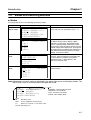
Key
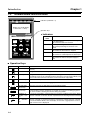
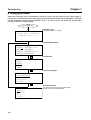
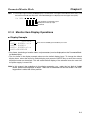
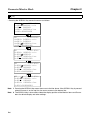
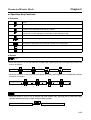
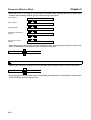
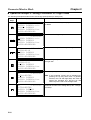
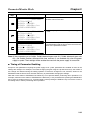
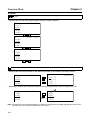
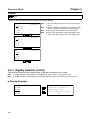
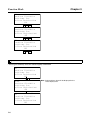
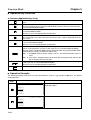
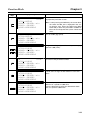
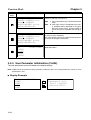
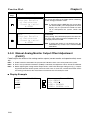
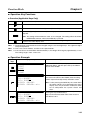
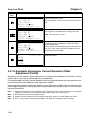
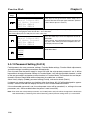
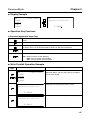
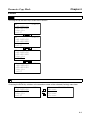
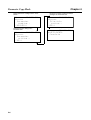
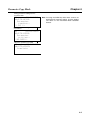
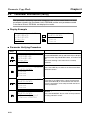
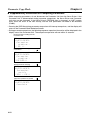
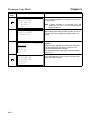
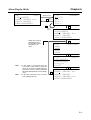
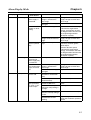
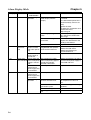
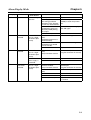
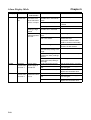
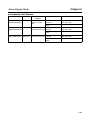
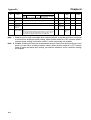
• Pressing the SCROLL Key moves the cursor as follows:
BB
-PRM/MONUn000= 00000r/min
Un002= 00000%
Un008= 00000pulse
Un00D=00000000
SCROLL
BB
-PRM/MONUn000= 00000r/min
Un002= 00000%
Un008= 00000pulse
Un00D=00000000
SCROLL
BB
-PRM/MONUn000= 00000r/min
Un002= 00000%
Un008= 00000pulse
Un00D=00000000
SCROLL
BB
-PRM/MONUn000= 00000r/min
Un002= 00000%
Un008= 00000pulse
Un00D=00000000
SCROLL
BB
-PRM/MONUn000= 00000r/min
Un002= 00000%
Un008= 00000pulse
Un00D=00000000
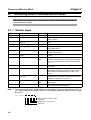
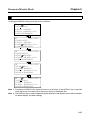
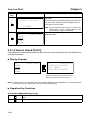
Note 1. Pressing the SCROLL Key moves the cursor to the line above. If the SCROLL Key is pressed
when the cursor is on the top line, the cursor moves to the bottom line.
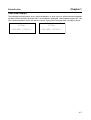
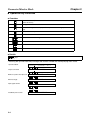
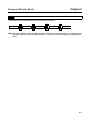
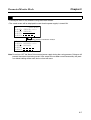
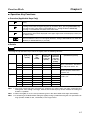
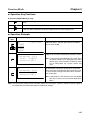
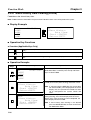
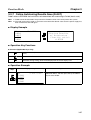
Note 2. The SCROLL Key is also used to select the display position of the Monitor Items and Parameters for default display and other settings.
2-6