1
Network Camera SNC-570
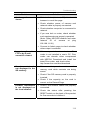
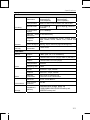
Network Configuration
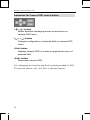
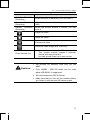
You can select LAN interface for static IP configuration, xDSL
modem and DHCP for cable modem.
Item
LAN
xDSL
DHCP
Description
Configure network assignment information of a
camera connected to the local area network or to
the static IP of xDSL modem.
For dynamic IP of xDSL, enter ID and password of
xDSL in the username box and password box.
For IP router or cable modem interface, select
DHCP.
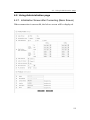
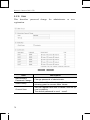
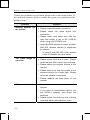
Port/DDNS Configuration
Item
Connection
Port
HTTP Port/
FTP Port
Use DDNS
Description
Connection port is to control communication with
camera. (Default : 4000)
HTTP /FTP port is to access to the camera web
page or to use FTP function.
(Default : http=80, ftp=21)
Determine use of DDNS server.
DDNS allows you to connect to the server
transforming dynamic IP.
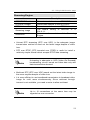
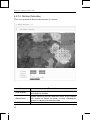
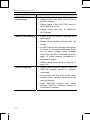
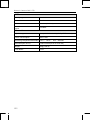
Continuous Jpeg Image Transmission
Item
Enable
FrameRate
Server Name
Home Directory
User ID
User Password
58
Description
Determine use of Continuous JPEG Image
Transmission function.
Determine frame rate (frame per seconds) to send
out.
Enter domain name or IP address of the FTP
server.
Configure home directory to store assigned data of
the FTP server.
Enter ID to access to the FTP server.
Enter Password to access to the FTP server.