1
4.3 Excessive static charging of the belt.
Possible cause: Unit is not grounded properly.
Solution: Check for correct grounding of all antistatic brushes, bobbins and idlers.
4.4 Squeaking noise from the belt drum or idlers.
1. Possible cause: The flange bearings for the idlers are misaligned.
a. Solution: Release the setscrews in the bearing and run the belt. If the noise
does not disappear, try to move the idler one mm laterally (bend with a
screw driver between the idler shaft and the bearing). Tighten the
setscrews.
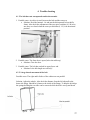
2. Possible cause: On the belt drum sidewalls there are triangular flanges bent into
the drum core.
a. Solution: Bend out the flanges so that they press firmly against the drum
core. In each flange there is a hole in which an 8 mm Allen key can be
inserted, bend out the flanges. Make sure you don’t bend the flange out of
the core! Four of the flanges are screwed to the core and can’t be bent.
4.5 The belt stops at different positions going up or down.
Possible cause: The drive parameters are incorrectly set.
Solution: Adjust the drive parameters; see service functions 13 to 16. Example: If
the belt stops too late going down, decrease the value in function 14 (and/or 13).
4.6 The belt stops incorrectly (the films does not correspond with the viewing
area).
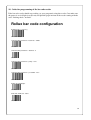
1. Possible cause: The bar code reader is in the wrong position.
a. Solution: Move the bar code reader back or forth.
2. Possible cause: The shutters are not correctly adjusted.
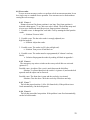
a. Solution: Adjust the shutters. Load two 24x30 films, one hanging and one
standing. Open the shutters fully with the arrow keys. Make sure the belt
stops more or less in the center of the viewing area (if not adjust the bar
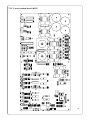
code reader). Press the “24x30” key. If the shutter opening is too small or
too large, adjust the potentiometers for shutter A and/or C. Press “24x30”
again to test.
4.7 The belt stops too early (either going up, going down or in both directions).
Possible cause: The drive parameters are incorrectly set.
Solution:
a. If the problem is going up, increase the setting for service function
15 a few steps.
b. If the problem is going down, increase the setting for service
function 14 a few steps.
Increasing the settings too much will result in a less tensed belt.
28