1
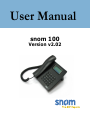
User Manual
snom 100
Version v2.02
snom technology AG
Pascalstr. 10b
10587 Berlin, Germany
© 2003 snom technology Aktiengesellschaft.
All Rights Reserved. This document is supplied by snom technology AG. No
part of this document may be reproduced, republished or retransmitted
in any form or by any means whatsoever, whether electronically or
mechanically, including, but not limited to, by way of photocopying,
recording, information recording or through retrieval systems, without the
express written permission of snom technology AG.
snom technology AG reserve the right to revise this document and make
changes at any time and without the obligation to notify any person and/
or entity of such revisions and/or changes.
Trademarks
PowerDsine is a registered trademark of PowerDsine LTD.
RedHawk is a registered trademark of Red Hawk/CDT.
Tedas is a registered trademark of Tedas Technology GmbH.
All other trademarks and registered trademarks are the property of their
respective owners.
Foreword
Congratulations on the purchase of your snom 100 Voice over IP
telephone!
Telephony is part of our everyday life. Over a period of more than
100 years a form of communication has evolved which we feel cannot be
ignored. In spite of the new technology base of the snom 100, most of its
look and feel will be very familiar to you and you should be able to use it
intuitively.
On the other hand, the world of the Internet has opened a whole
range of new possibilities. A lot of users are using web browsers and
own one or more email accounts. They will find it easy to manage the
phone via its web interface or to make a call to “sip:[email protected]”,
for example.
We are confident that developments in the computer industry will
follow those in the telecom world.
VoIP is not only about transporting speech over data networks.
It is about interoperability and breaking up a vertical market, as well as
streamlining business processes by seamlessly integrating the telephone
into computer networks and applications. With its technical flexibility,
our commitment to all open and relevant standards and our cooperation
with other vendors in the VoIP industry, the snom 100 represents a safe
investment for the future.
We would like to take this opportunity to wish you a great
experience in the VoIP world.
snom technology AG
snom technology AG •
3
[
S N O M
100 USE
R
MAN
U A L
V2.02 ]
Note to the reader
This manual is a user manual describing the snom100 running
in user mode. You will find the administrator mode and further
information described in the administrator manual.
The current version of this user manual can be obtained from:
http://www.snom.com/download/man_snom100e.pdf
4 •
Table of Contents
Foreword....................................................................3
Note to the reader ...................................................................... 4
Installation ................................................................9
Delivery Content ........................................................................ 9
Safety Notes ............................................................................ 10
Power supply............................................................................................................................................................................................. 10
Setting up the Phone .................................................................................................................................................................... 10
Cleaning ........................................................................................................................................................................................................... 10
Connecting the phone .............................................................. 11
Key pad................................................................................... 12
Initialization............................................................................. 14
Booting .............................................................................................................................................................................................................. 14
Selecting the language ............................................................................................................................................................. 15
Logon ......................................................................17
Mobility ................................................................................... 17
Logon Wizard ........................................................................... 17
snom Menu .............................................................................. 18
Logon User ................................................................................................................................................................................................... 19
Logoff User .................................................................................................................................................................................................. 19
Logoff All ......................................................................................................................................................................................................... 19
Select Outgoing Line...................................................................................................................................................................... 20
DND Mode on/off ................................................................................................................................................................................ 21
Basic Functions ........................................................23
Idle State ................................................................................ 23
Dialing ................................................................................... 23
Input Modes ............................................................................................................................................................................................... 24
Dialing a phone number ......................................................................................................................................................... 25
Dialing an H.323/SIP Address .......................................................................................................................................... 26
Dialing an IP Address ................................................................................................................................................................... 27
Number guessing................................................................................................................................................................................ 28
snom technology AG •
5
[
S N O M
100 USE
R
MAN
U A L
V2.02 ]
Terminating a call .................................................................... 28
Incoming Call ........................................................................... 29
Accepting a Call .................................................................................................................................................................................... 29
Denying/Blocking a Call ............................................................. 30
Adjusting the Volume ................................................................ 31
Mute / Unmute ........................................................................ 32
Handset / Handsfree / Headset .................................................. 32
Main Menu .............................................................................. 32
Adjusting the Volume in Idle Mode .............................................. 33
Ring Tones ............................................................................... 34
About...................................................................................... 35
Advanced Functions ................................................37
Hold and Resume ..................................................................... 37
Transfer................................................................................... 38
Direct Transfer ....................................................................................................................................................................................... 38
Consultation Transfer ................................................................................................................................................................... 39
Call Diversion ........................................................................... 39
Diverting all calls................................................................................................................................................................................. 39
Divert when Busy ............................................................................................................................................................................... 39
Divert when not answered .................................................................................................................................................... 39
Call Completion ........................................................................ 40
On busy ............................................................................................................................................................................................................ 40
DTMF Tones ............................................................................. 41
Short Messages (SMS) .............................................................. 41
Message Waiting Indication (MWI) .............................................. 42
Conducting a Software Update.................................................... 43
Additional PBX Features ............................................................. 44
Pickup .................................................................................................................................................................................................................. 44
Conference ................................................................................................................................................................................................... 44
Call Register ............................................................47
Phone Book ............................................................................. 47
Adding an entry .................................................................................................................................................................................... 47
Editing an entry .................................................................................................................................................................................... 49
Call Lists ................................................................................. 50
Speed Dial ............................................................................... 52
Dialing................................................................................................................................................................................................................. 52
Editing speed dial entries ....................................................................................................................................................... 52
Deny List ................................................................................. 52
Browsing ......................................................................................................................................................................................................... 52
6 •
Table of Contents
[
S N O M
100 USE
R
MAN
U A L
V2.02 ]
Adding a number ................................................................................................................................................................................ 53
Removing a number ....................................................................................................................................................................... 54
Settings ...................................................................55
Settings via Phone ................................................................... 55
Settings via Web Browser .......................................................... 56
Options .................................................................................. 58
Redirection ................................................................................................................................................................................................... 58
Base ....................................................................................................................................................................................................................... 59
Appendix ..................................................................61
Standard Conformance .............................................................. 61
Index .......................................................................63
snom technology AG •
7
[
8 •
S N O M
Table of Contents
100 USE
R
MAN
U A L
V2.02 ]
Installation
1
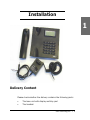
Delivery Content
Please check whether the delivery contains the following parts:
§
The base unit with display and Key pad
§
The handset
snom technology AG •
9
[
1
S N O M
100 USE
R
MAN
§
The handset cable
§
The power supply (optional)
U A L
V2.02 ]
Safety Notes
Please observe the following safety advice. It is crucial for the
safe and reliable operation of the device.
Power supply
You have two options for providing the snom 100 with power:
§
Power feeding over the network cable (PowerDsine product
family 4000 and 6000 as well as RedHawk product family
8400)
§
An external power supply (48 V)
If you want to use an external power supply, use the one that is
included in the package. Other power supplies may cause damage to the
phone, affect the behavior or induce noise.
Setting up the Phone
The snom 100 should only be placed on even, horizontal surfaces that
enable the rubber pads to ensure a secure grip. Do not place the snom
100 on carpets or other materials that contain fibers that could block the
air vents and cause overheating.
Cleaning
To clean the snom 100 use an anti-static cloth. Please avoid cleaning
10 •
Installation
[
S N O M
100 USE
R
MAN
U A L
V2.02 ]
liquids as they might damage the surface or internal electronics of the
phone.
Connecting the phone
First connect one end of the handset cable to the handset and
then to the jack on the left-hand side of the phone (see illustration).
If you are using an external power supply, please insert the plug
of the power supply into the connector next to the data line and hook up
the casing into the mains.
If you want to use a headset, it can be connected to the audio
jacks on the rear side of the snom 100. The outermost connector is for
the microphone.
1
2
3
4
Installation snom 100
snom technology AG •
11
1
[
S N O M
100 USE
R
MAN
U A L
V2.02 ]
Key pad
1
The numeric Key pad with the keys 0 to 9, * and # are used
to enter digits and letters. Depending on the operating mode, different
actions can be performed (see the table below):
12 •
§
Entry of digits only (e.g. when dialing a phone number),
§
Typing in letters and digits by pressing the keys repeatedly
(similar to a cellular phone).
Installation
[
S N O M
100 USE
R
MAN
U A L
V2.02 ]
1
snom 100 Key Path
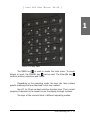
The MENU key
is used to invoke the main menu. To cancel
actions or input, the CANCEL key
can be used. The Enter/Ok key
confirms actions, selections and inputs.
Depending on the operating mode, the keys can have context
specific meanings and are described in this user manual.
Keys F1 to F4 are context sensitive function keys. Their current
mapping is depicted in the lowest line on the display through symbols.
The keys of the numeric block in different operating modes:
snom technology AG •
13
[
1
S N O M
100 USE
R
MAN
U A L
V2.02 ]
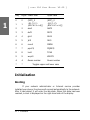
Key
Digits Lower case
Upper case
0
0
1
1
2
2
(SPC)_0
.@1,?!-/():
;&%*#+<=>$[]
abc2
(SPC)_0
.@1,?!-/():
;&%*#+<=>$[]
ABC2
3
3
def3
DEF3
4
4
ghi4
GHI4
5
5
jkl5
JKL5
6
6
mno6
MNO6
7
7
pqrs7$
PQRS7$
8
8
tuv8
TUV8
9
9
wxyz9
WXYZ9
#
#
Guess number
Guess number
*
*
Toggles upper and lower case
Initialization
Booting
If your network administrator or Internet service provider
installed your phone, the phone will connect automatically to the network.
After it has booted, it will enter the idle state. When this state has been
reached, a clock is displayed on the right-hand side of the display.
14 •
Installation
[
S N O M
100 USE
R
MAN
U A L
V2.02 ]
1
If the phone does not reach this operation mode and also fails
to reach the logon mode (see below), you should consult your network
administrator or Internet service provider or refer to the “Administrator
Manual”.
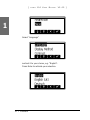
Selecting the language
The language is set to English by default. In order to change to a
different language, press the menu key , go to the submenu “Settings”
with
or
and press Enter
to select this menu entry.
Select “Base” and press Enter.
snom technology AG •
15
[
S N O M
100 USE
R
MAN
U A L
1
Select “Language”
and set it to your choice, e.g. “English”.
Press Enter to activate your selection.
16 •
Installation
V2.02 ]
Logon
Mobility
In business office environments, desktops are sometimes shared
by different employees at the same time or at different points in time
(e.g. employees working different shifts etc). The phones that are located
at the desktops should need to be able to cater for this.
To ease the effort of assigning the appropriate phone number to
the phone for each different employee, the snom100 offers the so-called
mobility features, which are described in the next subchapters.
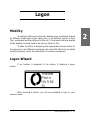
Logon Wizard
screen.
If no number is assigned to the phone, it displays a logon
After pressing a button, you will be prompted to type in your
account name.
snom technology AG •
17
2
[
2
S N O M
100 USE
R
MAN
U A L
V2.02 ]
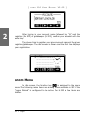
After typing in your account name followed by “@” and the
registrar (for SIP) or gatekeeper (H.323), confirm your account with the
enter key.
The phone tries to register your given account name at the given
registrar/gatekeeper. The idle screen is shown and the first line displays
your registration.
snom Menu
In idle screen, the function key
is assigned to the snom
menu.The following menu items are among those available in SIP if the
“Logon Wizard” is configured to be active. For H.323 a few items are
hidden.
18 •
Logon
[
S N O M
100 USE
R
MAN
U A L
V2.02 ]
Logon User
By selecting this item and pressing enter you can register an
additional account to the phone. Up to seven accounts can be assigned in
this way.
Logoff User
Here you are able to logoff a registered account. A list with the
currently assigned registrations is shown. Select the registration you want
to logoff and press the enter key. The selected registration is logged off
and, if it was the only one registered, the logon wizard is displayed again.
Otherwise the idle screen is displayed.
Logoff All
After selecting this menu item and pressing enter, you are asked
if you really want to logoff all users.
snom technology AG •
19
2
[
S N O M
100 USE
R
MAN
U A L
V2.02 ]
By pressing the enter key you confirm the action and all currently
logged in SIP registrations are logged off and the logon wizard is displayed
again.
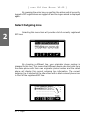
Select Outgoing Line
2
Selecting this menu item will provide a list of currently registered
SIP lines.
By choosing a different line, your originator phone number is
changed to this line. This means that different people can start calls from
the same phone with their own originator phone number and the called
phone will display this current outgoing line information. The current
outgoing line is marked at the idle screen with a black-colored phone icon
in front of the registered SIP line.
20 •
Logon
[
S N O M
100 USE
R
MAN
U A L
V2.02 ]
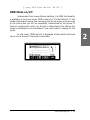
DND Mode on/off
Independent from Logon Wizard settings, the DND functionality
is available in the snom menu. DND is short for “Do Not Disturb”. If this
mode is activated it means that incoming calls will no longer come through
to the phone and you will be completely undisturbed by the phone. If
there is a mailbox set up for you, the call is redirected to this. Before this
mode is activated you will be asked if you really want to change to this
mode.
In idle mode, “DND active!” is displayed at the bottom left-hand
corner of the screen if the mode is activated.
snom technology AG •
21
2
[
2
22 •
Logon
S N O M
100 USE
R
MAN
U A L
V2.02 ]
Basic Functions
Idle State
In idle state the phone shows:
§
the date and time,
users.
§
the first five registered users,
§
the connection state of each of the first 5 registered
An empty box ( ) before the account indicates that the registration
process is in progress. A phone symbol ( ) means that the account is
successfully registered. A black-colored phone symbol ( ) means that
the account is successfully registered and the line is the active line for
outgoing calls. A box with a cross ( ) signals an unsuccessful registration
attempt.
Dialing
There are two methods to begin a call from the idle state of snom
100. You can either start dialing with the handset resting in the cradle and
then pick it up or you can pick up the handset and then dial the number.
In the latter case you will have to press Enter
to indicate that the
number is complete and dialling can commence.
snom technology AG •
23
3
[
display.
3
S N O M
100 USE
R
MAN
U A L
V2.02 ]
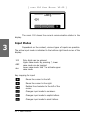
The snom 100 shows the current communication status in the
Input Modes
Dependent on the context, various types of inputs are possible.
The active input mode is indicated in the bottom right-hand corner of the
display:
123
ABC
abc
Only digits can be entered.
Upper case mode. By pressing *, lower
case mode can be toggled.
Lower case mode. Use * to activate upper
case mode.
Key mapping for input:
Moves the cursor to the left.
Moves the cursor to the right.
Deletes the character to the left of the
cursor.
Changes input mode to numbers.
Changes input mode to capital letters.
Changes input mode to small letters.
24 •
Basic Functions
[
S N O M
100 USE
R
MAN
U A L
V2.02 ]
As mentioned in the table above, with
,
or
the
input mode can be changed. After using a specific input mode for dialing a
number, the phone saves this mode as default for future use. If you want
to use a different mode, begin dialing and if the mode is wrong, choose
your preferred mode and continue dialing.
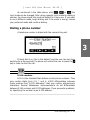
Dialing a phone number
A telephone number is dialed with the numeric Key pad.
3
If block dial is on (this is the default) and the user has not done
anything for a few seconds, the phone will remind the user to press the
key in order to start the call.
E.164 numbers
E.164 is the standard that defines normal phone numbers. They
may contain digits from 0-9, * and #. H.323 differentiates between
these numbers and “H.323 addresses” that may contain alphanumeric
characters. Several Gatekeeper implementations do not differentiate
between E.164 numbers and H.323 addresses. If you encounter problems,
try specifying the number as an H.323 address.
__________________________________________________________
snom technology AG •
25
[
S N O M
100 USE
R
MAN
U A L
V2.02 ]
Key mapping:
Moves the cursor to the left.
Moves the cursor to the right.
Deletes the character to the left of
the cursor.
Changes input mode to numbers.
Changes input mode to capital
letters.
Changes input mode to small letters.
3
Enter
Dials the number.
Cancel
Aborts the dialing.
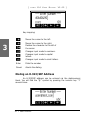
Dialing an H.323/SIP Address
An H.323/SIP address can be entered via the alphanumeric
block. You will find the “@” symbol by pressing the numeric key “1”
several times.
26 •
Basic Functions
[
S N O M
100 USE
R
MAN
U A L
V2.02 ]
Key mapping:
Moves the cursor to the left.
Enter
Cancel
Moves the cursor to the right.
Deletes the character to the left of
the cursor.
Changes input mode to numbers.
Changes input mode to capital
letters.
Changes input mode to small letters.
Dials the H.323/SIP address if
entered correctly.
Aborts the dialing.
3
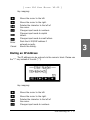
Dialing an IP Address
The IP address can be entered via the numeric block. Please use
the “*” key instead of the dot (“.”)!
Key mapping:
Moves the cursor to the left.
Moves the cursor to the right.
Deletes the character to the left of
the cursor.
Changes input mode to numbers.
snom technology AG •
27
[
Enter
Cancel
S N O M
100 USE
R
MAN
U A L
V2.02 ]
Changes input mode to capital
letters.
Changes input mode to small letters.
Dials the IP address if entered
correctly.
Aborts the dialing of the IP address.
Dialing an IP Address
3
When calling an IP address the called phone or computer cannot
determine which user you want to reach. In SIP mode it is assumed that
“anonymous” is being called and with H.323 no assumptions are made.
This works with a lot of phones and applications. Therefore, you should
only use this method in exceptional cases, as the entry of IP addresses is
rather cumbersome.
__________________________________________________________
Number guessing
For your convenience this functionality offers you the first number
from dialed numbers, missed calls, received calls or phonebook, which
matches the beginning of the number you already typed in.
If the displayed number is not what you expected, you can get
the next matching number by pressing the “#” key (in alphanumeric
modes). Otherwise, type the
function key and the number guessing
is temporarily switched off for this session of editing a phone number.
Terminating a call
You can end a call by setting the handset on its cradle, pressing
the hook switch or pressing Cancel. The snom 100 will terminate the call
and return to the idle state.
28 •
Basic Functions
[
S N O M
100 USE
R
MAN
U A L
V2.02 ]
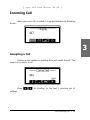
Incoming Call
screen.
When your snom 100 is called, it rings and displays the following
3
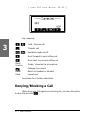
Accepting a Call
Picking up the handset or pressing Enter will accept the call. The
snom 100 is now in a call.
Press
softkeys.
/
for scrolling to the next / previous set of
snom technology AG •
29
[
S N O M
100 USE
R
MAN
U A L
V2.02 ]
Key mapping:
Hold / Resume call
,
3
Transfer call
Handsfree mode on/off
,
Scroll forward to next softkey set
Scroll back to previous softkey set
Mute/
Unmute
Head/
Hand
Mutes / Unmutes the microphone
Changes the volume
Switch to Headset or Handset
respectively
See below for a further description.
Denying/Blocking a Call
When the snom 100 signals an incoming call, you have the option
to deny the call with
.
30 •
Basic Functions
[
S N O M
100 USE
R
MAN
U A L
V2.02 ]
If you decide to press
, the caller will be placed on the deny
list and will always be denied automatically.
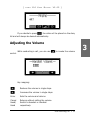
Adjusting the Volume
control.
While conducting a call, you can use
to invoke the volume
Key mapping:
Reduces the volume in single steps.
Increases the volume in single steps.
Enter
Sets the volume and returns.
Cancel
Head/
Hand
Returns without setting the volume.
Switch to Headset or Handset
respectively.
snom technology AG •
31
3
[
S N O M
100 USE
R
MAN
U A L
V2.02 ]
Mute / Unmute
Sometimes during a call the user wants to mute the microphone.
This can be done by pressing the function key “Mute”. Press “Unmute” to
re-enable the microphone.
Handset / Handsfree / Headset
3
The snom100 supports calls being made while using the handset
or the handsfree capability. During a call it is possible to easily switch
between both modes by pressing the function keys
or
.
Key mapping:
Switch to handsfree mode.
Enter
Cancel
Switch to handset mode.
Accept incoming calls in headset
mode.
Returns to the idle state.
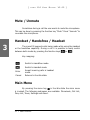
Main Menu
By pressing the menu key
in the idle state the main menu
is invoked. The following submenus are available: Phonebook, Call List,
Deny List, Tones, Settings and About.
32 •
Basic Functions
[
S N O M
100 USE
R
MAN
U A L
V2.02 ]
Key mapping:
Moves the cursor down.
Moves the cursor up.
/Enter
Enters the submenu.
/Cancel
Returns to the idle state.
3
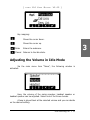
Adjusting the Volume in Idle Mode
Via the main menu item “Tones”, the following window is
activated:
Here, the volume of the casing speaker, handset speaker or
headset speaker can be adjusted. Select one of the three choices.
A tone is played back at the selected volume and you can decide
on the desired setting.
snom technology AG •
33
[
S N O M
100 USE
R
MAN
U A L
V2.02 ]
Key mapping:
Reduces the volume in single steps.
Increases the volume in single steps.
Enter
Sets the volume and returns.
Cancel
Returns without setting the volume.
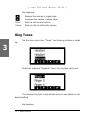
Ring Tones
3
up:
Via the main menu item “Tones”, the following window is called
Select the submenu “Ringtone”. Here, the ring tone can be set.
The selected ring tone is played back and you can decide on the
desired setting.
Keymapping:
34 •
Basic Functions
[
/Enter
/Cancel
S N O M
100 USE
R
MAN
U A L
V2.02 ]
Moves the cursor to the next ring
tone.
Moves the cursor to the previous
ring tone.
Activates the selection and
returns.
Returns without changing the ring
tone.
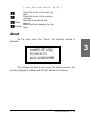
About
Via the main menu item “About”, the following window is
activated:
3
This indicates the type of your phone, the software version, the
currently assigned IP address and the MAC address of the phone.
snom technology AG •
35
[
S N O M
3
36 •
Basic Functions
100 USE
R
MAN
U A L
V2.02 ]
[
S N O M
100 USE
R
MAN
U A L
V2.02 ]
Advanced
Functions
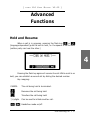
Hold and Resume
When a call is in progress, pressing the flash key
or
(language dependent) puts the call on hold, i.e. the speech is set to mute
(neither party can hear the other.)
4
Pressing the flash key again will resume the call. While a call is on
hold, you can establish a second call by dialing the desired number.
Key mapping:
CANCEL
,
The call being held is terminated.
Resumes the call being held.
Transfers the call being held.
*,#,digits
,
Can be used to initiate another call.
Handsfree mode on/off.
snom technology AG •
37
[
S N O M
100 USE
R
MAN
U A L
V2.02 ]
Transfer
Direct Transfer
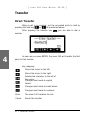
When a call is in progress, put the connected party to hold by
pressing the hold key
or
as mentioned above.
number.
4
After pressing the transfer key
you are able to dial a
As soon as you press ENTER, the snom 100 will transfer the first
party to that number.
Key mapping:
Moves the cursor to the left.
Moves the cursor to the right.
Deletes the character to the left of
the cursor.
Changes input mode to capital
letters.
Changes input mode to small letters.
Changes input mode to numbers.
Enter
The snom 100 transfers the call.
Cancel
Aborts the transfer.
38 •
Advanced Functions
Consultation Transfer
During a call in progress, put the connected party on hold by
pressing the hold key
or
.
While the call is on hold, you can establish a second call by dialing
the desired number. When the second call is established, you can consult
the second party i.e. to announce the call. By pressing the transfer key
or hook on the handset, you can then connect the two parties.
Call Diversion
All kinds of call diversions can be set, changed and deactivated in
the menu “Settings/Redirection”.
Diverting all calls
By setting the option “Settings / Redirection / Redirection” to
“always”, every incoming call is diverted immediately to the number set in
“Settings / Redirection / Redirect Target” without ringing the phone.
To disable this feature just set the “Settings / Redirection /
Redirection” to “never”.
Divert when Busy
By activating the option “Settings / Redirection / Redirection /
When Busy”, every incoming call is diverted to the number set in “Settings
/ Redirection / Busy Target” if another call is already in progress.
Divert when not answered
You can set the number of seconds in “Settings / Redirection /
Redirect Time” after which every incoming unanswered call is diverted to
the number set in “Settings / Redirection / Redirect Target”.
Note: To activate immediate call divert, see above.
snom technology AG •
39
4
[
S N O M
100 USE
R
MAN
U A L
V2.02 ]
Call Completion
The call completion functionality helps the user to establish calls
successfully even if the other party is busy or just not answering.
On busy
This is helpful if the party you are trying to reach is busy. If call
completion support is enabled, the following window will appear:
4
By pressing
key, call completion is activated and the phone
waits for the other party to go to idle again. Pressing
cancels the call
completion attempt.
When the other party becomes idle, the following window
appears:
40 •
Advanced Functions
[
S N O M
100 USE
R
MAN
U A L
V2.02 ]
By pressing
key the phone will dial the number again in
order to establish a connection to the other party that was busy before
and is now idle again.
DTMF Tones
During a call, e.g. with a voicemail system, pressing the digits 09, * or # will generate and send DTMF tones to the other party.
4
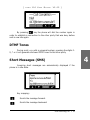
Short Messages (SMS)
Incoming short messages are automatically displayed if the
phone is in idle state.
Key mapping:
Scrolls the message forward.
Scrolls the message backward.
snom technology AG •
41
[
Enter
S N O M
100 USE
R
MAN
U A L
V2.02 ]
Shows the next message or idle
screen.
Short messages can be received from clients like Microsoft Messenger etc.
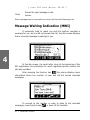
Message Waiting Indication (MWI)
If somebody tried to reach you and the mailbox recorded a
message for you, as you did not answer the call, the idle screen displays
that a recorded message is waiting for you.
4
At the idle screen, the small letter icons at the beginning of the
SIP registration line symbolizes for which registered phone number the
call was recorded.
After pressing the function key
the phone displays more
information about the number of new and old but stored recorded
messages.
To connect to the mailbox in order to listen to the recorded
messages, press function key
or hook off the handset.
42 •
Advanced Functions
[
S N O M
100 USE
R
MAN
U A L
V2.02 ]
Key mapping:
Scrolls the message forward.
Scrolls the message backward.
,
Hook off
handset
Call mailbox to listen to recorded
messages.
Enter,
Cancel
Back to idle screen.
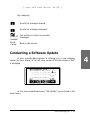
Conducting a Software Update
If your provider/administrator is offering you a new software
version for your phone, in the left lower corner of the idle screen a “SW”
is displayed.
In this case an additional entry “SW Update” can be found in the
snom menu.
snom technology AG •
43
4
[
S N O M
100 USE
R
MAN
U A L
V2.02 ]
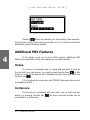
Pressing
/Enter key reboots your phone after a few seconds.
During boot-up the phone asks you whether or not it should proceed the
bootloader and/or firmware update.
Additional PBX Features
4
If the phone is set up to use H.323 protocol, additional PBX
features are available if they are enabled by the administrator.
Pickup
If a phone of somebody else is ringing and you want to pick up
the call with your own phone, you need to press function key
at idle
screen to scroll to the second set of available function keys and press the
function key
.
(This functionality works also with TEDAS Phoneware Server and
Innovaphone ip400.)
Conference
If the phone is connected with two calls, one on hold and one
active, by pressing function key
all three involved phones can be
connected in a conference.
44 •
Advanced Functions
[
S N O M
100 USE
R
MAN
U A L
V2.02 ]
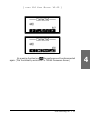
By pressing function key
the conference will be disconnected
again. (This functionality works with i.e. TEDAS Phoneware Server.)
snom technology AG •
45
4
[
S N O M
4
46 •
Advanced Functions
100 USE
R
MAN
U A L
V2.02 ]
[
S N O M
100 USE
R
MAN
U A L
V2.02 ]
Call Register
Phone Book
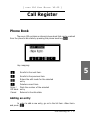
The snom 100 contains an internal phone book that can be reached
from the phone’s idle state by pressing the phone book key
.
Key mapping:
5
Scrolls to the next item.
Enter /
Off Hook
Cancel
Scrolls to the previous item.
Enters the edit mode for the selected
entry.
Deletes current item.
Dials the number of the selected
entry.
Returns to the idle state.
Adding an entry
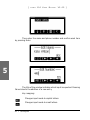
In order to add a new entry, go on to the list item <New item>
and press
.
snom technology AG •
47
[
S N O M
100 USE
R
MAN
U A L
V2.02 ]
Then enter the name and phone number and confirm each item
by pressing Enter.
5
The title of the window indicates which input is expected. Pressing
Cancel aborts the addition of a new entry.
Key mapping:
Changes input mode to capital letters.
Changes input mode to small letters.
48 •
Call Register
[
S N O M
100 USE
R
MAN
U A L
V2.02 ]
Changes input mode to numbers.
Deletes the character to the left of
the cursor.
Moves the cursor to the left.
Moves the cursor to the right.
Enter
Cancel
Accepts the entry.
Cancels the entry.
Editing an entry
After pressing the edit key
on the entry to be modified, the
name and phone number will be brought up in sequence. Confirm each
item by pressing Enter.
The title of the window indicates which input is expected. Enter
accepts the data and pressing Cancel aborts the editing.
Key mapping:
5
Changes input mode to capital letters.
Changes input mode to small letters.
Changes input mode to numbers.
Deletes the character to the
left of the cursor.
Moves the cursor to the left.
Moves the cursor to the right.
snom technology AG •
49
[
S N O M
100 USE
R
MAN
U A L
Enter
Accepts the entry.
Cancel
Aborts the editing process.
V2.02 ]
Call Lists
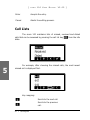
The snom 100 maintains lists of missed, received and dialed
calls that can be accessed by pressing the call list key
from the idle
state.
5
For example, after choosing the missed calls, the most recent
missed call is displayed first.
Key mapping:
Scrolls to the next call.
Scrolls to the previous
call.
50 •
Call Register
Enter / Off Hook
Cancel
Shows details of this
call.
Deletes the current
entry.
Dials the number of
the current entry.
Returns to the idle
state.
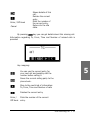
By pressing
key you can get details about this missing call.
Information regarding To, From, Time and Number of missed calls is
provided.
Key mapping:
5
You can use the current entry for
your next call and possibly edit the
number before calling it.
Saves the current calling party to the
phone book.
Step to the next kind of information:
To, From, Time and Number of calls
Deletes the current entry.
Enter /
Off Hook
Dials the number of the current
entry.
snom technology AG •
51
[
Cancel
S N O M
100 USE
R
MAN
U A L
V2.02 ]
Returns to the idle state.
Speed Dial
The snom 100 supports speed dial of up to 33 numbers. These
are mapped onto the numbers 0-30, * and #.
Dialing
Speed dialing is initiated with the speed dial key
in the idle
state followed by a number from 0-30, * or # and confirmed with the
Enter key. In this way, 33 speed dial numbers can be called up without
having to look at the display.
5
Editing speed dial entries
The speed dial numbers can be conveniently set up with the builtin web interface page of your phone.
Deny List
The snom 100 gives you the option of putting numbers on a deny
list to prevent you being disturbed.
Browsing
window.
52 •
Via the submenu “Deny List” you can reach the deny list
Call Register
[
S N O M
100 USE
R
MAN
U A L
V2.02 ]
The numbers to be denied are displayed here.
Key mapping:
Scrolls to the next number.
5
Scrolls to the previous number.
Deletes the current number.
Cancel
Returns to the idle state.
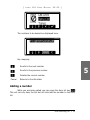
Adding a number
While you are being called you can press the deny list key
This will not only deny the call but will also add the number to the deny
list.
snom technology AG •
53
[
S N O M
100 USE
R
MAN
U A L
V2.02 ]
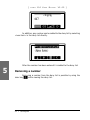
In addition, any number can be added to the deny list by selecting
<new item> in the deny list directly.
5
After the number has been entered it is added to the deny list.
Removing a number
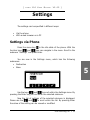
Removing a number from the deny list is possible by using the
clear key
while viewing the deny list.
54 •
Call Register
[
S N O M
100 USE
R
MAN
U A L
V2.02 ]
Settings
The settings can be specified in different ways:
§
§
Via the phone
With a web browser on a PC
Settings via Phone
Press the menu key
in the idle state of the phone. With the
function keys
and
you can navigate in the menu. Scroll to the
submenu “Settings” and press Enter.
You are now in the Settings menu, which has the following
submenus:
§ Redirection
§ Base
Use the keys
and
to scroll within the Settings menu. By
pressing the Enter key you can enter the selected submenu.
Now the list of settings of the selected submenu is displayed.
Please use the
and
to scroll within the list. By pressing Enter
the value of the setting can be viewed or modified.
snom technology AG •
55
5
[
S N O M
100 USE
R
MAN
U A L
V2.02 ]
Some entries cannot be set to any variable value. Instead they
offer a list of allowed values from which one has to be selected. Again, use
the
and
to scroll within the list to set the desired value. Pressing
Enter sets the value. Press Cancel if you decide not to change the value.
Other settings require the editing of numbers or strings. This can
be done with the Key pad of the phone. Digits are entered directly via the
keys and letters can be called up by pressing a key repeatedly. You can
toggle between lower case letters (“a”) and upper case letters (“A”) with
the (*) key.
Key mapping:
Moves the cursor to the left.
Moves the cursor to the right.
Deletes the character to the left of
the cursor.
Changes input mode to capital
letters.
Changes input mode to small letters.
5
Changes input mode to numbers.
Enter
Accepts the entry.
Cancel
Aborts the changes.
Settings via Web Browser
You may prefer to use a web browser to configure the settings,
which is usually more convenient.
The snom 100 has an integrated web server to configure its
settings. If the phone is connected to a network that provides DHCP, it can
be immediately accessed via the browser after boot-up. In case you do
not want to use DHCP you must specify the IP address, netmask, gateway,
DNS domain and DNS server statically to ensure correct operation.
56 •
Settings
[
S N O M
100 USE
R
MAN
U A L
V2.02 ]
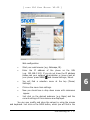
Web configuration
§
Start your web browser (e.g. Netscape, IE).
§
Enter the IP address of the phone as the URL
(e.g. 192.168.0.100). If you do not know the IP address
please ask your network administrator or have a look at
your phone: press MENU
and choose Settings / About.
§
You will find a selection menu at the top (Phone/
Settings).
§
Click on the menu item settings.
§
Now you should see a drop down menu with submenus
appear.
§
Just click on the desired submenu (e.g. Base) and the
current settings of this submenu are displayed.
You can now modify and store the values by using the mouse
and keyboard. Just click on the SAVE button, which you will find in the
snom technology AG •
57
6
[
S N O M
100 USE
R
MAN
U A L
V2.02 ]
upper/lower section, to store the changes made. If you want to discard
the changes then do NOT press SAVE.
Options
Redirection
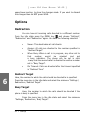
You can have all incoming calls diverted to a different number.
From the idle state press the MENU key
and choose “Settings”,
“Redirection” and “Redirection” again. You have the following selection:
§
Never: This deactivates all call diverts.
§
Always: All calls are diverted to the number specified in
“Redirect Target”.
§
When Busy: When a call is in progress, any other call to
that
number
would
be
rejected
and
get
a busy indication. The phone can be set in such
a way that the second caller is diverted to another number
set in “Busy Target”.
§
On Timeout: Calls are diverted after the timeout specified
in “Redirect Time”.
Redirect Target
6
Here, the number to which the calls should be diverted to is specified.
Press the menu key in the idle state and select the submenu “Settings /
Redirection / Redirect Target”.
Busy Target
Here, the number to which the calls should be diverted if the
phone is busy is specified.
Press the menu key in the idle state and select the submenu
“Settings / Redirection / Busy Target”.
58 •
Settings
[
S N O M
100 USE
R
MAN
U A L
V2.02 ]
Redirect Time
Here, the timeout in seconds after which the call should be
diverted is specified.
Press the menu key in the idle state and select the submenu
“Settings / Redirection / Redirect Time”.
Base
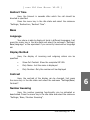
Language
Your phone is able to display all texts in different languages. Just
press the menu key in the idle state and select the submenu “Settings/
Base/Language” or the equivalent if you currently have another language
set.
Display Method
Here, the display of incoming and outgoing callers can be
specified:
§
Show Full Contact: Show the complete SIP URL
§
Only Name: Just the name is displayed
§
Only Number: Only the number will be displayed
Contrast
Here, the contrast of the display can be changed. Just press
the menu key in the idle state and select the submenu “Settings/Base/
Contrast”.
Number Guessing
Here, the number guessing functionality can be activated or
deactivated. Press the menu key in the idle state and select the submenu
“Settings / Base / Number Guessing”.
snom technology AG •
59
6
[
6
60 •
Settings
S N O M
100 USE
R
MAN
U A L
V2.02 ]
[
S N O M
100 USE
R
MAN
U A L
V2.02 ]
Appendix
Standard Conformance
Name and address of manufacturer
snom technology AG
Pascalstraße 10b
10587 Berlin
The snom technology AG assures that the product
Type: VoIP Phone
Model: snom 100
conforms with the following standards
EMC standard 89/336/EWG incl. all appendices
Low voltage standard 73 / 23 / EWG
Safety Standards
EN 60950 1992 incl. all appendices
Electromagnetic Standards
EN 55022 / 9.98 Class B
EN 55024 / 9.98
7
EN 61000-3-2/1995+A1/1998+A2/1998+A14 /2000
EN 61000-3-3/1.95
Place, Date
Berlin, 30.Oct.2003
Dr. Christian Stredicke
Vorstand (MD)
snom technology AG •
61
[
7
62 •
Appendix
S N O M
100 USE
R
MAN
U A L
V2.02 ]
Index
A
Accepting a call 29
About
Completion 40
Call Register 47
IP address 35
On busy 40
MAC address 35
Denying/Blocking 30
Software Version 35
Diversion 39
Adding an entry.
see Call Register
Adding a number 53
Advanced Features
Hold and Resume 37
Advanced Functions 29, 37
Conference 39, 44
Diverting all calls 39
when Busy 39
when not answered 39
Incoming 29
Lists 50
Terminating 28
Software Update 43
Call Completion.
Transfer 38
Call Diversion.
Consultation Transfer 39
Call Lists.
see Call
see Call
see Call
Call Register 47
B
Adding an entry 47
Basic Functions 23
Speed Dial 52
Editing an entry 49
Dialing 23
Conference.
Dialing an H.323/SIP Address 26
Contrast.
see Advanced Functions
see Settings
Dialing an IP Address 27
Dialing a phone number 25
E.164 numbers 25
Input Modes 24
Idle State 23
Browsing 52
C
Call
D
Deny List 52
Adding a number 53
Removing a number 54
Dialing.
see Basic Functions
Editing speed dial entries.
see Speed Dial
Speed dialing 52
snom technology AG •
63
8
[
S N O M
100 USE
Dialing an H.323/SIP Address.
Functions
Dialing an IP Address.
Display Method.
R
see Basic
see Basic Functions
see Settings
MAN
V2.02 ]
U A L
L
Language.
see Settings
Logoff 19
DND Mode 21
M
E
MAC address 35
E.164 numbers.
see Basic Functions
Editing an entry.
see Call Register
Menu 18
Main Menu 32
Messages 41
Message Waiting Indication (MWI) 42
H
Short Messages (SMS) 41
Mobility Features 17
Handset 32
Logon Wizard 17
Handsfree 32
Mute / Unmute 32
Headset 32
Hold and Resume.
see Advanced Functions
I
Number guessing 28
Incoming Call 29
Installation 9
Connecting the phone 11
IP address 35
O
Outgoing Line 20
P
K
Keypad 12
CANCEL key 13
8
N
PBX Features 44
Conference 44
Enter/Ok key 13
Phone Book.
MENU key 13
Pickup.
see Call Register
see PBX Features
Power feeding 10
64 •
Index
[
S N O M
100 USE
R
MAN
U A L
R
V
Redirection 58
Volume 31
Busy Target 58
V2.02 ]
Adjusting the Volume in Idle Mode 33
Redirect Target 58
Redirect Time 59
Removing a number 54
W
Web Browser 56
S
Web Configuration 57
Safety Notes 10
Settings 10
Base 59
Language 59
Number Guessing 59
Ring Tones 34
Selecting the language 15
Setting up the Phone 10
via Phone 55
via Web Browser 56
Software Update 43
Software Version.
see About
Speed Dial 52
Editing speed dial entries 52
T
Terminating a call 28
Tones 41
DTMF Tones 41
Ring Tones 34
Transfer.
8
see Advanced Functions
snom technology AG •
65
[
S N O M
100 USE
R
MAN
U A L
V2.02 ]
© 2003 snom technology AG
snom technology Aktiengesellschaft · Pascalstr. 10b · D-10587 Berlin
phone: +49 30 39833-0 · mailto:[email protected] · http://www.snom.com
66 •
[
S N O M
100 USE
R
MAN
U A L
V2.02 ]
Reader‘s Feedback
snom technology AG welcomes your evaluation of this manual and any
suggestions you may have. These help us to improve the quality and usefulness of our
documentation.
Please send your comments and suggestions to:
snom technology AG
Attention: Marketing Department
Pascalstr. 10b, 10587 Berlin, Germany
FAX: +49 (30) 3990 7839
Manual Name: User Manual, snom 100
Version: V2.02
Date: 30 October, 2003
Excellent
Good Fair
Poor
How would you rate the manual overall?
Are the installation instructions effective?
Are the Configuration Instructions effective?
Is the manual properly organized?
Are the illustrations usefull and easy to understand?
Are the suggested and default values useful?
Is the index useful?
Did you find any errors in the manual? (Please reference page and paragraph)______
____________________________________________________________________
How might we improve this manual?______________________________________
___________________________________________________________________
____________________________________________________________________
___________________________________________________________________
____________________________________________________________________
Name____________________________________Title________________________
Company Name___________________________Telephone (
)_________________
____________________________________________________________________
Thank you for taking time to fill out this form.
snom technology AG •
67
snom VoIP Phone snom 100
User Manual
30 Oct., 2003, Version V2.02
© 2003 snom technology AG
All rights reserved.
Subject to change without notice.
Europe & ROW:
USA and Americas:
India and SAARC:
snom technology AG
Pascalstr. 10B
10587 Berlin, Germany
Phone: +49 (30) 39833-0
mailto:[email protected]
http://www.snom.com
sip:[email protected]
snom USA Representation
ABP International, Inc.
1203 Crestside Dr.
Coppell, Texas 75019, USA
Phone: +1-972-831-0280
sip:[email protected]
mailto:[email protected]
snom technology (India) Pvt Ltd.
No. 417, International Trade Tower
Nehru Place, New Delhi-110019
Phone: +91 11 26234097
Fax: +91 11 26234079
http://www.snomindia.com
mailto:[email protected]
sip:[email protected]