1
INSTANTLY AVAILABLE PC
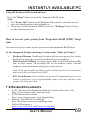
Using the Windows 98 keyboard buttons:
Press the "Sleep" button to enter the Suspend to RAM mode.
Note:
1. The "Power Off" button on the Windows 98 keyboard can also be used to
enter the standby mode as described above.
2. You need to set the mainboard BIOS to use the "Wakeup" button. Please
see the following section.
How to recover your system from "Suspend to RAM (STR)" sleep
state
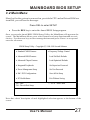
You can set the way to wake up the system from the mainboard BIOS Setup:
At the Integrated Peripherals Setup Screen, under "Wake Up Events":
=
=
Keyboard Resume Enabling this option allows pressing any key on the
keyboard to wake up a system which has been powered down.
Wake Up On LAN/Ring An input signal on the serial Ring Indicator (RI)
line in other words, an incoming call on the modem (either external
modem or internal modem card) power on the system.
With a LAN card installed, the Wake-up On LAN function allows the network to
wake up a Soft Power Down (Soft-Off) PC.
=
RTC Alarm Resume - When enabled, the system will automatically power on or
returns to full power out of suspend/standby mode at the time and date of the
month (0 for daily) specified.
7.6 Related Documents
=
=
=
=
ACPI, Advanced Configuration and Power Interface Revision 1.0b,
http://www.teleport.com/~acpi/spec.htm
ACPI Implementers' Guide,
http://www.teleport.com/~acpi/impguid.htm
Instantly Available PC Technology,
http://developer.intel.com/technology/iapc/
OnNow Whitepapers,
http://www.microsoft.com/hwdev/onnow.htm/
User's Manual
69