1
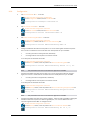
TANDBERG Border Controller User Guide 20.2.4. Securing with TLS The connection to the LDAP server can be encrypted by enabling Transport Level Security (TLS) on the connection. To do this you must create an X.509 certificate for the LDAP server to allow the Border Controller to verify the server's identity. Once the certificate has been created you will need to install the following three files associated with the certificate onto the LDAP server: The certificate for the LDAP server. The private key for the LDAP server. The certificate of the Certificate Authority (CA) that was used to sign the LDAP server's certificate. All three files should be in PEM file format. The LDAP server must be configured to use the certificate. To do this, edit /etc/openldap/slapd.conf and add the following three lines: TLSCACertificateFile <path to CA certificate> TLSCertificateFile <path to LDAP server certificate> TLSCertificateKeyFile <path to LDAP private key> The OpenLDAP daemon (slapd) must be restarted for the TLS settings to take effect. For more details on configuring OpenLDAP to use TLS consult the OpenLDAP Administrator's Guide. To configure the Border Controller to use TLS on the connection to the LDAP server you must upload the CA's certificate as a trusted CA certificate. To do this, navigate to Border Controller Configuration > Files and upload the certificate. Page 106 of 113