1
TANDBERG Border Controller User Guide
It may be desirable to have endpoints register with just the subscriber number -- the last part of the
E.164 number. In that case, the Border Controller should be configured to strip prefixes before placing
the Location Request.
A structured dial plan will minimize the number of location requests issued when a call is attempted,
but, as described above, still requires a fully connected mesh of all Gatekeepers and Border Controllers
in your deployment. A hierarchical dial plan (see below) can simplify this.
Hierarchical dial plan
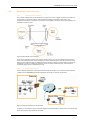
One Gatekeeper is nominated as the directory gatekeeper for the deployment. All Border Controllers and
public Gatekeepers are neighbored with it and vice versa. There is no need to neighbor the Border
Controllers and public Gatekeepers with each other. Adding a new Border Controller or public
Gatekeeper now only requires changing configuration on that system and the Directory Gatekeeper.
Failure of the directory gatekeeper could cause significant disruption to communications. Consideration
should be given to the use of Alternate Gatekeepers (see section 4.7) for increased resilience.
4.6.2.
Adding Neighbors and configuring zones
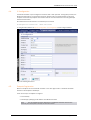
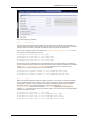
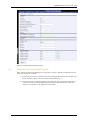
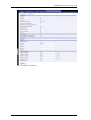
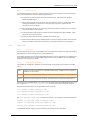
Neighbors are added and zones configured through the command line interface using the
xconfiguration zones family of commands and xCommand ZoneAdd or through the web
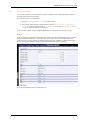
interface via Border Controller Configuration > Zones - either select Add New Zone, or highlight an
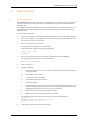
existing zone and select Edit, to access the screen shown in Figure 4.
The prefixes and suffixes described above are formed using patterns: each zone may have up to 5
patterns assigned, each of which may be defined as a prefix or a suffix.
Patterns are not used, and not displayed on the web interface, if the pattern match mode is set to
always or disabled.
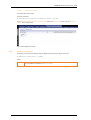
Figure 4: Adding a new zone
Page 22 of 113