1
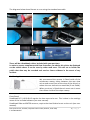
My camera creates lots of "Event" files Vehicles with hard suspension or if the quality of the road surface is poor then the camera will naturally make a lot of "Event" files. This is normal operation for the camera and should not be of concern. You can change the sensitivity of the camera in the setting menu using the RoadHawk software. If you do not want the camera to make these "Event" files you can put the camera in to "infinite" mode using the software. "infinite" mode will record video on a constant loop but will not create "events". The camera is not powering up: Check the fuse in the power plug. Check to see if your accessory socket is working with other devices. Try formatting the memory card. A bad sector can affect start up. The time on video is incorrect: GPS enabled cameras obtain time and date from the GPS signal. The camera needs to lock on to GPS before it can set the correct time/date. You must set your time zone using the settings menu in the RoadHawk viewing software. The software doesn’t allow for the difference between Daylight Savings and British Summer time. This needs to be activated manually via the software. On non GPS enabled cameras, the time and date is set manually using a text file. Setting the time & date can be found in your user manual. There is a reflection of video on windscreen: This can happen if the lens is too far away from the windscreen. The adhesive mount works best for getting the lens as close to possible to the glass. Ensure the windscreen is as clean as possible. Be aware that filming directly into the sun can reduce video quality. The camera continues to record even when I turn the ignition off: Some vehicles have accessory sockets that remain LIVE even when the ignition is off. In this case, you should remove the power cable from the socket when you are not using the vehicle. Hard wiring kits are available should you want to have the camera wired to the ignition of the vehicle. In some cases you may wish to have the camera permanently recording. This is needed if you wish to use the parking mode for your camera (see your manual). DCS Systems Ltd, Unit 9b, Callywith Gate Ind Est, Bodmin, PL31 2RQ T: 01208 269159 10 | P a g e