1
™
Section 6
Utilities
DriveRack
The Utility section of the 480, 481 and 482 DriveRack™ units, contain many important functions.
The Utility section gives you with the ability to perform several key operational functions to the
DriveRack™ system including: Network Configuration, Security settings, Power-up features,
MIDI programming, Mic Pre Setup and Display contrast settings. Use this section of the manual to make yourself familiar with all aspects of the Utility menu of the DriveRack™ system.
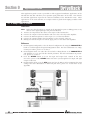
6.1 Network ID
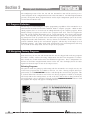
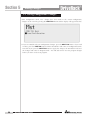
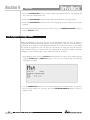
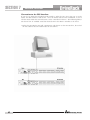
All networking functions of the DriveRack™ system are accessed through page 1 of the utility
menu. The following information will lightly touch upon networking issues. For more information on the utilization of the networking capabilities, please refer to section 9.
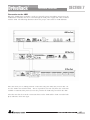
SETTING DEVICE IDENTIFICATION NUMBER
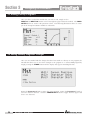
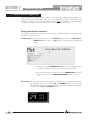
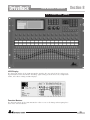
To set the device ID number on a 480 DriveRack™, the procedure is as follows:
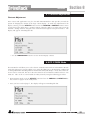
1. From Program mode, press the UTILITY button once.
2. Use the PARAMETER 1 knob to set any device number from 1-99. If the 480 is going to
act as the master controller unit, set the device ID to 0, and MST will appear in reverse type
in the top left hand corner of the display.
MASTER
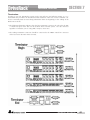
When the selected DriveRack™ unit is set to act as the master unit in the DriveRack™ network,
control of all other units can be performed by the master unit. It is important to note that there
can be only one unit designated as the master. For more information on the networking capabilities of the DriveRack™ systems, please refer to Section 9.
SLAVE
When either the 480, 481 or 482 is set to act as a slave unit within a DriveRack™ network, the
unit must have a unique ID number to be recognized within the network system. For more
information on the networking capabilities of the DriveRack™ system, please refer to Section 9.
Note- ID designations cannot be changed through the network. Changes to ID numbers must
be done to the selected unit from within its physical interface.
6.2 Security Levels
To protect all detailed parameter editing and configuration modification settings of your
DriveRack™ unit, the Utility menu of the DriveRack™ systems include a complete security
system set-up. This security system allows you to set security access to every module, with
security levels that vary from low to high. This security systems also allows you to create
unique passwords which will limit/prevent any other users from access to the system. The
following information is provided to help you set all security parameters.
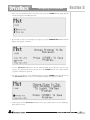
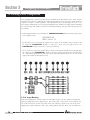
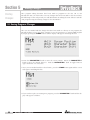
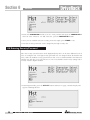
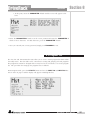
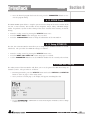
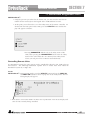
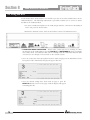
1. Prior to setting security passwords you will access the security menu by pressing the
UTILITY button and use the PREV PG and NEXT PG buttons to move to page two
and three of the utility menu. Once there, the screens will appear as follows:
®
48
DriveRack™ User Manual