1
WWW.PREMIERMUNDO.COM
BASIC OPERATION
10.
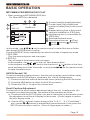
/CH 1-6 (RADIO PRESET) BUTTON
a). In Disc Playback Mode
Press this button to pause playback, press it again to resume playback.
b). In Radio Mode
Press this button repeatedly to preset station. With this system a total of 30
stations can be stored in the memory . Each band store up to six preset
stations. The stations might be FM1, FM2, FM3, AM1 (MW1) and AM2 (MW2)
band. The operation as below:
- store in memory
press and hold the desired memory location for several seconds, the current
listening station will be stored into the number location.
- retrieve a preset station
press it button repeatedly to retrieve a station which had been stored in the
memory in advance the chosen number is shown on display.
11.
/
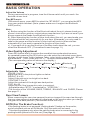
BUTTONS (TUNE, SEEK, TRACK, SKIP UP/DOWN)
a) In DISC, USB mode:
if you wish to jump forwards or backwards press the SEL button (4) briefly in
the or direction. (Note: in DVD mode, press the SEL button continually
twice in direction to skip back one track during playback.)
Note:For some VCD 2.0 dics(PBC-playback control),
and
buttons may
be unavailable. To wind through the tracks keep the SEL button pressed in
the or direction for about 2 seconds. FF X2 appears in the display.
Operating the SEL button again, the speed of rapid forward/reverse changes
according to the disc as follow:
Normal Playback 2x
4x
8x
16x
DVD/VCD/CD/MP3:
b) In Radio Mode:
Move the SEL button in the direction of
or
in order to set a radio station
manually. Keep the SEL taste pressed down in the
or
direction in order to
start the search for a radio station automatically.
12.PAIR/
BUTTON
In Bluetooth menu, press this button to use the Bluetooth function, how to use it ,
please refer to see page 16.
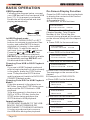
13.
(EJECT) BUTTON
Press this button to insert and eject the Disc . The operating unit swings downwards. Insert the Disc with the labelled side facing upwards gently into the CD
slot until the device draws in the CD/DVD automatically. The operating unit will
automatically swings back to the normal position.
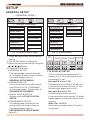
14. RESET BUTTON
RESET button is placed on the housing and must be activated with either a
ballpoint pen or thin metal object. The RESET button is to be activated for the
following reasons:
A. Initial installation of the unit when all wiring is completed.
B. All the function buttons do not operate.
C. Error symbol on the display.
Page 13