1
Contents
Welcome ...................................................................................................................................................... 8
BlackBerry 10: new apps and features .......................................................................................................... 9
Getting started ........................................................................................................................................... 13
Inserting the SIM card, battery, and media card .......................................................................................... 13
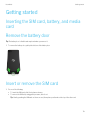
Remove the battery door ............................................................................................................................ 13
Insert or remove the SIM card ..................................................................................................................... 13
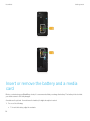
Insert or remove the battery and a media card ............................................................................................ 14
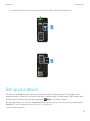
Set up your device ...................................................................................................................................... 15
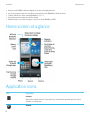
Home screen at a glance ............................................................................................................................ 16
Application icons ........................................................................................................................................ 16
Notification icons ....................................................................................................................................... 19
Scroll and move between items .................................................................................................................. 20
Use a slider ................................................................................................................................................ 20
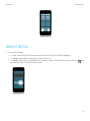
Select items ............................................................................................................................................... 21
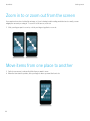
Zoom in to or zoom out from the screen ...................................................................................................... 22
Move items from one place to another ........................................................................................................ 22
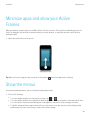
Minimize apps and show your Active Frames .............................................................................................. 23
Show the menus ......................................................................................................................................... 23
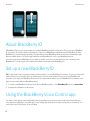
About BlackBerry ID ................................................................................................................................... 24
Set up a new BlackBerry ID ........................................................................................................................ 24
Using the BlackBerry Voice Control app ...................................................................................................... 24
Device Switch ............................................................................................................................................. 26
Before you switch devices .......................................................................................................................... 26
Learn what transfer options are available to you .......................................................................................... 26
Make note of your usernames and passwords ............................................................................................. 26
Update BBM .............................................................................................................................................. 27
What if I have contacts on my SIM card? ...................................................................................................... 27
Backing up and switching devices .............................................................................................................. 27