1
User Manual
YCS Configuration Tool
1 Introduction
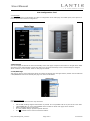
The YCS Configuration Tool is based on an Excel spreadsheet. One cabin/zone is configured per spreadsheet. Besides
being used as a configuration tool it can also be used as documentation for the actual project. In the spreadsheet
useful comments are added to guide you (Small red triangle in upper right corner of a field).
2 Getting started
The configuration tool requires Microsoft Excel version 2007 or newer.
Open the Lantic.xlsm file with Microsoft Excel and enable macros. Now select “Save As” and select an appropriate
name for the configuration sheet.
3 Main page
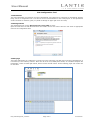
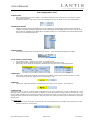
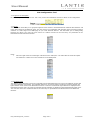
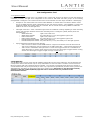
The initial configuration of a cabin/zone is carried out on the main page (The first page in the Excel spreadsheet). It
is divided up in the following sections: Name and IP of the YCS, OLED panel section, Air Condition fanspeed and
temperature, section for Main light and lift, dimmer section and lift section. On the following pages each section will
be described.
UM_YCS Config Tool_5.0.docx
Page 2 of 9
07.05.2013