1
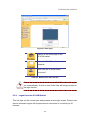
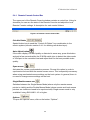
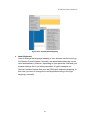
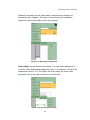
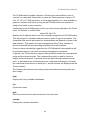
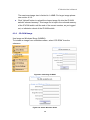
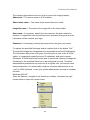
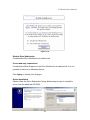
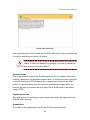
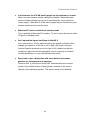
IP Module User’s Manual Hotkeys Opens a list of hotkeys defined before. Choose one entry, the command will be sent to the host system. A confirmation dialog can be added that will be displayed before sending the selected command to the remote host. Select “OK” to execute the command on the remote host. Figure 5-13. Remote Console Confirmation Dialog Encoding These options are used to adjust the encoding level in terms of compression and color depth. They are only available unless "Transmission Encoding" is determined automatically (see the Section called Transmission Encoding in Chapter 6). Compression Level: you may select a value between 1 and 9 for the desired compression level with level 1 enabling the fastest compression and level 9 the best compression. The most suitable compression level should always be seen as a compromise between the network bandwidth that is available, on your video picture to be transferred, and on the number of changes between two single video pictures. We recommend to use a higher compression level if the network bandwidth is low. The higher the compression level the more time is needed to pack and unpack the video data on either side of the connection. The compression quality depends on the video picture itself, e.g. the number of the colors or the diversity of pixels. The lower the compression quality, the more data have to be sent and the longer it may take to transfer the whole video picture. If level 0 is chosen the video compression is disabled, completely. The option "Video Optimized" has its advantages if transferring high-quality motion pictures. In this case the video compression is 32