1
IP Module User’s Manual
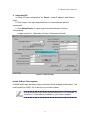
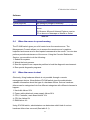
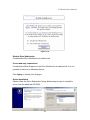
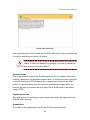
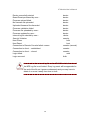
New super user password
Enter the new password for the super user.
New password (confirm)
Re-type the new password for the super user for confirmation.
To close the window and accept the changes, press the “OK” button; otherwise
press the “Cancel” button.
4.1.1 Initial Configuration Via Serial Console
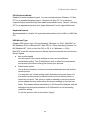
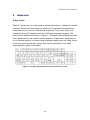
For using serial terminal, the IP-KVM switch has a serial line interface (host side).
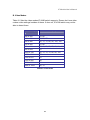
This connector is compliant with the RS-232 serial line standard. The serial line
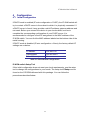
has to be configured with the parameters given in Table 4-2.
When configuring with a serial terminal, e.g., Hyper Terminal, reset the IP-KVM
switch and immediately press the “ESC” key. You will see some device
information, and a “=>” prompt. Enter “config”, press “Enter” key and wait for a
few seconds for the configuration questions to appear.
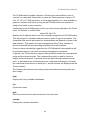
Parameter
Value
Bits/second
115200
Data bits
8
Parity
No
Stop bits
1
Flow Control
None
Table 4-2. Serial line parameters
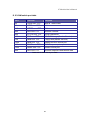
As you proceed, the following questions will appear on the screen. To accept the
default values shown in square brackets below, press “Enter” key.
IP auto configuration (none / dhcp / bootp):
IP [192.168.1.22]:
Net mask [255.255.255.0]:
Gateway (0.0.0.0 for none) [0.0.0.0]:
IP auto-configuration
With this option, you can specify whether the IP-KVM switch should get its
network settings from a DHCP or BOOTP server. For DHCP, enter “dhcp”, and
for BOOTP enter “bootp”. If you do not specify any of these, the IP
14