1
IP Module User’s Manual
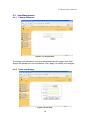
The IP-KVM switch firmware features a Telnet server that enables a user to
connect via a standard Telnet client. In case the Telnet program is using a VT
100, VT 102 or VT 220 terminal or an according emulation, it is even possible to
perform a console redirection as long as the IP-KVM switch host machine is
using a text mode screen resolution.
Connecting to the IP-KVM switch is done as usual and as required by the Telnet
client, for instance in a UNIX shell:
telnet 192.168.1.22
Replace the IP address by the one that is actually assigned to the IP-KVM switch.
This will prompt for username and password in order to log into the device. The
credentials that need to be entered for authentication are identical to those of the
web interface. That means, the user management of the Telnet interface is
entirely controlled with the according functions of the web interface.
Once you have successfully logged into the IP-KVM switch a command line will
be presented and you can enter according management commands.
In general, the Telnet interface supports two operation modes: the command line
mode and the terminal mode. The command line mode is used to control or
display some parameters. In terminal mode the pass-through access to serial
port 1 is activated (if the serial settings were configured accordingly). All inputs
are redirected to the device on serial port 1 and its answers are displayed on the
Telnet interface.
The following list shows the according command mode command syntax and
their usage.
help:
Displays the list of possible commands
cls:
Clears the screen
quit:
Exits the current session and disconnects from the client
version:
Displays the release information
36