1
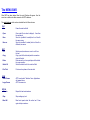
Weeknumber
You can ask what the week number it is by saying:
- "Please tell me which Week it is".
- "Week".
- "Week number".
- "What is the Week".
- "What is the Week Number".
- "What Week is it".
- "What Week number is it".
- "Which Week is it".
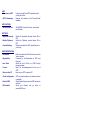
Month
You can ask what Month it is by saying:
- "Month".
- "Please tell me the Month".
- "Please tell me what Month it is".
- "What is the Month".
- "What Month is it".
Quarter
You can ask what Quarter it is by saying:
- "In what Quarter are we living".
- "Please tell me the Quarter".
- "Quarter".
- "What is the Quarter".
- "What Quarter is it".
- "Which Quarter is it".
ARTI will respond with “first”, “second”, “third” or “fourth”
Season
You can ask what Season (Summer, Winter, Spring or Fall) it is by saying:
- "Please tell me the Season".
- "Please tell me what Season it is".
- "Season".
- "What is the Season".
- "What Season is It".